YAML indentation review
It flags YAML tab indentation, mixed tabs and spaces, odd indentation, duplicate keys, missing colons and empty values.
Browser-side Config File Checker
Paste or upload YAML, TOML or ENV content into this checker before you deploy, commit or update environment variables. The local report identifies the file type, flags indentation, tab and space mixing, duplicate keys, empty values, unclosed quotes, invalid ENV names, duplicate TOML sections, array issues and separator mistakes.
Local config checker
Use this checker for GitHub Actions, Docker, Astro, Next.js, Vite and Node.js configuration changes. Paste content or upload .yaml, .yml, .toml or .env files; analysis runs in this browser tab.
Your config stays in this browser tab. This checker does not upload pasted text or files.
Config results will appear here
Paste YAML, TOML or ENV content, upload a file, or choose a sample to see detected type, line and column issues, paths, key counts, duplicate fields, empty fields and cleanup suggestions.
The tool turns pasted YAML, TOML and ENV text into a local preflight report with line numbers, paths and copy-ready cleaned output.
Paste text or upload .yaml, .yml, .toml and .env files. It uses extension and syntax hints to identify the format before it scans the content.
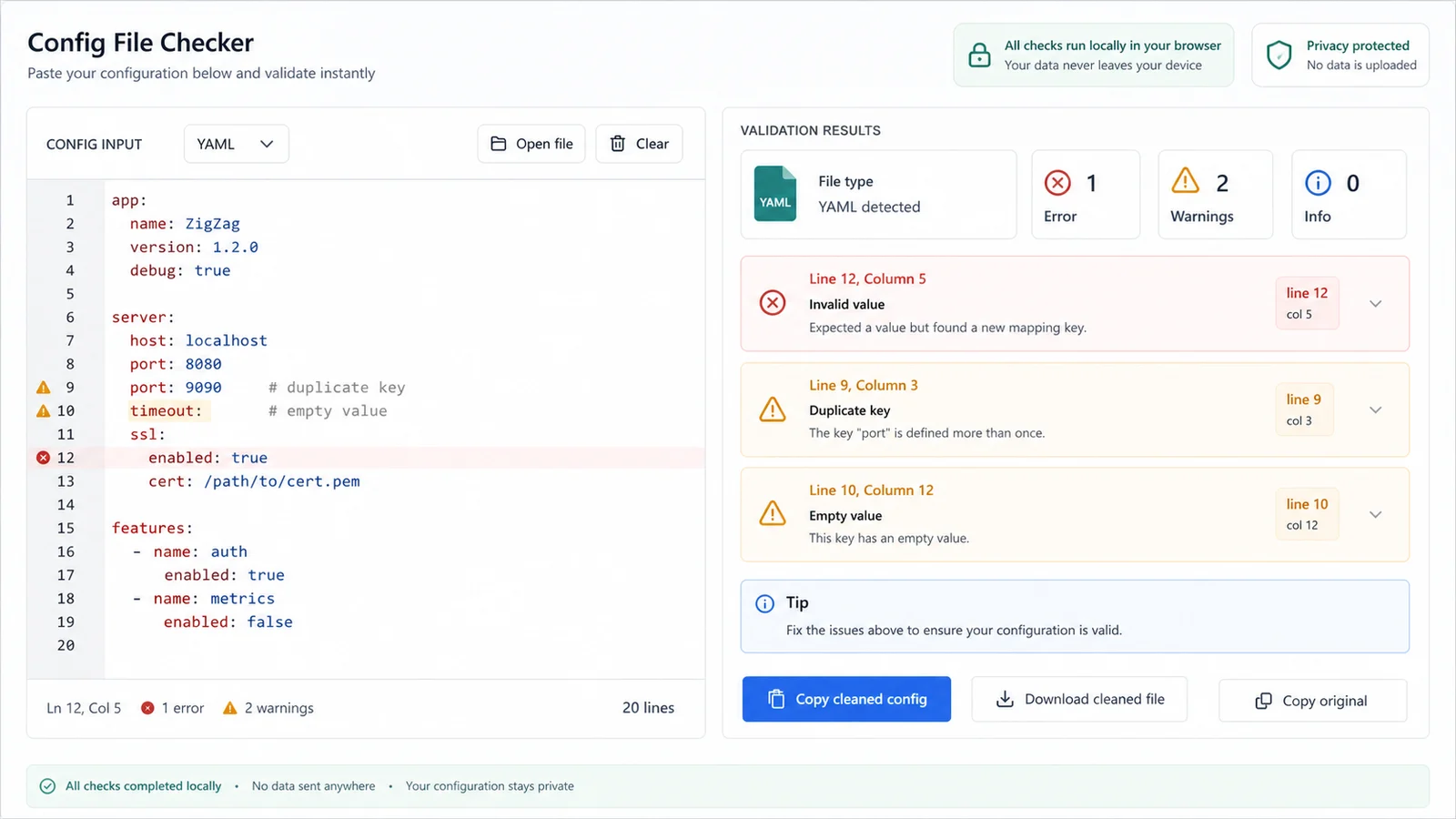
Review duplicate keys, empty fields, duplicate TOML sections, invalid ENV names, unclosed quotes, mixed whitespace and array problems with line, column and path details.
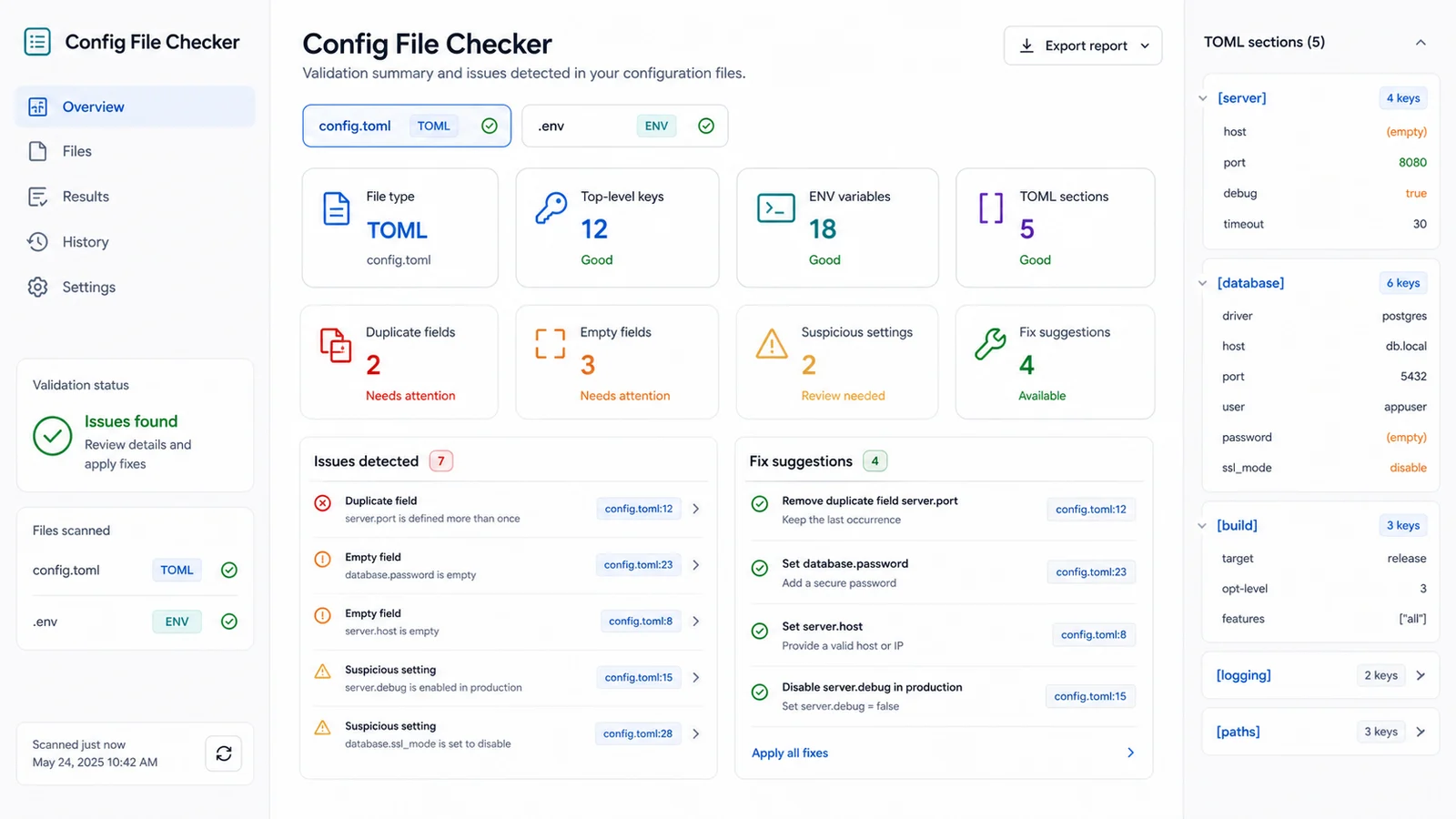
After the scan, copy a cleaned version with normalized line endings, trimmed trailing whitespace and safer formatting for your next commit or deploy.
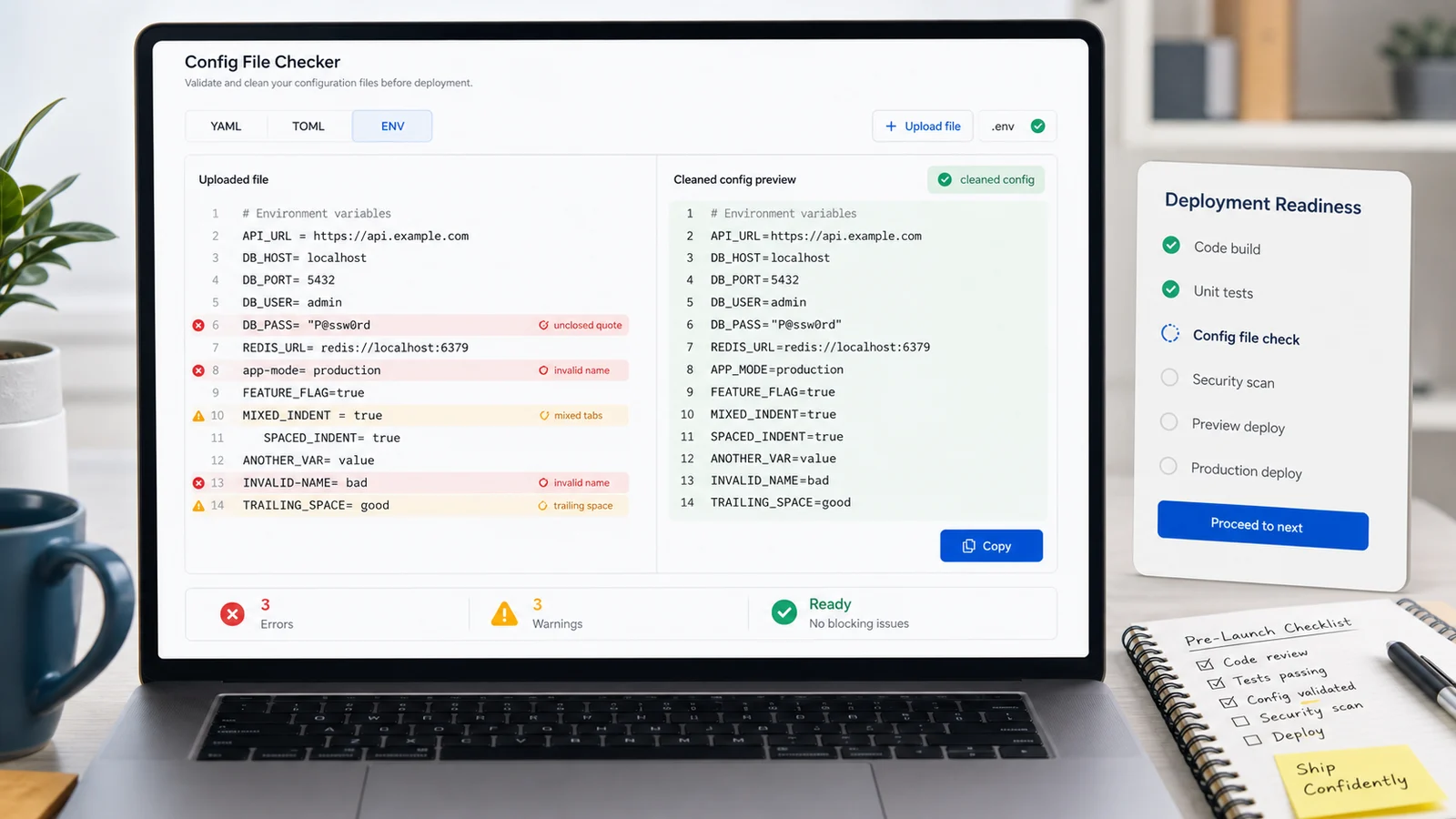
Use this checker when a project works locally but fails in CI, Docker, hosting panels or serverless deploys because a small config typo changed runtime behavior.
It flags YAML tab indentation, mixed tabs and spaces, odd indentation, duplicate keys, missing colons and empty values.
Find duplicate TOML sections, duplicate keys, empty values, unbalanced arrays and colon mistakes before a parser rejects your project config.
It validates common ENV variable names, duplicate assignments, blank values, unclosed quotes and public secret-like prefixes.
Issue cards include line, column and path hints so you can jump back to the exact YAML key, TOML table or ENV variable.
See detected type, top-level key count, ENV variable count, TOML section count, duplicate fields, empty fields and file size.
Pasted secrets and uploaded configuration files stay in the browser while the checker performs its scan and cleanup.
This is a fast local preflight for syntax and common deployment mistakes. It does not replace project-specific schema validation or the final parser used by your framework.
Start with the exact YAML, TOML or ENV content you plan to commit, deploy or paste into a hosting dashboard. The checker reads text and files locally.
Fix indentation, separator, quote, duplicate key, duplicate section, invalid variable name and array format errors before reviewing lower-risk suggestions.
A file can look readable while a strict YAML, TOML or ENV parser rejects one line, so line and column details matter.
Review errorsUse the cleaned output to remove trailing whitespace, normalize line endings and reduce formatting noise, then rerun the checker before committing the final version.
Answers about supported formats, local privacy, parser limits and how to interpret the results.
It supports pasted text and uploaded .yaml, .yml, .toml and .env files. It detects the likely type from the file extension and syntax patterns, then runs local checks for that format.
No. It reads pasted content and uploaded files in the browser tab. It does not need a database, account or network request to analyze YAML, TOML or ENV content.
No. It catches syntax-like mistakes and common deployment risks, but frameworks can add their own schemas and rules. Run your build, linter or official parser after fixing the report.
Duplicate keys can overwrite earlier values or fail in strict parsers. It reports repeated YAML, TOML and ENV fields so the intended runtime value is explicit.
Start with error rows, then warnings. Use the line, column and path fields to locate the YAML mapping, TOML section or ENV variable, fix the source file, and rerun the checker.
The cleaned output normalizes line endings, trims trailing whitespace and lightly normalizes obvious formatting for the detected type. It is meant as a convenience copy, not an automatic semantic rewrite.
Paste YAML, TOML or ENV here when a small config mistake could break GitHub Actions, Docker, Astro, Next.js, Vite, Node.js or a hosting dashboard.
Check the file locally, review exact line and path details, then copy cleaned output before you commit, paste or redeploy.
Local, browser-only preflight checks.