Delimiter detection
The CSV File Checker compares comma, semicolon, tab and pipe parsing, then reports the most likely delimiter for the file.
Free CSV File Checker
Upload a CSV file to the CSV File Checker before you import data into Excel, Google Sheets, a CRM, a warehouse or a database. The browser-side report detects delimiter, encoding, row count, column count, blank rows, duplicate headers, quote problems, long fields and rows that may break an import.
Browser-side CSV File Checker
Choose a CSV file or try a sample. The CSV File Checker reads the bytes in your browser, detects the likely delimiter, parses quoted fields, keeps line numbers and previews the first rows.
Your CSV stays in this browser tab. The CSV File Checker does not upload the file to analyze it.
CSV File Checker results will appear here
Upload a CSV file or use a sample to see parse status, delimiter, encoding, rows, columns, empty-field ratio, abnormal lines, import risks and a first-row preview.
The CSV File Checker turns a plain CSV export into a practical pre-import report with line numbers, preview rows and fixes to review before upload.
Drop a CSV file into the CSV File Checker and let the browser detect comma, semicolon, tab or pipe delimiters while preserving quoted fields and row numbers.
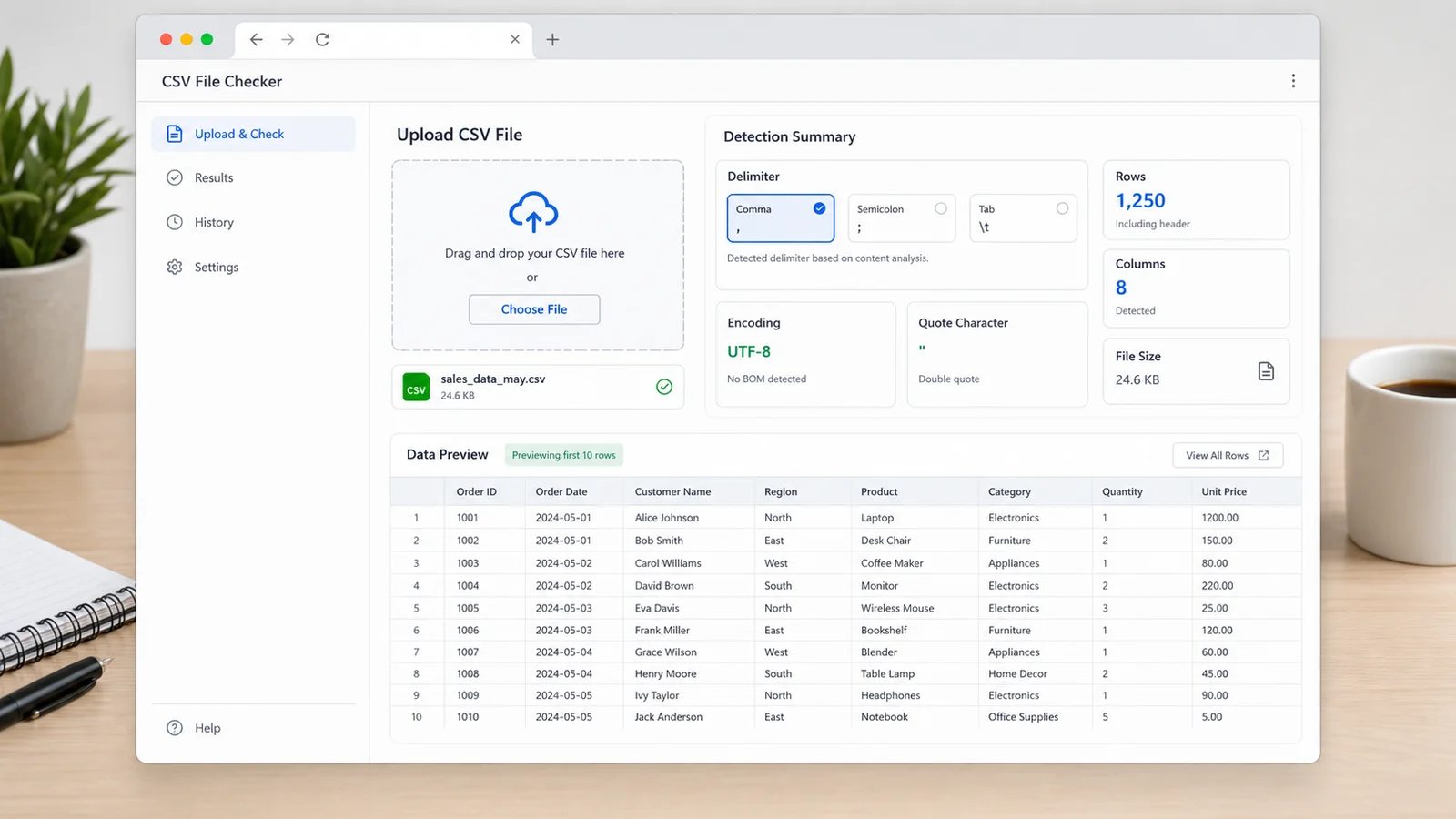
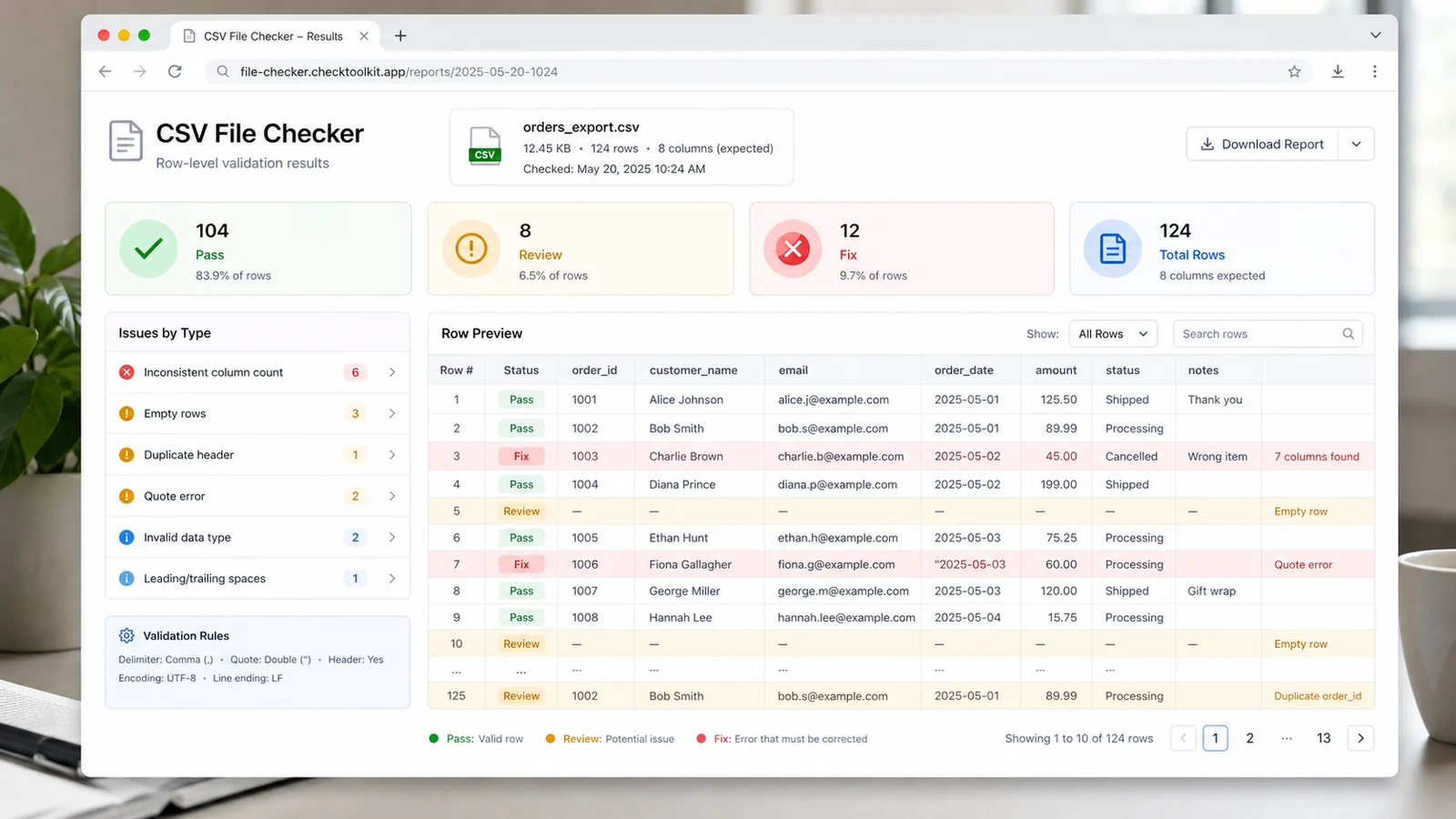
Use the CSV File Checker to find inconsistent columns, blank rows, duplicate headers, quote errors and long fields with the line numbers you need to repair the source export.
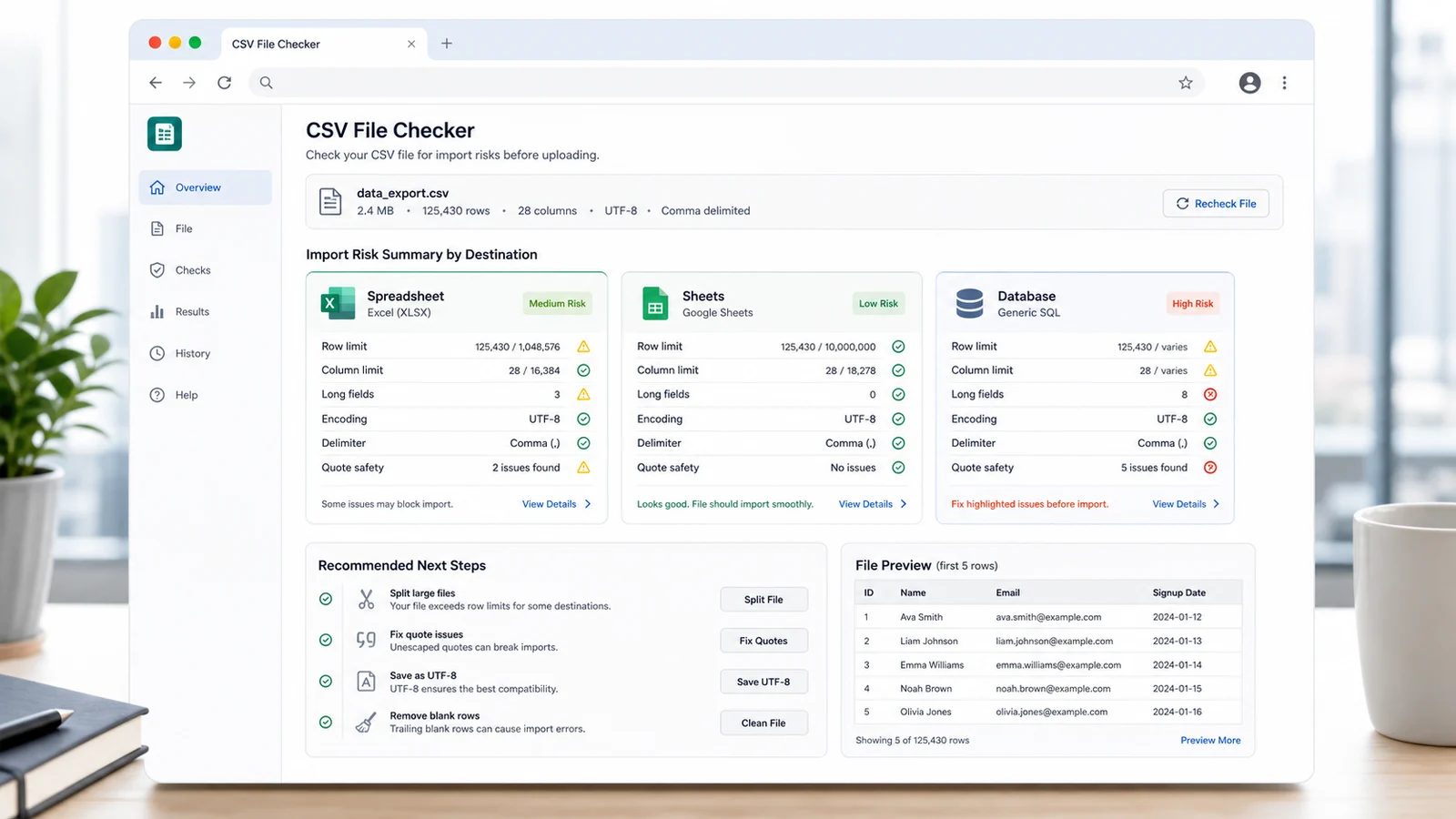
Before importing into Excel, Google Sheets or a database, the CSV File Checker flags row limits, column limits, cell length, encoding fallback and structure risks.
Use the CSV File Checker when a file opens locally but fails after a spreadsheet, form importer, CRM or database tool applies stricter parsing rules.
The CSV File Checker compares comma, semicolon, tab and pipe parsing, then reports the most likely delimiter for the file.
Detect UTF-8, UTF-8 BOM, UTF-16 BOM and fallback decoding so mojibake or replacement characters are easier to spot before import.
The CSV File Checker compares every non-empty row against the header width and highlights rows with too few or too many fields.
Catch unclosed quotes, quotes inside unquoted fields and characters after a closing quote that often break CSV importers.
Preview the first parsed rows and keep abnormal line numbers visible so the source CSV export is easier to repair.
The CSV File Checker warns about Excel, Google Sheets and database issues such as row limits, column limits, blank headers and oversized cells.
The CSV File Checker is a local preflight. It follows common CSV parsing expectations and practical spreadsheet limits, but the final result still depends on the exact importer you use.
Export your table as CSV, then upload it to the CSV File Checker. The file is decoded and parsed in the browser, so sensitive customer, sales or operations data stays local.
Check detected delimiter, encoding, rows, columns, empty-field ratio and abnormal line numbers. Fix duplicate headers, blank headers, quote errors and rows with shifted columns first.
A file can still open in a spreadsheet while failing in a stricter database importer, so structure warnings deserve attention.
Review structureReview Excel, Google Sheets and database risk cards before upload. Split oversized files, shorten oversized cells, save as UTF-8 and remove blank rows when the report recommends it.
Common questions about what the CSV File Checker can detect, how private uploads work and how to interpret import warnings.
The CSV File Checker detects the likely delimiter, decodes the file, parses quoted fields, checks consistent field counts, finds blank rows, duplicate or blank headers, quote issues, long fields, empty-field ratio and import risks for spreadsheets or databases.
No. The CSV File Checker reads the file in your browser tab and produces the report locally. You can use it for sensitive exports without sending the CSV to a server for parsing.
Excel can be forgiving when opening files interactively. Database importers, CRMs and automated pipelines often require consistent columns, valid quoting and clean headers, so the CSV File Checker highlights issues that may still matter.
The CSV File Checker compares comma, semicolon, tab and pipe delimiters. It uses quote-aware parsing, so delimiters inside quoted text are not treated as new columns.
No. The CSV File Checker uses public spreadsheet limits and common CSV rules to flag likely problems, but each importer can have its own settings, locale handling and file-size behavior.
Start with unclosed quotes and inconsistent column counts because they can shift every row after the error. Then fix duplicate or blank headers, remove blank rows, save as UTF-8 and split files that exceed spreadsheet limits.
Catch delimiter, encoding, quote and column issues while the file is still easy to fix.
The CSV File Checker is a practical preflight, not a replacement for the target platform's import documentation.