DNS basic record summary
Check A, AAAA, CNAME, NS, SOA, MX, TXT and CAA answers returned by the selected public resolver.
Public DNS-over-HTTPS domain diagnostics
Enter one or more domains in this DNS and Email Records Checker to query A, AAAA, CNAME, NS, SOA, MX, TXT, SPF, DMARC, DKIM selector and CAA records through a public DNS-over-HTTPS resolver. DNS records are queried through a public DNS-over-HTTPS resolver. No account password or email login is required.
DNS and Email Records Checker using DoH
Check one or more domains in a single workflow. This page combines DNS Record Checker, MX Checker, SPF Checker, SPF Lookup Limit Checker, DMARC Checker, DKIM Selector Checker and CAA Checker style checks without asking for mailbox credentials.
DNS records are queried through a public DNS-over-HTTPS resolver. No account password or email login is required.
This tool does not perform DNS blacklist checks, email reputation checks, SMTP tests, SMTP login tests or real delivery scoring because those need external databases, third-party APIs, SMTP connections or account passwords.
Queries Cloudflare's JSON DNS-over-HTTPS endpoint from your browser.
DNS and email record results will appear here
Enter domains to see DNS basics, MX mail servers, SPF records, SPF DNS lookup count, DMARC policy, DKIM selectors, CAA records, provider hints, main issues and repair suggestions.
Use one consolidated DNS and Email Records Checker instead of jumping between separate DNS, MX, SPF, DMARC, DKIM and CAA pages.
Enter one or more domains and choose a public DNS-over-HTTPS resolver to query DNS basics and mail-related records from the browser.
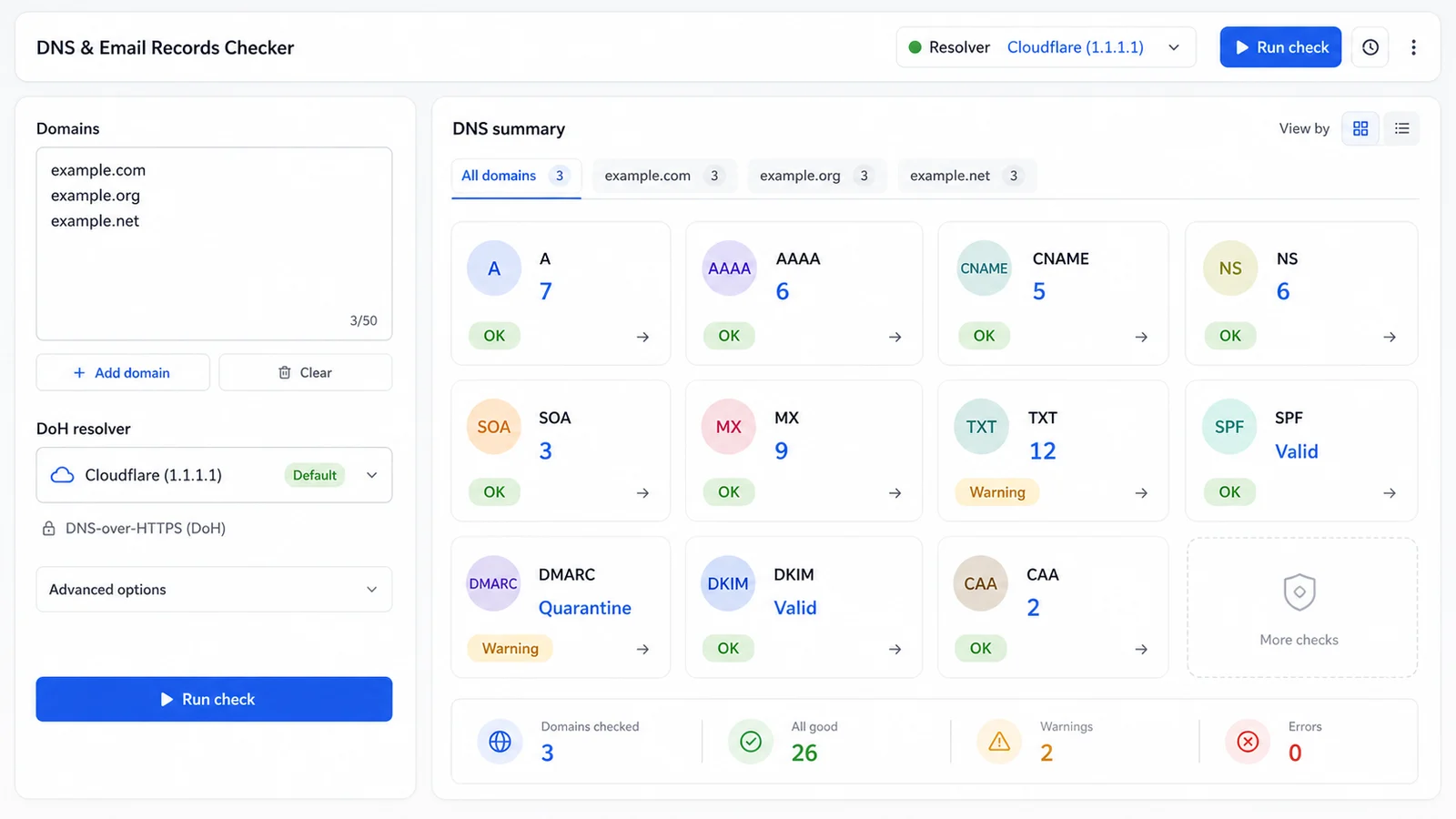
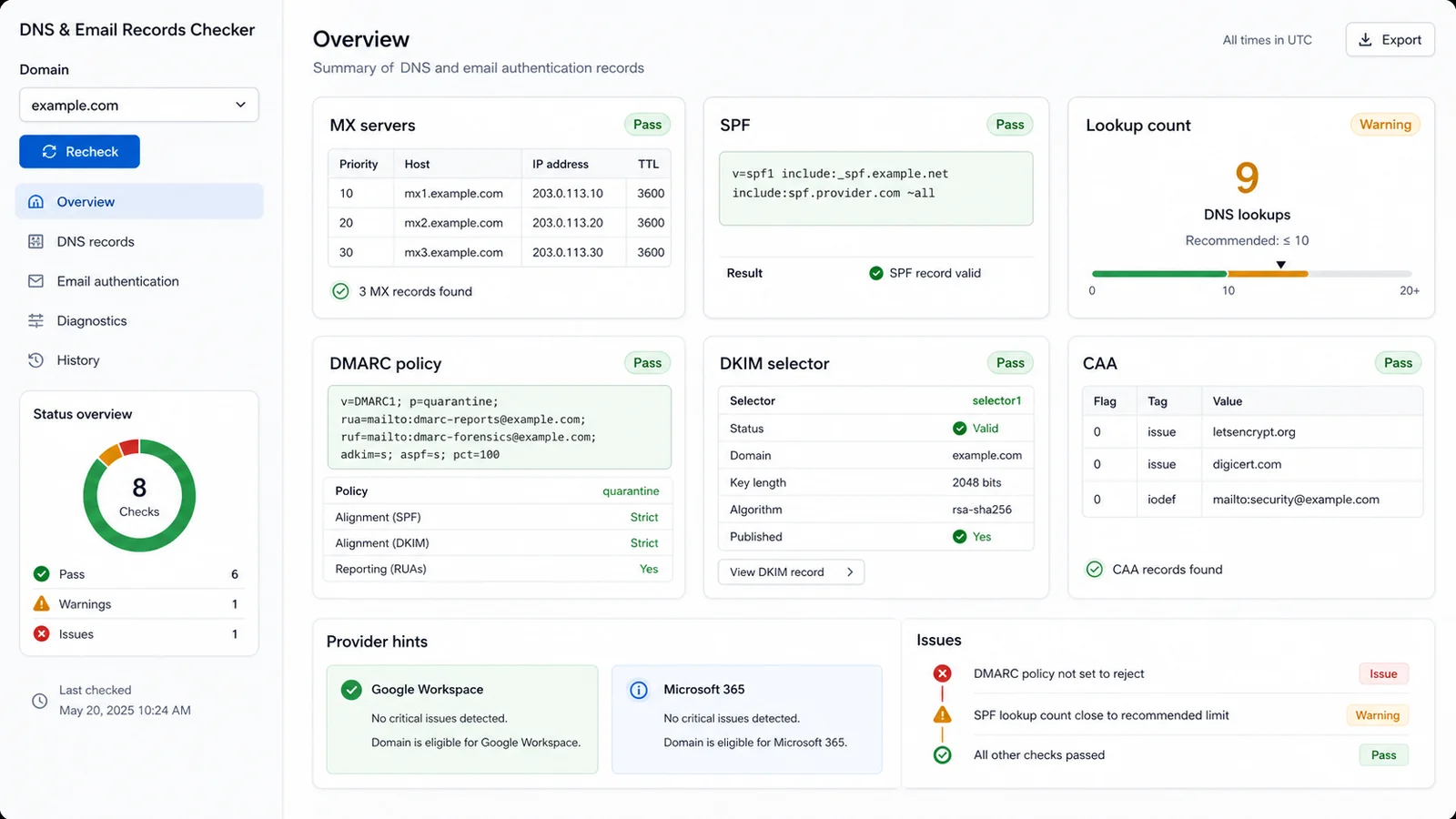
Inspect MX servers, SPF records, estimated SPF DNS lookup count, DMARC policy, DKIM selectors, CAA records and provider hints together.
Start from the main issues and suggested fixes while keeping blacklist, reputation, SMTP, login and delivery scoring outside the browser-only scope.
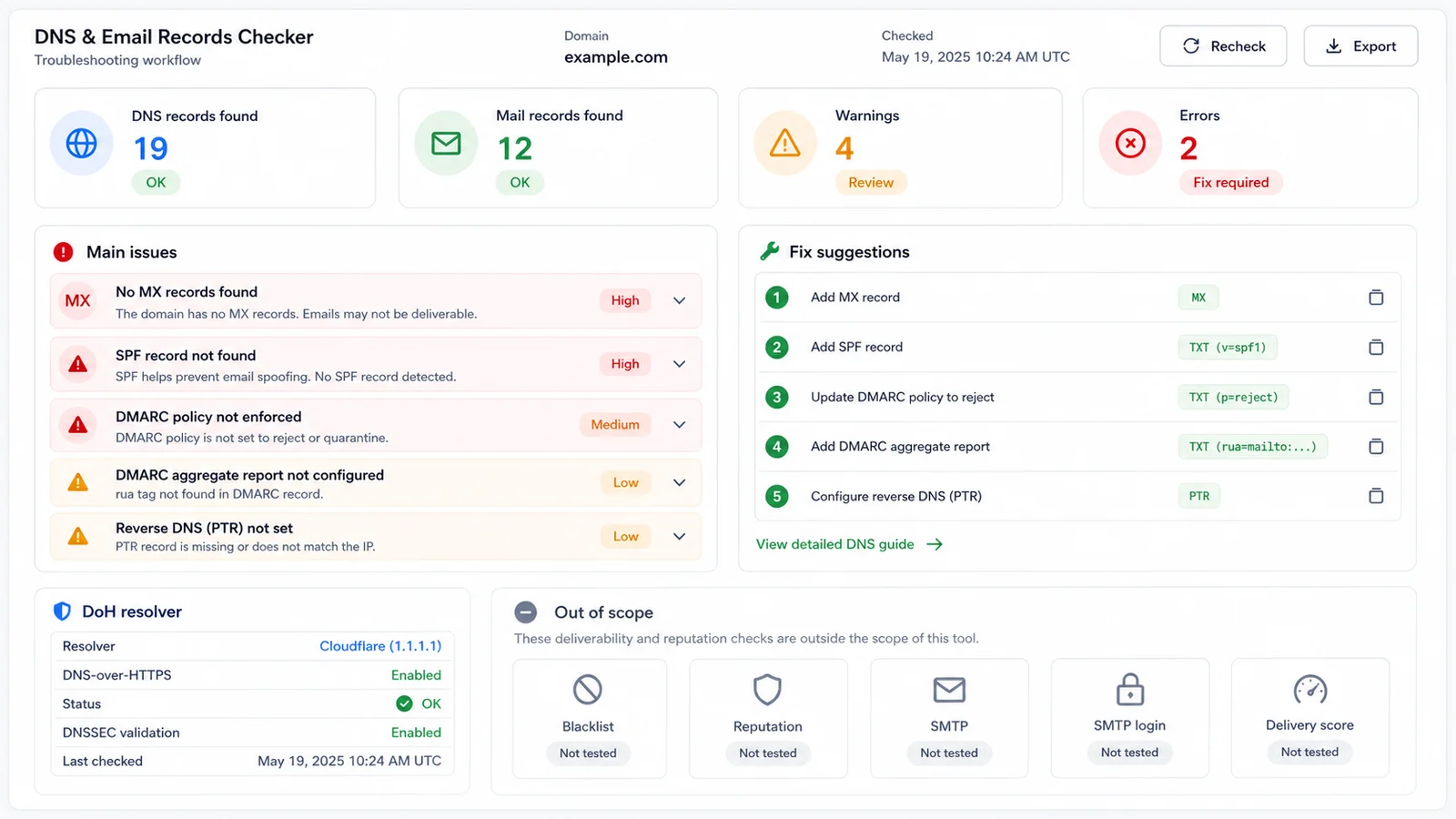
This checker combines domain DNS visibility, mail authentication checks and practical repair guidance in one frontend workflow.
Check A, AAAA, CNAME, NS, SOA, MX, TXT and CAA answers returned by the selected public resolver.
See whether MX records exist and list the returned mail exchanger hosts with resolver TTL details.
Find SPF records, multiple SPF policies, lookup-causing terms and estimated SPF lookup count against the 10-lookup limit.
Read DMARC policy tags and try common DKIM selectors such as google, selector1, selector2 and default.
Show CAA answers when present and explain when no CAA records are returned by the resolver.
Avoid pretending to score blacklists, reputation, SMTP login or real delivery because those require external systems.
Use this DNS and Email Records Checker when you need a browser-based DNS snapshot before editing DNS, migrating email or debugging mail authentication.
Paste one domain per line or separate domains with spaces or commas. The tool normalizes domain names and checks up to 20 valid domains in one run.
Start with MX, SPF, SPF lookup count and DMARC. Then review DKIM selector results, CAA visibility and provider hints for Google Workspace or Microsoft 365.
A pass means the static DNS checks did not find obvious issues. It does not prove inbox placement, reputation or SMTP connectivity.
Review resultsCopy the issue list into your DNS change plan, but confirm exact MX, SPF, DKIM and CNAME values in the mail provider admin console before editing production DNS.
Answers about DNS-over-HTTPS, privacy, SPF lookup limits, DMARC policy, DKIM selectors, provider hints and what the checker intentionally does not test.
No. DNS records are queried through a public DNS-over-HTTPS resolver. No account password or email login is required, and the page does not connect to your mailbox.
The tool queries A, AAAA, CNAME, NS, SOA, MX, TXT and CAA at the domain, _dmarc TXT for DMARC, selected selector._domainkey TXT records for DKIM, and autodiscover CNAME for Microsoft 365 hints.
The checker estimates lookup-causing SPF terms such as include, a, mx, ptr, exists and redirect, and follows include or redirect records when they can be resolved. Complex macros or cyclic includes may still need manual review.
No. DNS blacklist checks, reputation checks, SMTP tests, SMTP login tests and real delivery scores require external databases, third-party APIs, SMTP connections or credentials, so they are outside this pure frontend tool.
The page can detect common DNS clues such as Google MX or Microsoft 365 SPF patterns, but exact required records depend on your tenant, migration state and admin console. Always confirm provider records in the official admin UI.
Try the exact selector shown by your mail provider. DKIM selectors are provider- and tenant-specific, so a failed common selector does not prove DKIM is absent unless you checked the right selector.
Run the DNS and Email Records Checker before migrating mail, enabling DMARC enforcement or adding a new sender.
You get a public DNS-over-HTTPS snapshot, main issues and repair suggestions without providing an email password.
Browser-based DNS-over-HTTPS queries only. No blacklist, reputation, SMTP login or delivery scoring.