SPF, DKIM and DMARC review
Parse Authentication-Results and Received-SPF to show whether SPF, DKIM and DMARC passed, failed or need review.
Local raw email header analysis
Paste raw message headers into this Email Header Checker to understand why a message may land in spam, why authentication failed, whether From and Return-Path align, and whether a Reply-To address deserves review. Email headers are checked locally in your browser. They are not uploaded.
Local email header parser
Paste the raw header block from Gmail, Outlook, Apple Mail, a helpdesk export or an SMTP log. This parser reads Authentication-Results, Received, From, Return-Path, Reply-To, Message-ID and DKIM-Signature fields in your browser.
Email headers are checked locally in your browser. They are not uploaded.
This tool does not do email reputation scoring, mailbox safety scoring, blacklist lookups or real delivery-rate prediction because those require external databases or delivery data.
Email header results will appear here
Paste raw headers to see SPF, DKIM, DMARC, From and Return-Path alignment, suspicious Reply-To clues, Received chain summary, common providers, forwarding notes, main risks and improvement suggestions.
Use it when you need a readable local summary before asking a sender, mail provider or client to change authentication settings.
The parser reads the header block in the browser and keeps Authentication-Results, Received and identity fields on your device.
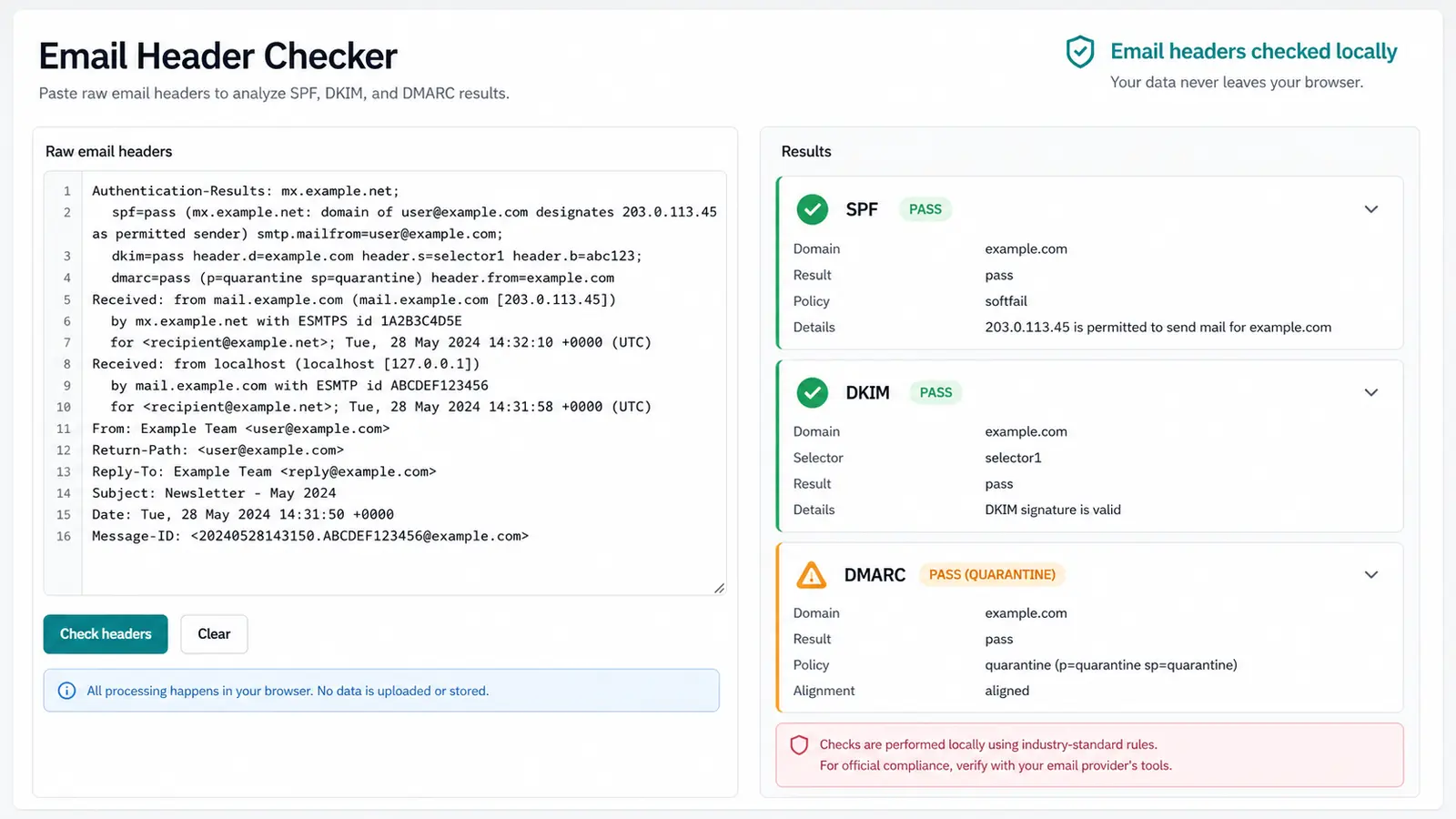
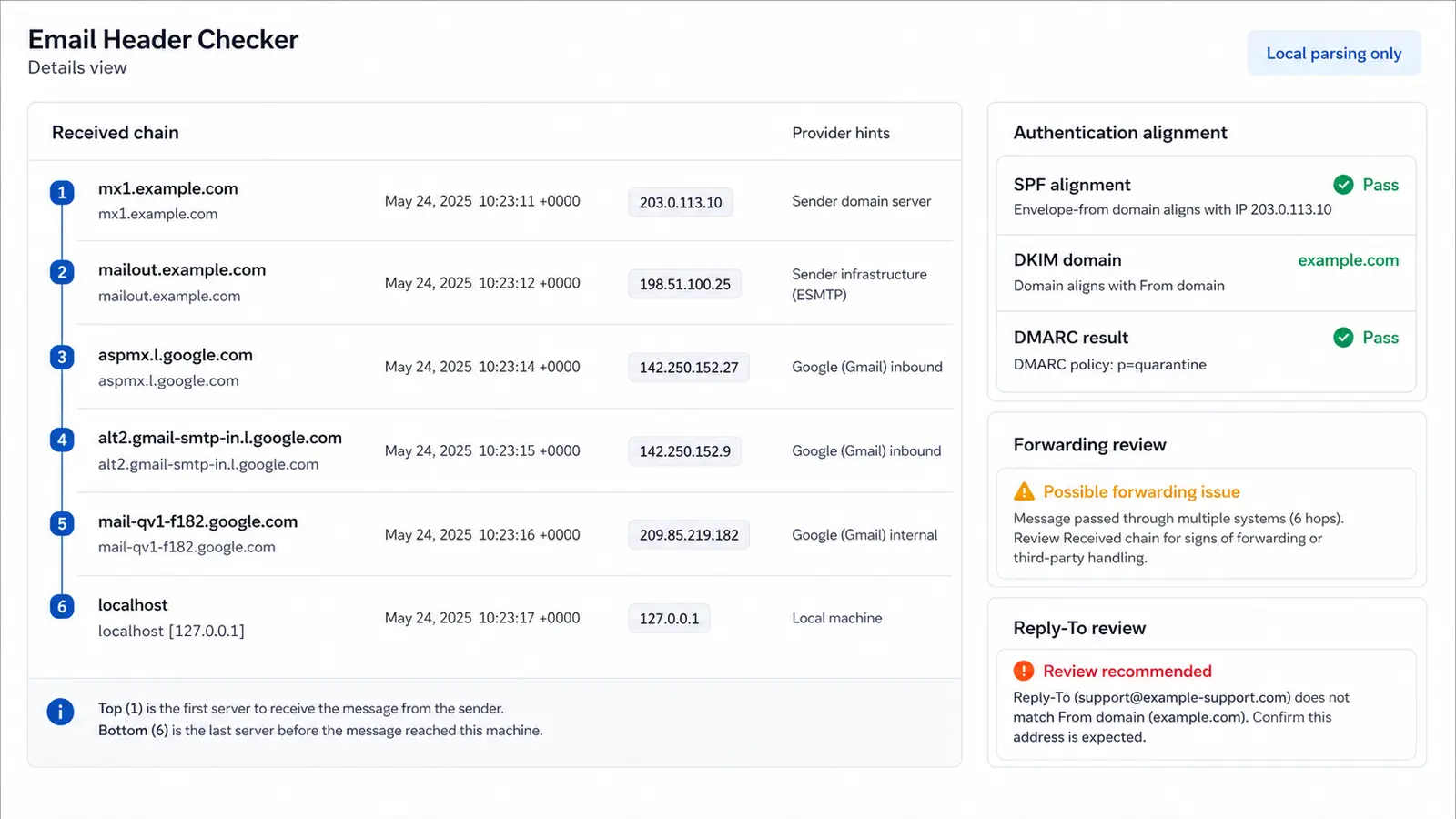
The parser summarizes hops, common provider hints, From and Return-Path alignment, suspicious Reply-To addresses and possible forwarding effects.
The parser turns failed SPF, missing DKIM pass, DMARC failure, forwarding context and identity mismatches into practical next steps.
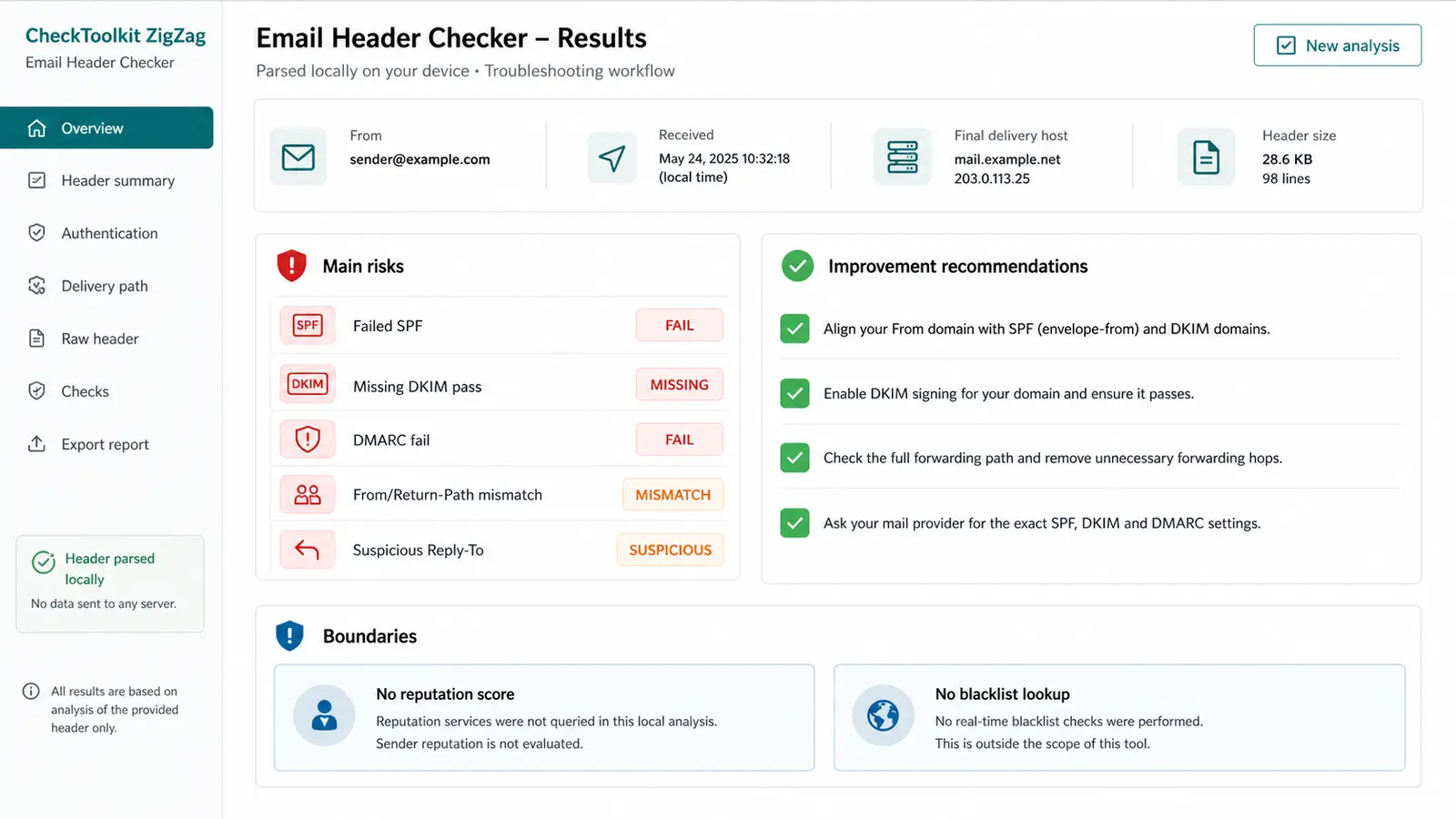
This Email Header Checker focuses on local header parsing and practical interpretation, not external deliverability scoring.
Parse Authentication-Results and Received-SPF to show whether SPF, DKIM and DMARC passed, failed or need review.
Compare From, Return-Path, Reply-To and Message-ID domains to find spoofing clues or expected platform differences.
Summarize Received hops, IP clues, dates, handoff servers and common provider hints from the pasted header block.
Spot long chains, multiple platforms and ARC context that may explain SPF softfail or authentication changes after forwarding.
Group failed authentication, mismatched domains, suspicious Reply-To addresses and missing trace fields into readable risk items.
Stay clear about what local parsing cannot prove: reputation, blacklist status, mailbox safety and real inbox placement prediction.
Use this Email Header Checker when you need a fast, private browser-based look at authentication and routing clues from a delivered message.
Open the original message source or show-original view, then copy the header section into the tool. Avoid pasting only the body or a shortened forwarding snippet.
Start with SPF, DKIM and DMARC. Then compare From, Return-Path, Reply-To and Message-ID to see whether the visible sender matches the envelope and reply behavior.
A failure can explain spam placement, but it does not prove malicious intent. Forwarding, mailing lists and gateways can change authentication context.
Review resultsUse the report as a troubleshooting note, then confirm exact SPF, DKIM and DMARC settings in the sender's mail provider or DNS admin console.
Answers about privacy, accuracy, SPF, DKIM, DMARC, forwarding, suspicious Reply-To addresses and the limits of local email header parsing.
No. Email headers are checked locally in your browser. They are not uploaded. The page parses the pasted text on your device and does not need an email login.
The checker parses common fields such as Authentication-Results, Received, Received-SPF, From, Return-Path, Reply-To, Message-ID and DKIM-Signature. It works best with the full original header block.
It can highlight header clues that often contribute to spam placement, such as failed SPF, failed DKIM, failed DMARC, mismatched Return-Path, unusual Reply-To or forwarding effects. It cannot know every mailbox filter decision.
No. The page reads the result reported by the receiving system in Authentication-Results. Cryptographic DKIM verification requires DNS lookups, canonicalization and the exact message content, so this local parser does not re-verify the signature.
No. This tool does not do email reputation scoring, mailbox safety scoring, sender IP blacklist lookup or real delivery-rate prediction because those require external databases, mailbox data or delivery telemetry.
Treat it as a review item. Some support desks and marketing tools use a different Reply-To intentionally, but unexpected billing, password, invoice or payment replies should be verified with the sender through a trusted channel.
Paste the delivered message headers into the tool to see authentication results, routing clues, sender identity mismatches and practical next steps.
Keep the result focused: local header parsing only, with no reputation score, blacklist lookup or delivery-rate prediction.
Email headers are checked locally in your browser. They are not uploaded.