SHA-256 first
Generate SHA-256 for modern download verification while still seeing SHA-384, SHA-512, SHA-1 and MD5 when a source publishes older formats.
Free browser checksum tool
Upload one or more files and generate SHA-256, SHA-384, SHA-512, SHA-1 and MD5 values in your browser. Paste an official checksum from a download page, release note or vendor email to see whether the file matches exactly or only after case and whitespace cleanup.
Browser-side hash check
Drop files here to calculate hashes locally. This checker does not upload your files, and the checksum comparison updates whenever you edit the pasted value.
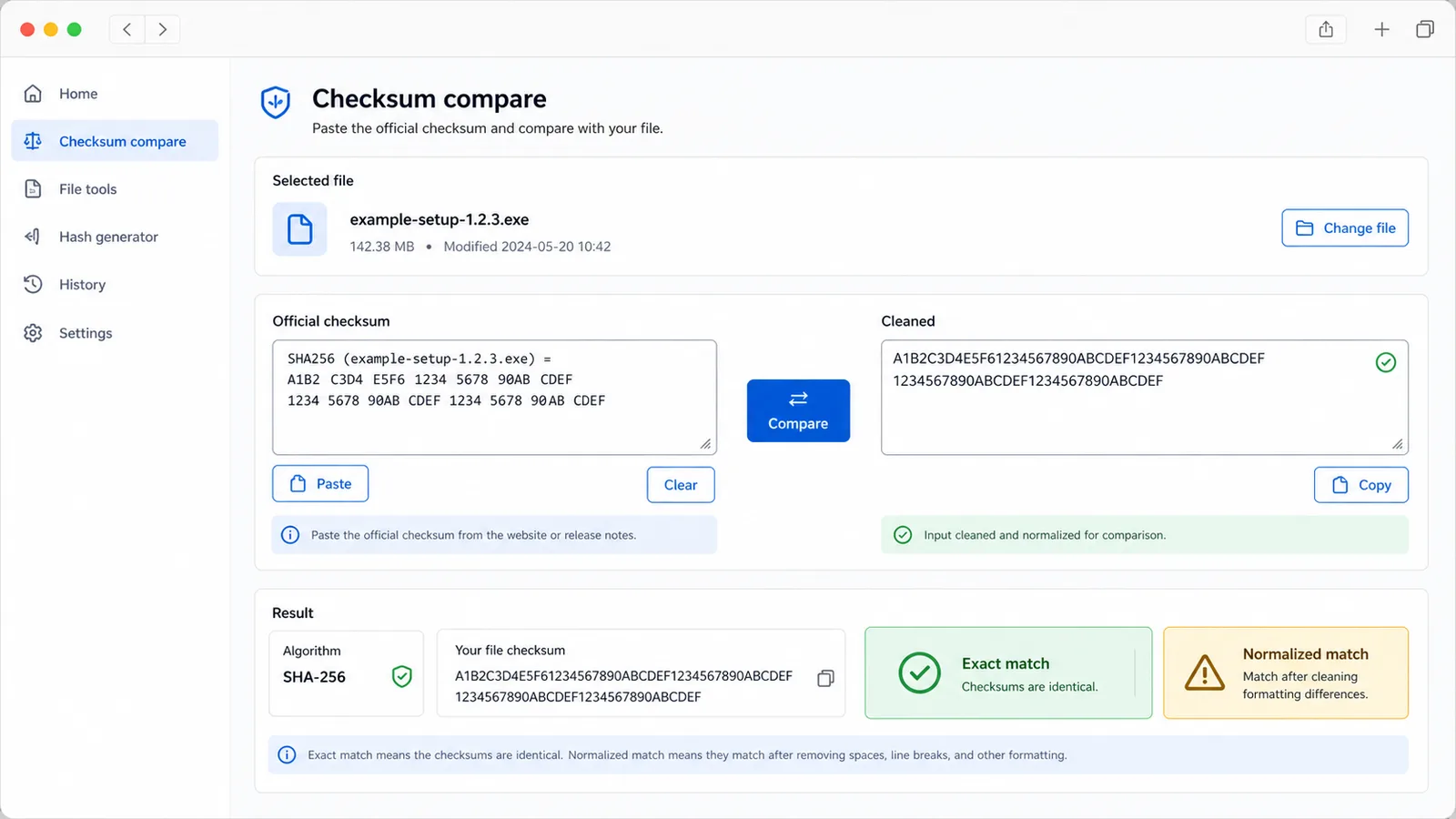
The checker extracts common hexadecimal checksum lengths and also checks a lowercase, whitespace-cleaned version.
Files stay on your device. Hashes are generated locally with browser APIs plus a local MD5 implementation.
Hash and checksum results will appear here
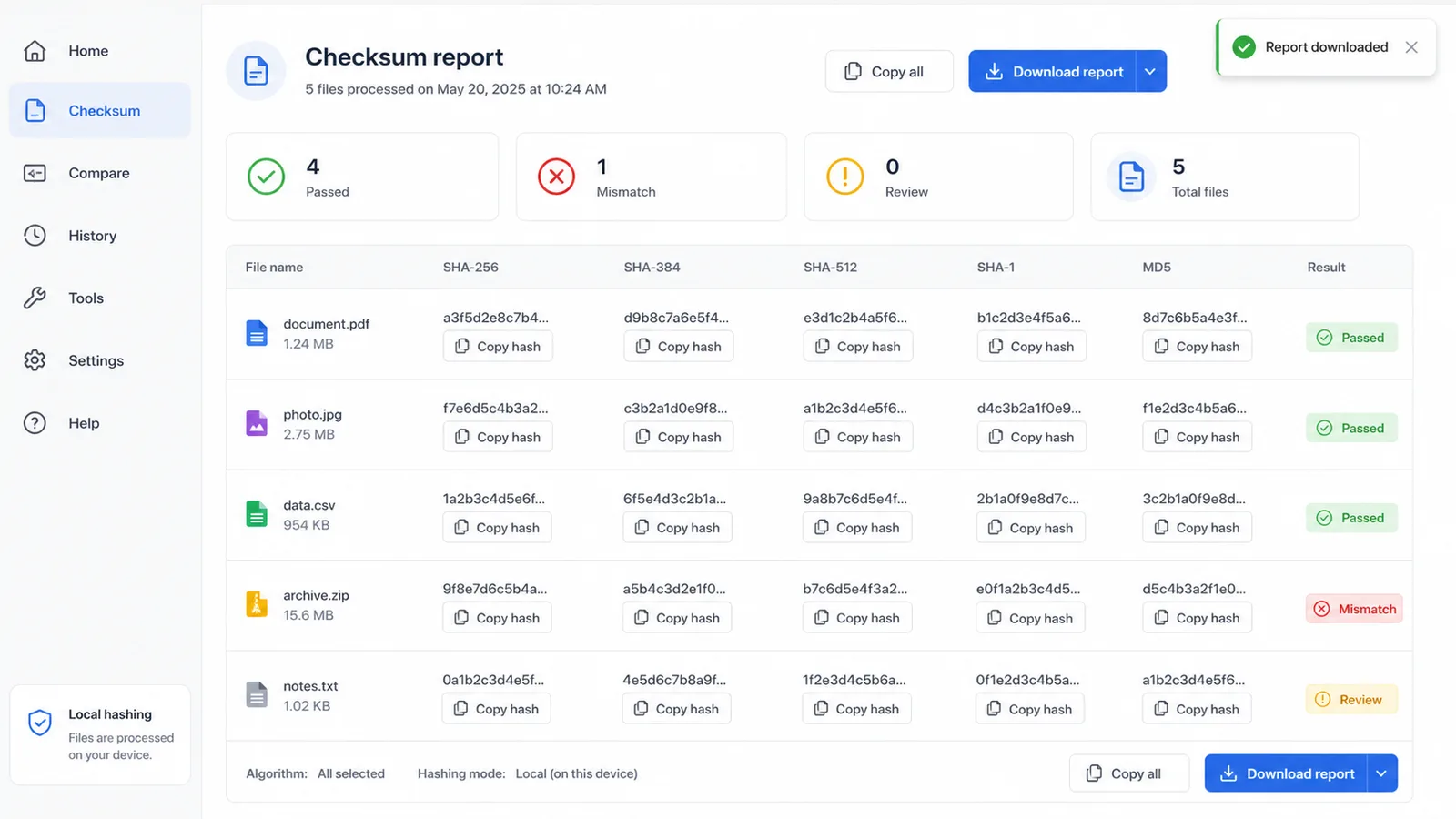
Upload one or more files to see filename, file size, SHA-256, SHA-384, SHA-512, SHA-1, MD5, pasted checksum, exact match status, normalized match status, copy buttons and a downloadable report.
Confirm that a downloaded file, archive or installer still matches the checksum published by its source.
Upload one or more files. The browser reads raw bytes locally and generates SHA-256, SHA-384, SHA-512, SHA-1 and MD5 values.
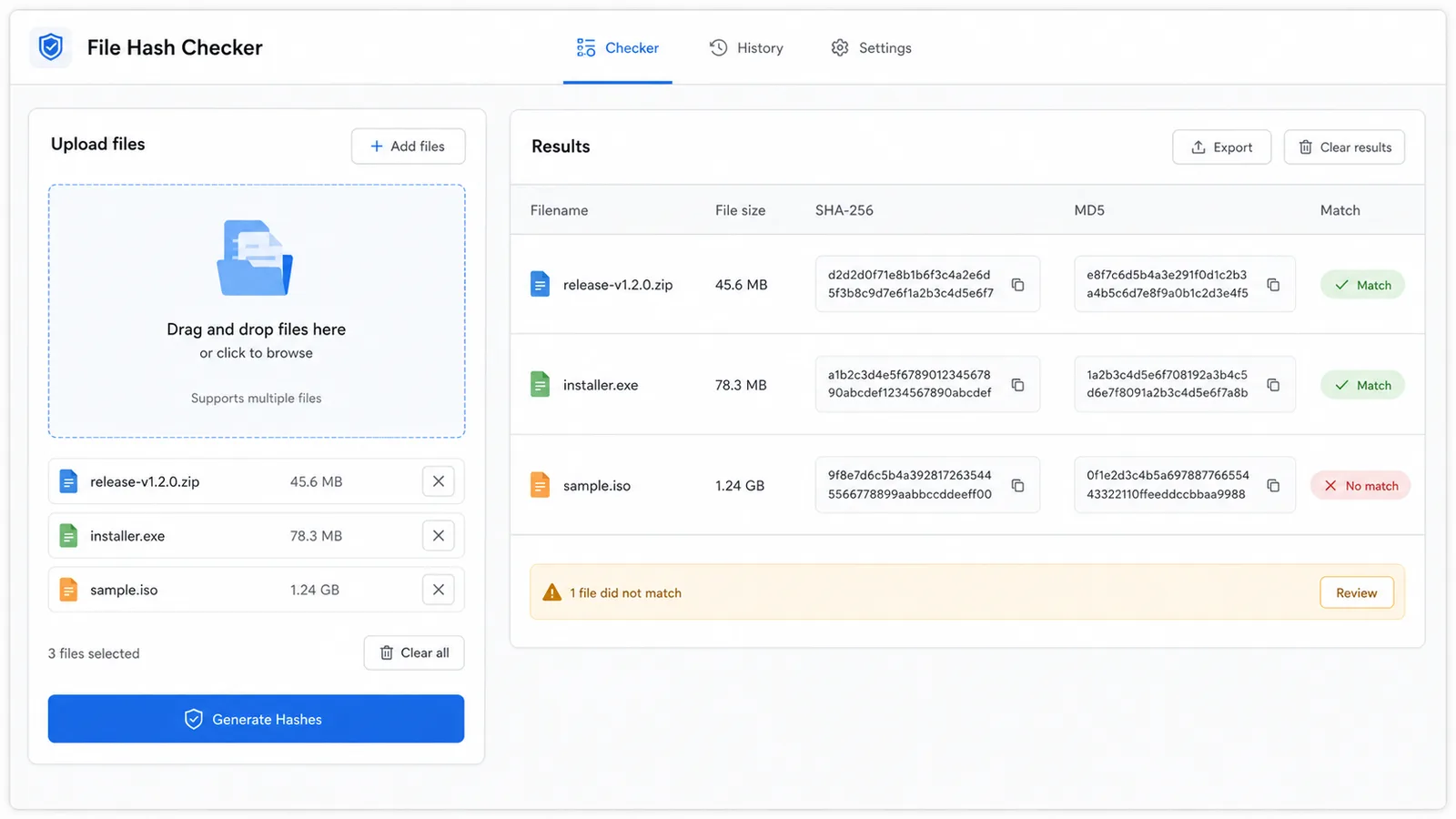
Paste the official checksum and review exact matches, mismatches and case or whitespace cleaned matches for each file.
Copy individual hashes or download a report with filenames, sizes, hash values and match status.
Use this tool when you need byte-level file identity, not upload eligibility or attachment formatting.
Generate SHA-256 for modern download verification while still seeing SHA-384, SHA-512, SHA-1 and MD5 when a source publishes older formats.
Compare older checksum formats when legacy projects, mirrors or archives publish MD5 or SHA-1 values.
Detect exact matches and matches after lowercase and whitespace cleanup, so line wrapping or uppercase checksum text is easier to review.
Hash several downloads or release assets in one pass and compare the same official checksum text against every file.
Copy SHA-256 or MD5 values directly from each result when you need to paste evidence into a ticket, release note or support reply.
Save a plain text report with filenames, file sizes, generated hashes, pasted checksum and match status for later review.
The File Hash and Checksum Checker proves whether bytes match a published checksum; it cannot prove that the publisher itself is trustworthy.
Add the installer, archive, ISO, document or release asset you downloaded. The browser calculates SHA-256, SHA-384, SHA-512, SHA-1 and MD5 from the actual file bytes.
Copy the checksum from the official download page, signed release note, package index or vendor message and paste it into the comparison box.
If the source publishes a checksum file with filenames, paste the relevant line or the whole block and review the matched algorithm shown in the result.
Paste checksumA mismatch means the file bytes differ from the pasted checksum. Download again from the official source, check that you selected the right file, and avoid running or sharing the file until the mismatch is understood.
Practical answers for interpreting checksum results before trusting a file.
It verifies byte-for-byte identity against a pasted checksum. If the generated hash matches the official value, the file you uploaded has the same bytes represented by that checksum.
No. It reads files in your browser tab, calculates hashes locally, and compares the pasted checksum without sending the file to a server.
It generates SHA-256, SHA-384, SHA-512, SHA-1 and MD5. SHA-256 is the most common modern download checksum, while SHA-1 and MD5 are included for legacy checksum pages.
Exact match compares the checksum text as pasted. Normalized match lowercases checksum text and removes whitespace, which helps when official checksum values are uppercase or wrapped across lines.
Confirm that the checksum belongs to the same file and version, download the file again from the official source, and avoid installing or sharing it until you understand the mismatch.
No. A matching checksum proves file integrity against the published value, but it does not prove the publisher is safe or that the original file is free of malware.
Generate SHA-256, SHA-384, SHA-512, SHA-1 and MD5 locally, compare the official checksum, then copy or download the verification result.
For upload size, MIME type and attachment filename checks, use the File Attachment Checker instead.