PDF metadata review
Look for PDF author, title, subject, keywords, created time, modified time, Creator, Producer and XMP metadata.
Free File Privacy and Metadata Checker
Upload PDF, DOCX, PPTX, XLSX or ZIP files to the File Privacy and Metadata Checker before sending work to a client, school, employer or platform. The browser-side report looks for document metadata, Office core properties, PDF Creator and Producer data, XMP metadata, hidden archive files and suspicious ZIP filenames that may expose private context.
Browser-side privacy scan
Drop PDF, Office or ZIP files here. This checker reads the file locally and reports internal privacy traces, document metadata and archive leak signals without uploading your file.
Files stay in this browser tab. Nothing is sent to a server for analysis.
File Privacy and Metadata Checker results will appear here
Upload a PDF, DOCX, PPTX, XLSX or ZIP file, or try a sample, to see file type, privacy risk level, metadata found, hidden archive files, suspicious files, send readiness and cleanup advice.
This focused privacy preflight is for files that leave your team: documents with metadata and ZIP archives with internal traces.
Upload PDF, DOCX, PPTX, XLSX or ZIP files. The browser reads them locally and keeps the privacy scan on your device.
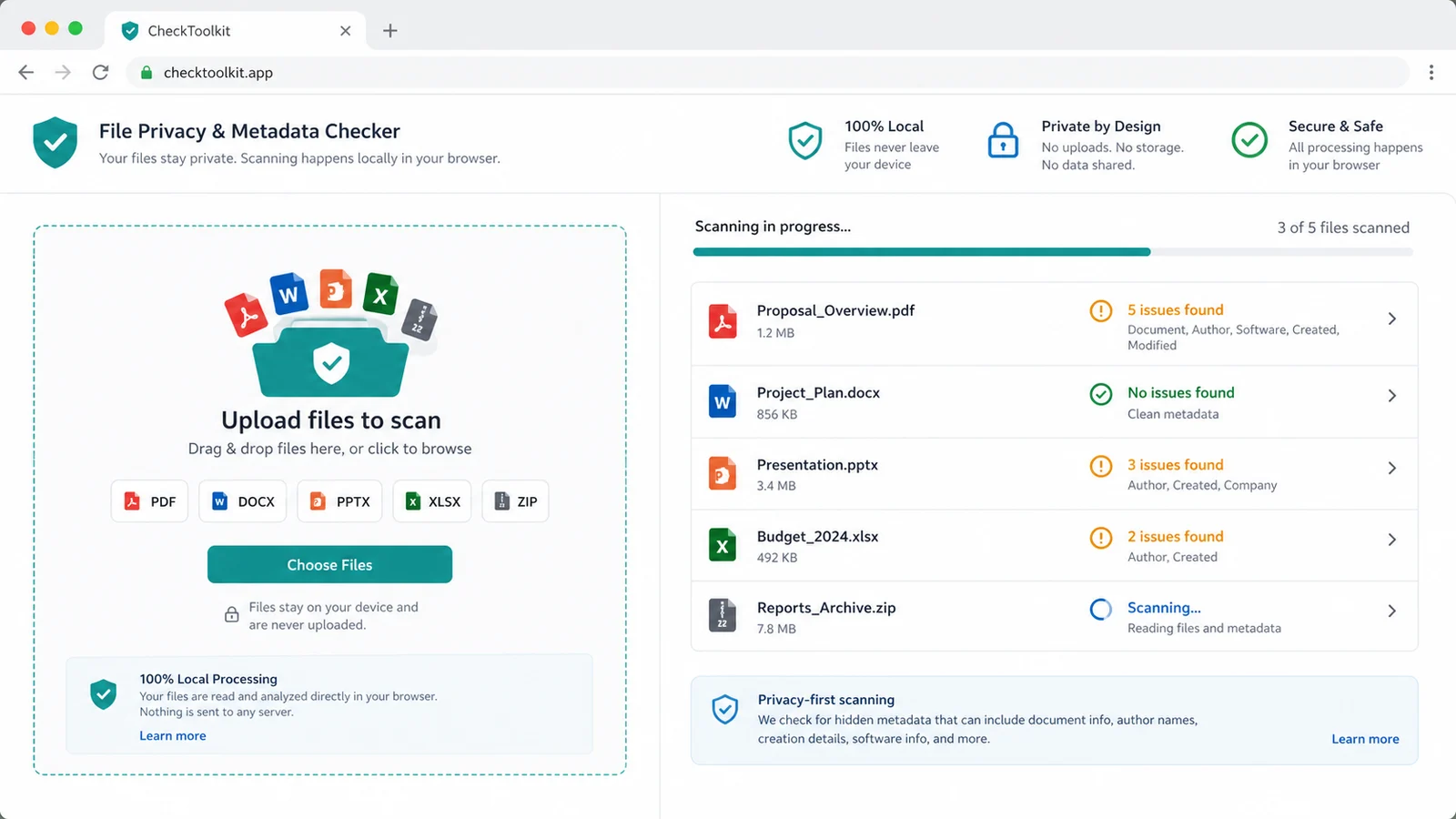
Review file type, privacy risk level, document metadata, Office core properties, PDF Creator and Producer values, XMP data, hidden archive files and suspicious filenames.
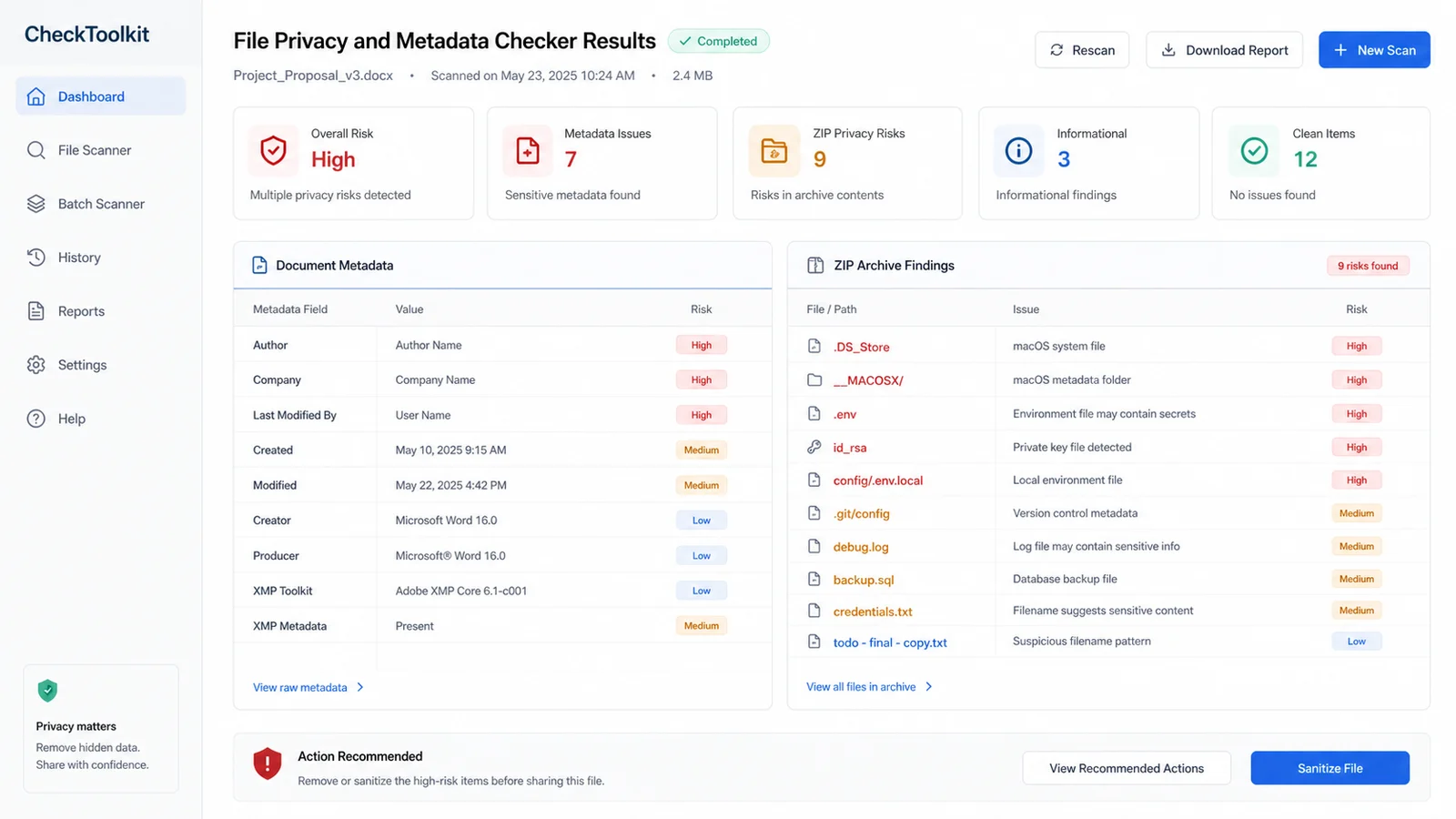
Use the result to remove document properties, rebuild ZIPs, delete private files and re-export clean files before sending.
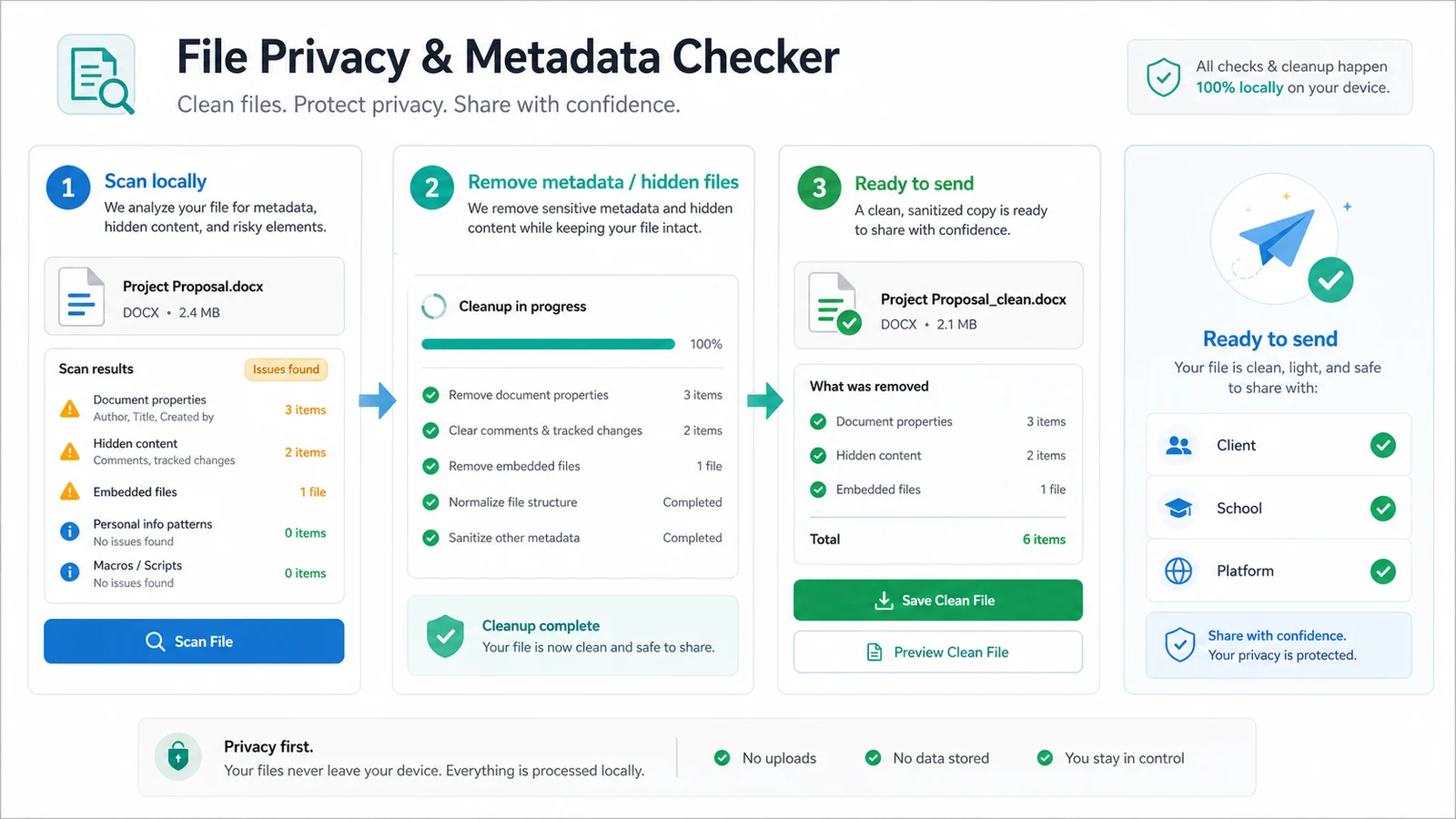
Use this privacy check when the file itself may reveal more than the visible document or archive contents.
Look for PDF author, title, subject, keywords, created time, modified time, Creator, Producer and XMP metadata.
Inspect DOCX, PPTX and XLSX packages for Office core properties such as author, company, last modified by, created time, modified time, title, subject and keywords.
Find .DS_Store, __MACOSX, Thumbs.db, .git folders, dotfiles and hidden archive entries that often ride along in shared ZIP files.
Spot .env, .npmrc, private key-like names, backup files, temporary files, absolute paths and suspicious archive filenames before sharing.
Flag filenames that look like they contain emails, phone numbers or likely real names.
This page does not check image EXIF or DPI, and it does not repeat extension, MIME or upload-size checks. It stays focused on internal privacy traces.
This browser-side privacy preflight helps catch accidental document and ZIP leaks, but it cannot guarantee that every hidden trace has been removed.
Add the PDF, DOCX, PPTX, XLSX or ZIP files you plan to share. The browser reads document metadata and ZIP directory entries locally.
Review the privacy risk level, file type, discovered metadata, hidden files, sensitive archive entries, readiness note and cleanup suggestions.
ZIP filename checks use conservative pattern matching, so personal-name and phone-number findings should be reviewed before you decide whether they are truly sensitive.
Review reportRemove metadata, re-export clean documents, rebuild ZIPs from a clean folder and delete secrets or backup files. Then scan again before sending.
For client, school or platform submissions, combine this privacy scan with the recipient's actual file instructions.
Rerun scanAnswers about PDF metadata, Office metadata, ZIP archive privacy, local processing, accuracy and scope boundaries.
It inspects PDF metadata, PDF Creator and Producer values, XMP metadata, Office core properties in DOCX, PPTX and XLSX files, and ZIP archive filenames that may reveal hidden files, secrets, backups, absolute paths or personal identifiers.
No. It runs in your browser, reads the selected file locally and does not send the file to a server for analysis.
Image EXIF, DPI and image metadata are handled by the Image Checker. This page is intentionally limited to document metadata and archive privacy traces so the tools do not overlap.
No. Extension, MIME type and upload-size checks belong to the File Attachment Checker. This page focuses on internal privacy traces, document metadata and ZIP contents.
It reports what it can see and suggests what to delete or re-export. It does not rewrite your original files in the browser.
ZIP checks use filename patterns for common leaks such as .env, .npmrc, private keys, backups, emails, phone numbers and likely names. Treat the result as a practical preflight and review false positives before changing files.
Check PDF, Office and ZIP privacy traces locally, then remove metadata, hidden files and sensitive archive entries before the final send.
For image EXIF/DPI use Image Checker. For extension, MIME and size use File Attachment Checker.