HTML Email Template Checker preheader review
Let the HTML Email Template Checker detect whether hidden preheader text appears in the email HTML so newsletter and transactional snippets do not start with random body copy.
Local HTML email QA
Use this HTML Email Template Checker before sending a newsletter, campaign, signup code, receipt or notification. Email template HTML is checked locally in your browser. No email is sent and no inbox login is required.
Browser-only email template check
Paste the HTML email template from your editor, ESP, CMS or codebase. The HTML Email Template Checker reviews structure, preheader, images, CSS, mobile width, Outlook risks and dark mode reminders without uploading the template.
Email template HTML is checked locally in your browser. No email is sent and no inbox login is required.
This HTML Email Template Checker is not a spam score checker, deliverability checker, inbox placement checker, real email sending test, Gmail or Outlook live preview, or open-rate predictor.
HTML Email Template Checker results will appear here
Paste newsletter, marketing, verification code, order confirmation or notification HTML and let the HTML Email Template Checker show template structure checks, preheader checks, image alt checks, external CSS risk, inline style reminders, mobile width risk, Outlook compatibility risk, dark mode reminders, main issues and repair suggestions.
The HTML Email Template Checker combines HTML Email Checker, Email Template Checker, Newsletter HTML Checker, Email Preheader Checker and Outlook Email Compatibility Checker tasks in one page.
Paste newsletter, marketing, verification code, order confirmation or notification HTML. The HTML Email Template Checker keeps the template in your browser.
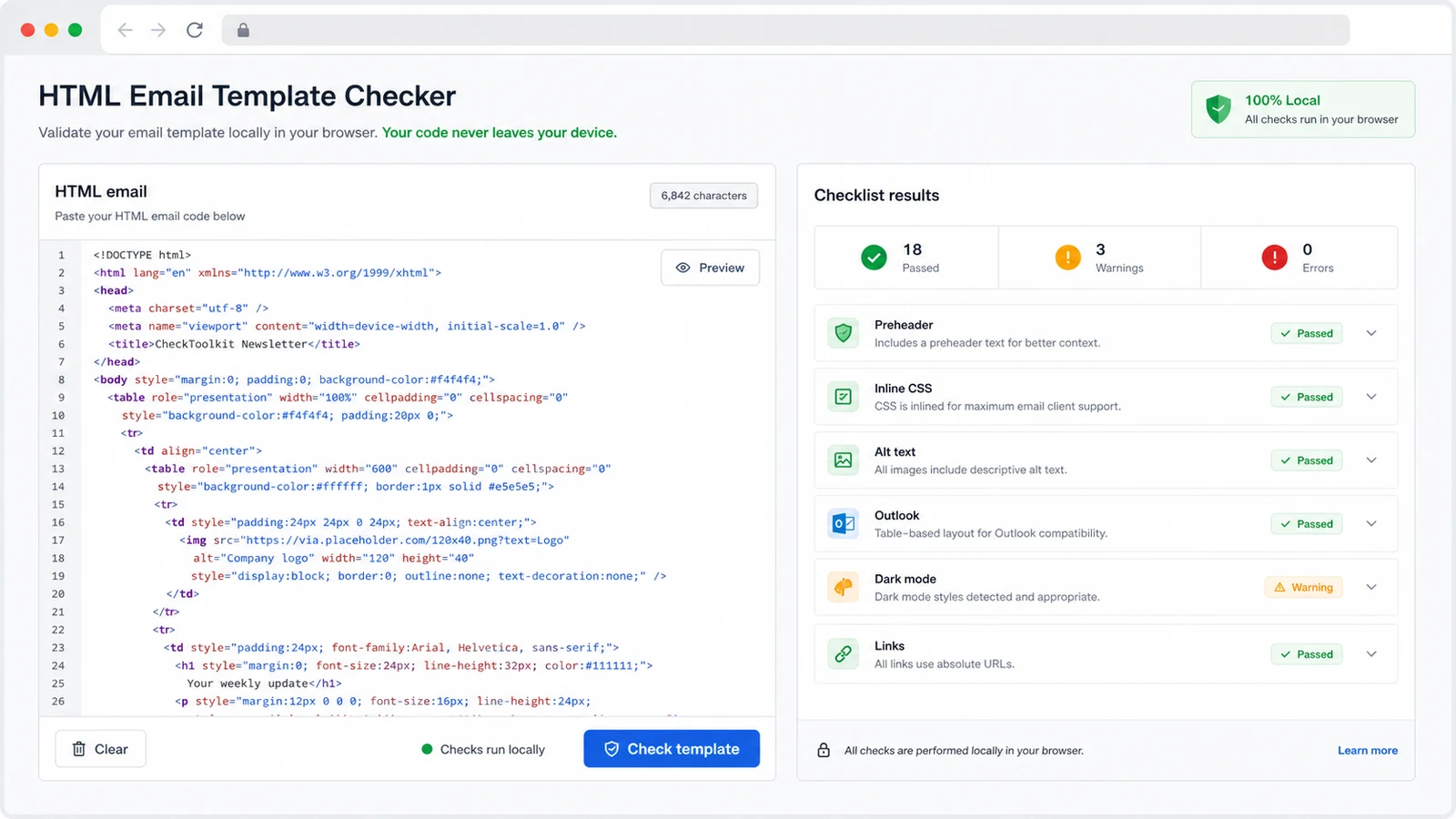
Use the HTML Email Template Checker to review preheader, image alt, external CSS, inline styles, mobile width, Outlook compatibility and dark mode reminders together.
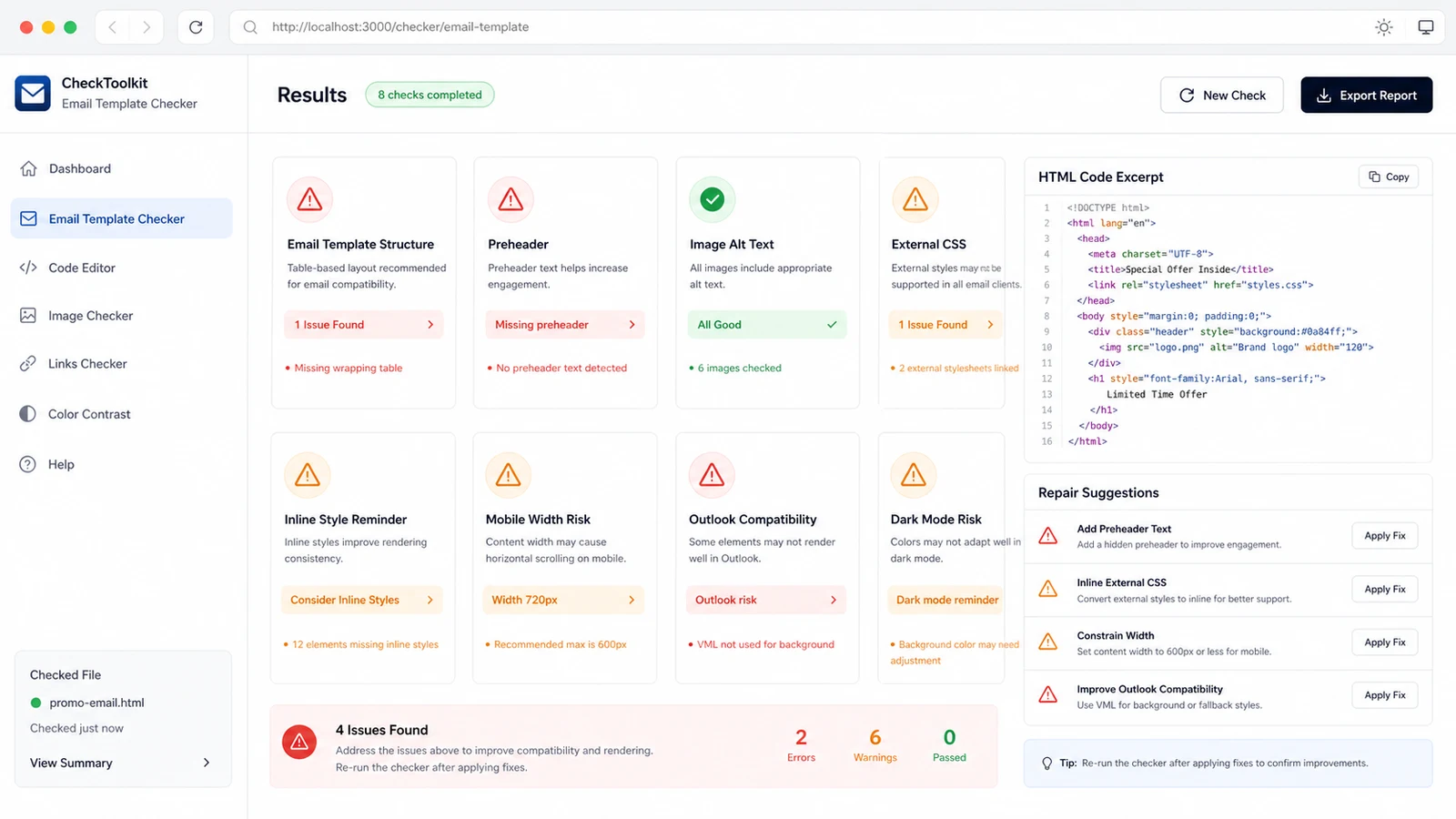
The HTML Email Template Checker turns static findings into practical repair suggestions before you run real inbox previews or ESP test sends.
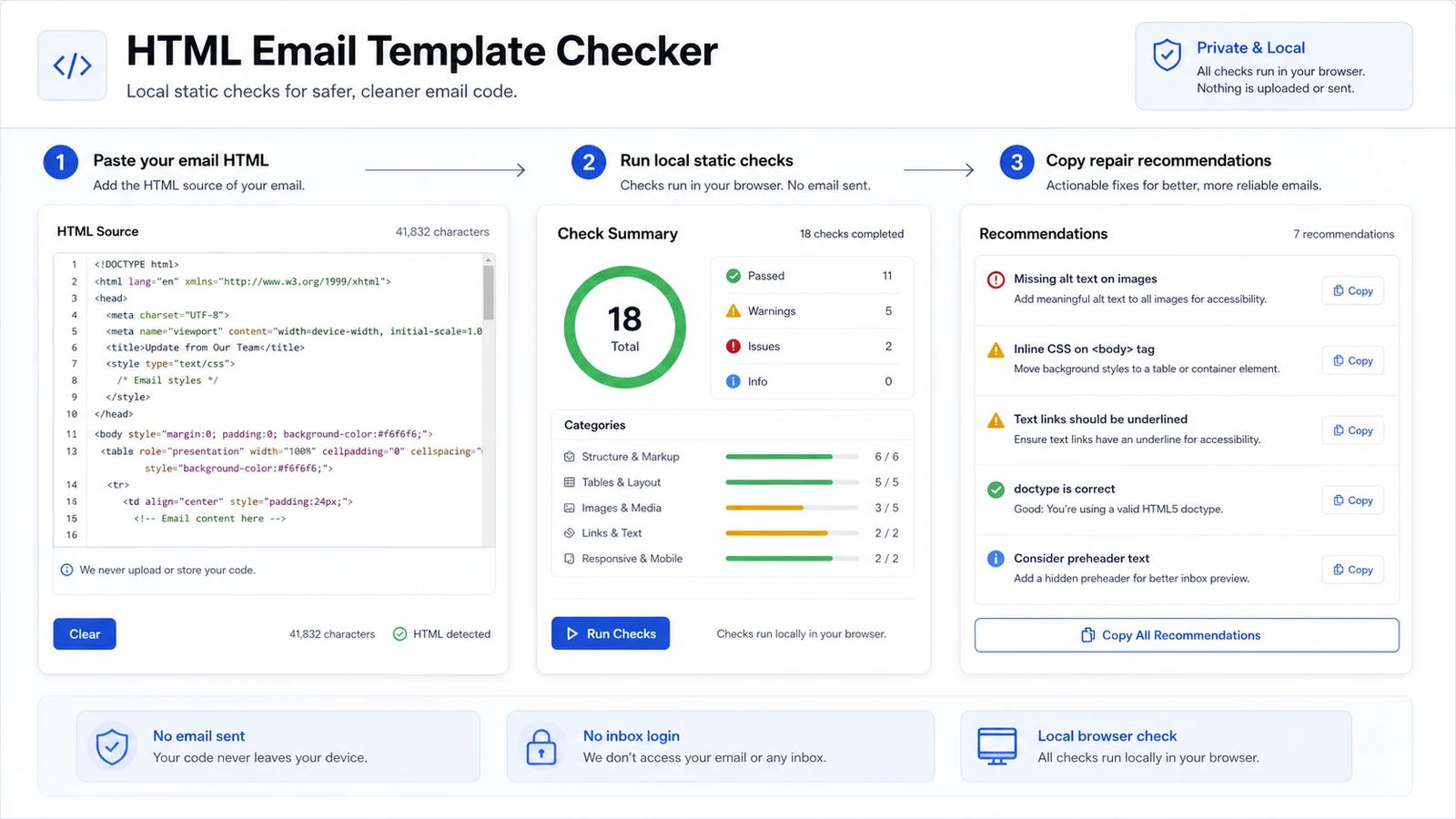
The HTML Email Template Checker is intentionally a combined checker rather than several thin pages.
Let the HTML Email Template Checker detect whether hidden preheader text appears in the email HTML so newsletter and transactional snippets do not start with random body copy.
Use the HTML Email Template Checker to count email images and flag empty alt attributes so blocked images, accessibility tools and text-only contexts have better fallbacks.
The HTML Email Template Checker finds external CSS, low inline style coverage, modern layout CSS and other patterns that can disappear or degrade in email clients.
The HTML Email Template Checker detects fixed widths over common email container sizes so mobile readers are less likely to get horizontal scrolling.
The HTML Email Template Checker surfaces scripts, forms, iframes, embedded video, flex, grid and background-image patterns that deserve Outlook compatibility testing.
The HTML Email Template Checker flags hard-coded colors without dark mode hints so logos, backgrounds and copy can be reviewed before the template is sent.
Use the HTML Email Template Checker as a local preflight before ESP testing, real previews or production sends.
Use the exported email HTML whenever possible. A component snippet can hide wrapper, width and preheader issues that appear in the final send.
Start with blockers such as scripts, forms, iframes, embedded video and very wide containers. Then review preheader, image alt text, CSS and dark mode reminders.
The local report helps clean obvious HTML issues, but it does not replace a real send, real mailbox previews or deliverability analysis.
Common questions about what the HTML Email Template Checker can and cannot decide locally.
No. The HTML Email Template Checker runs in your browser with DOM and text checks. Email template HTML is checked locally in your browser, no email is sent, and no inbox login is required.
No. The HTML Email Template Checker flags static HTML and CSS risks, but it does not render a real Gmail or Outlook preview because real previews need client environments, accounts or third-party preview infrastructure.
No. The HTML Email Template Checker does not estimate spam score, inbox placement, deliverability or open rate. Those require sender reputation, recipient mailbox data, historical delivery results and live sending context.
You can paste HTML for newsletters, marketing emails, signup verification codes, passwordless login emails, order confirmations, receipts and system notifications. The HTML Email Template Checker looks for common template risks across those use cases.
Many email clients block or ignore interactive web features. The HTML Email Template Checker treats script, iframe, form and embedded media patterns as high-risk so you can replace them with hosted landing pages, static images or links.
Warnings mean the template deserves review, not that every recipient will see a broken email. Fix obvious issues locally, then use your ESP, test inboxes and target client previews for final confidence.
Paste the final email HTML, clean the obvious template risks, then move into ESP testing with fewer surprises.
Local static checks only. No email is sent and no inbox account is accessed.