Title and description checks
Find missing, short or long title and meta description values that can affect search snippets and link previews.
Free HTML Head Checker
Paste a page head into the HTML Head Checker to catch missing, duplicated and risky tags that affect search snippets, hreflang alternates, indexing signals, mobile rendering, favicons and social sharing previews. The check runs in your browser and turns the head code into a clear Pass, Warning and Fail report.
Browser-side head audit
The HTML Head Checker reads pasted HTML, head code or meta tags locally, then checks common SEO and pre-launch details without fetching the live URL.
Your HTML stays in this browser tab. The HTML Head Checker does not upload pasted code or crawl the page URL.
HTML Head Checker results will appear here
Paste a head section to see which tags are missing, duplicated, too long, risky for search display, or likely to affect social sharing previews.
Fail
0
Warning
0
Pass
0
example.com
The HTML Head Checker focuses on what a front-end tool can verify reliably from pasted source: SEO tags, technical launch details, social preview metadata and duplicate head tags.
Paste a full document, head section or meta tag snippet. The HTML Head Checker extracts title, meta description, canonical, viewport, robots, favicon, language, charset, Open Graph and Twitter Card values locally.
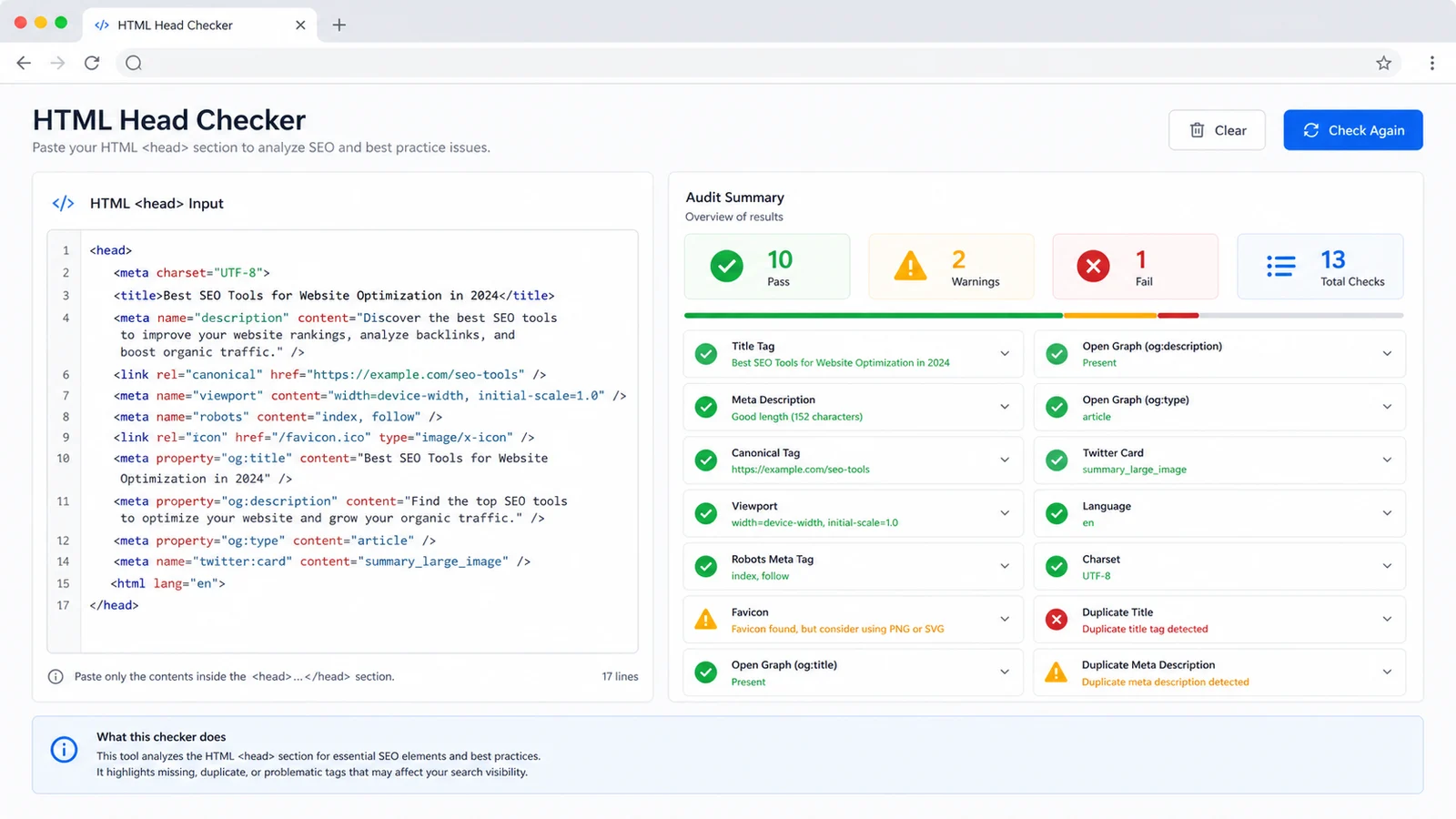
The HTML Head Checker groups issues by SEO, technical setup, social previews and duplicate tags, so you can separate missing tags from length warnings and launch blockers.
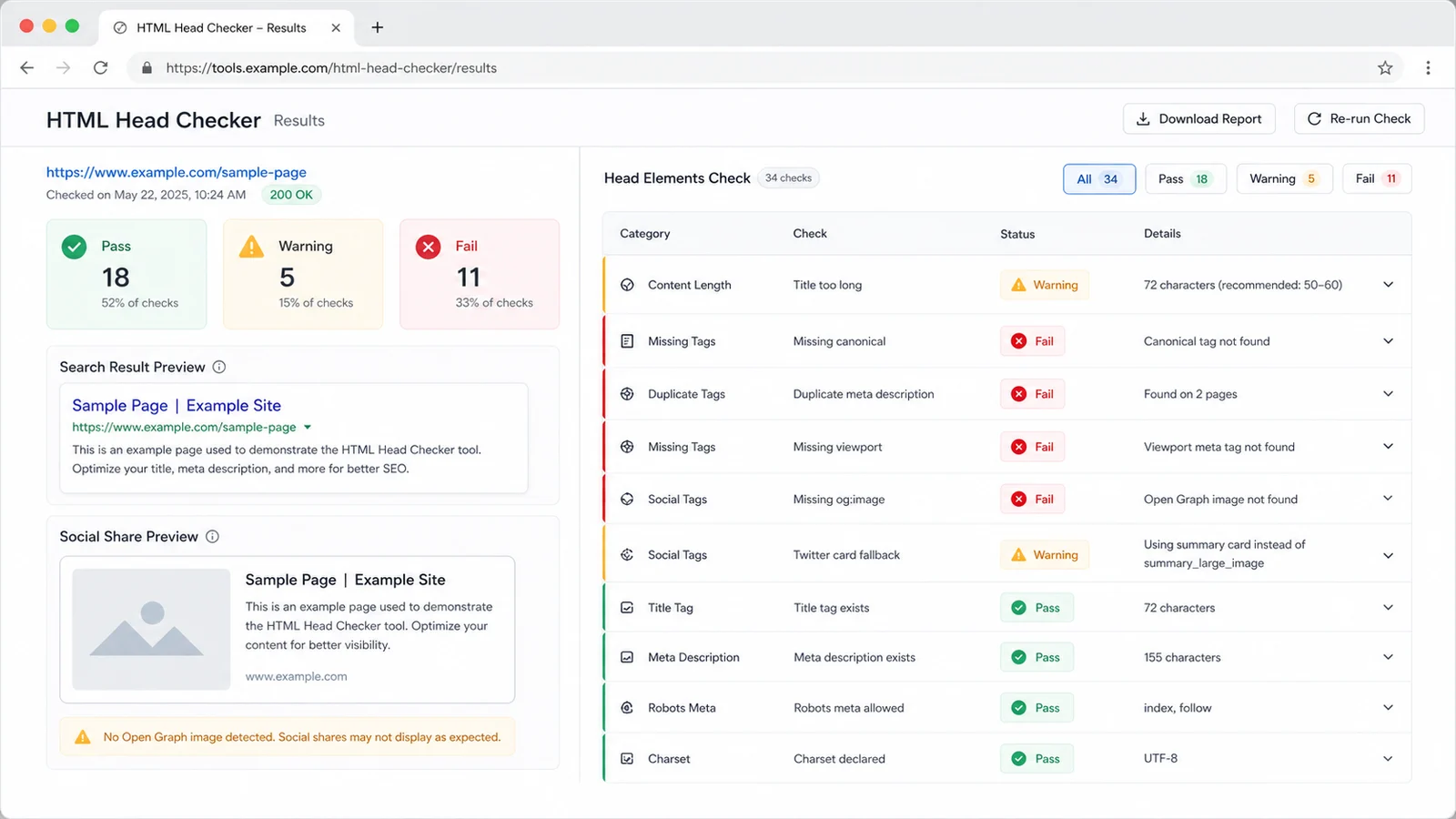
Use the HTML Head Checker before publishing, after CMS changes, or when search snippets and social cards look wrong. Fix the source tags, then paste the updated head again.
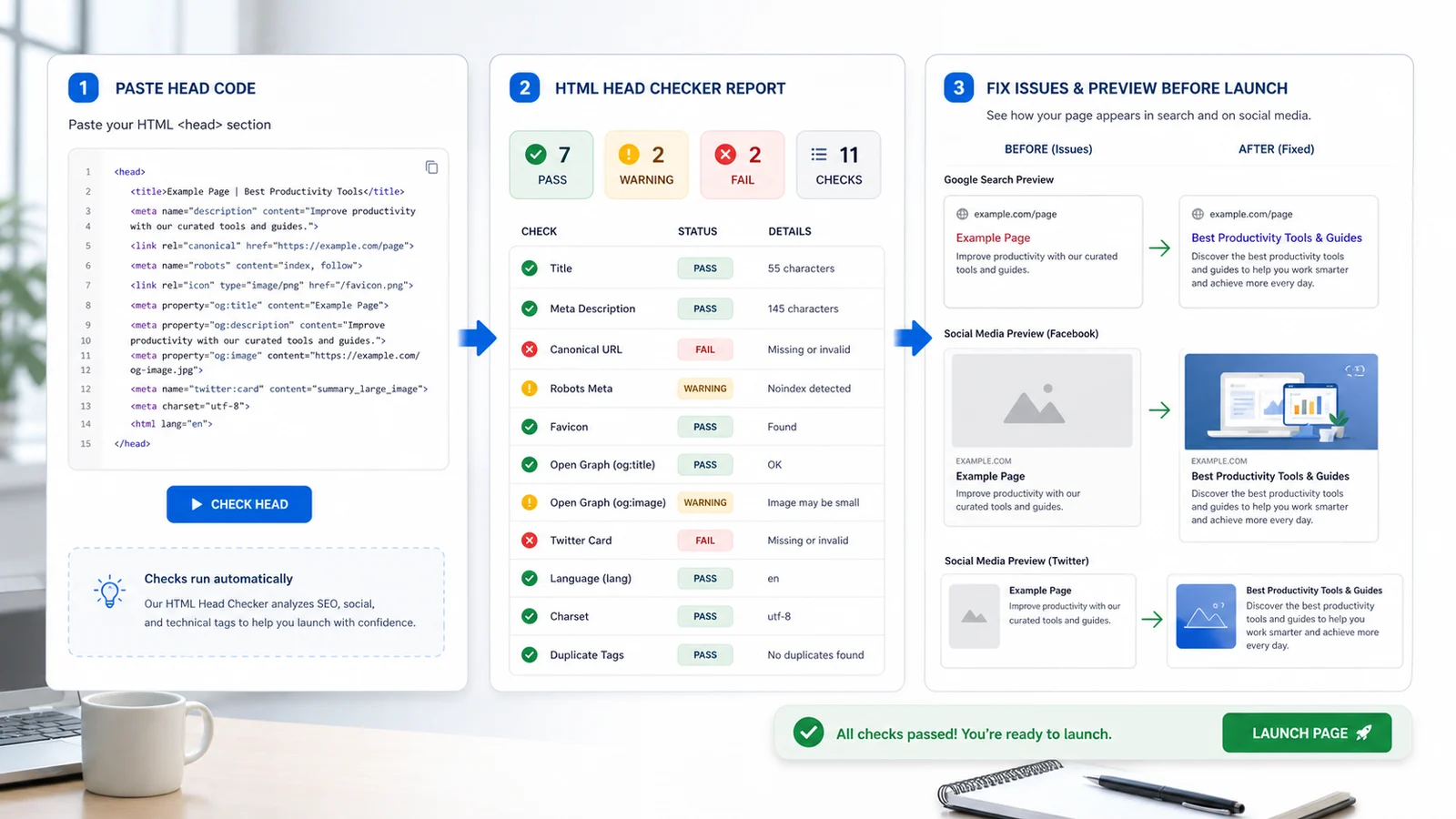
Use the HTML Head Checker as a broader Web and SEO preflight when a page needs clean metadata before indexing, sharing or handoff.
Find missing, short or long title and meta description values that can affect search snippets and link previews.
Spot missing canonical tags and robots values such as noindex that should be confirmed before a page goes live.
Check technical head details that support mobile rendering, internationalization and reliable text encoding.
Review social preview metadata as part of the larger HTML Head Checker report instead of using a separate one-purpose tool.
Detect repeated title, description, canonical, viewport, robots, charset, Open Graph and Twitter Card tags that may conflict.
See a practical search snippet and social card preview built from the best tags the HTML Head Checker can find.
The HTML Head Checker is built for pasted source, rendered HTML or CMS head snippets, which avoids fragile front-end URL fetching while still catching common launch issues.
Copy the rendered page source, the head section from your template, or the exact tags from a CMS field. A full document is best because the HTML Head Checker can also read the html lang attribute.
Start with Fail items such as missing title, description, canonical, viewport, charset or social image, then review Warning items such as no robots tag, duplicate tags and long preview copy.
This is a practical preflight. Search engines and social platforms can still rewrite snippets, cache previews or apply their own rendering rules.
Review reportUpdate the source tags, paste the new head into the HTML Head Checker, and compare the search and social preview panels before launch or handoff.
If a social platform still shows an old card after tags are fixed, refresh that platform's cache with its debugger or sharing inspector.
Recheck tagsAnswers about privacy, accepted input, SEO accuracy, duplicate tags, social previews and how to interpret HTML Head Checker results.
The HTML Head Checker validates pasted HTML or head code for common SEO and launch checks: title, meta description, canonical, viewport, robots, favicon, Open Graph, Twitter Card, language, charset, duplicate tags, search preview readiness and social preview readiness.
No. This version checks pasted source in the browser. That avoids cross-origin request failures and keeps private staging code out of a server-side crawler.
No. The HTML Head Checker catches common missing, duplicate and risky tags, but Google may rewrite snippets and social platforms may cache previews, crop images or apply their own rules.
Duplicate head tags can make crawlers or platforms choose an unexpected value. Multiple image tags can be intentional, but repeated title, description, canonical, viewport or robots tags are worth reviewing.
Paste a full HTML document when possible, or paste the complete head section from the rendered page. Full HTML lets the tool check the html lang attribute; head-only snippets still cover most metadata checks.
Treat Fail results as launch blockers or high-priority fixes. Add the missing tag, remove conflicting duplicates, confirm robots values such as noindex, then run the HTML Head Checker again with the updated source.
Paste the latest head code, fix Fail and Warning items, then recheck until the HTML Head Checker report matches the page you intend to ship.
The HTML Head Checker is a practical browser-side preflight, not an official search engine or platform approval tool.