VCALENDAR and VEVENT parsing
Unfold content lines, check BEGIN and END structure and count VEVENT components.
Free ICS Calendar File Checker
Upload or paste an .ics calendar file before sharing or importing it. This page combines an ICS File Checker, Calendar Import Checker, VEVENT Checker and RRULE Checker in one browser-side report, so you can review structure, events, time zones, recurrence rules and repair suggestions without connecting a calendar account.
Local calendar file check
Choose an .ics file or paste calendar text. The checker reviews VCALENDAR, VEVENT, UID, SUMMARY, DTSTART, DTEND, DURATION, LOCATION, DESCRIPTION, RRULE, EXDATE, TZID and all-day event patterns in this browser tab.
Calendar file is checked locally in your browser. No calendar account connection is required.
Calendar file results will appear here
Upload or paste an .ics file to see parse status, event count, calendar name, duplicate UID, missing fields, time problems, all-day format, time-zone risks, RRULE explanation, abnormal events, main issues and repair suggestions.
Turn a pasted or uploaded .ics file into a local report that explains what may break before import.
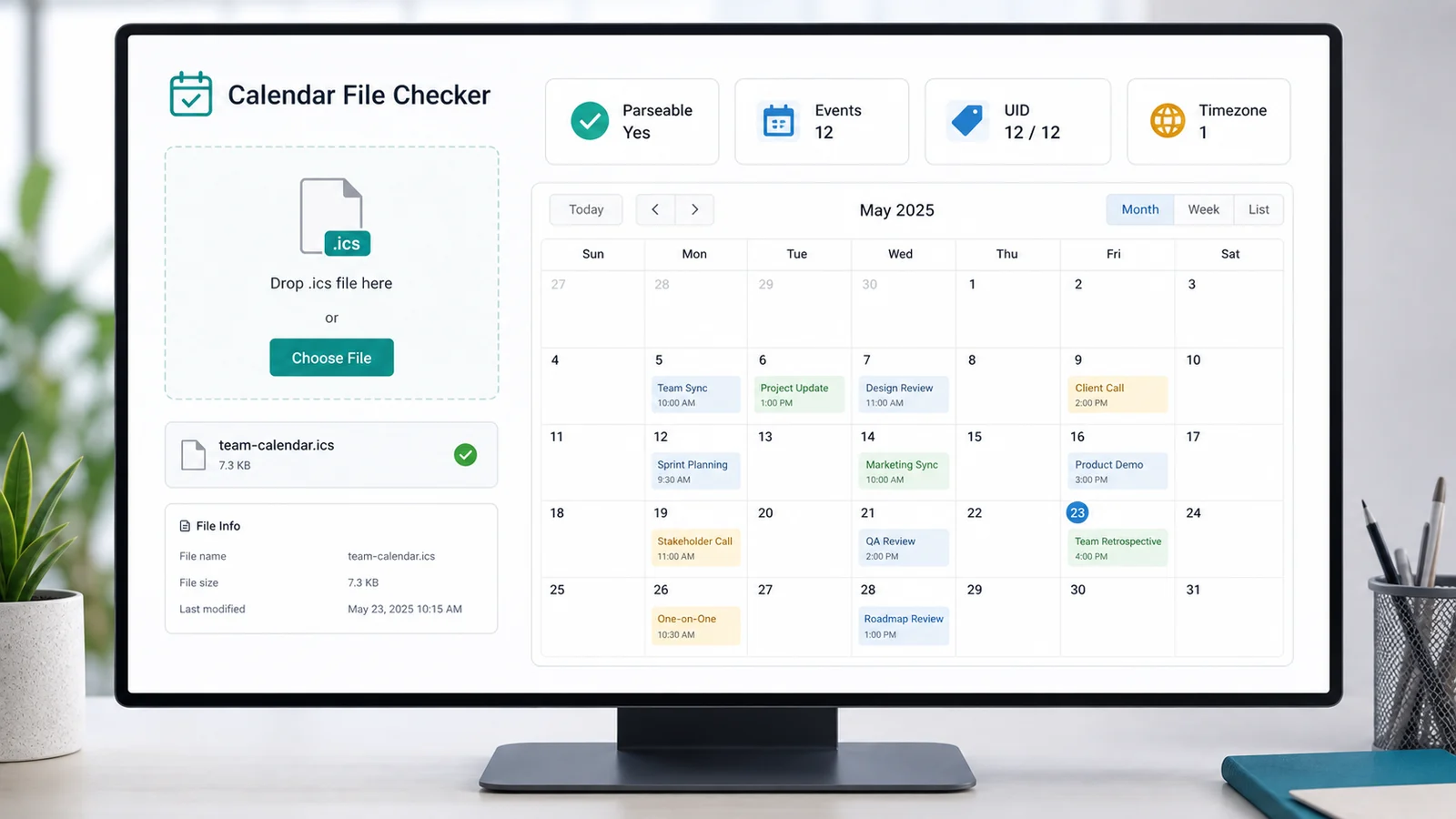
Drop an .ics file or paste raw iCalendar text to inspect VCALENDAR and VEVENT structure locally.
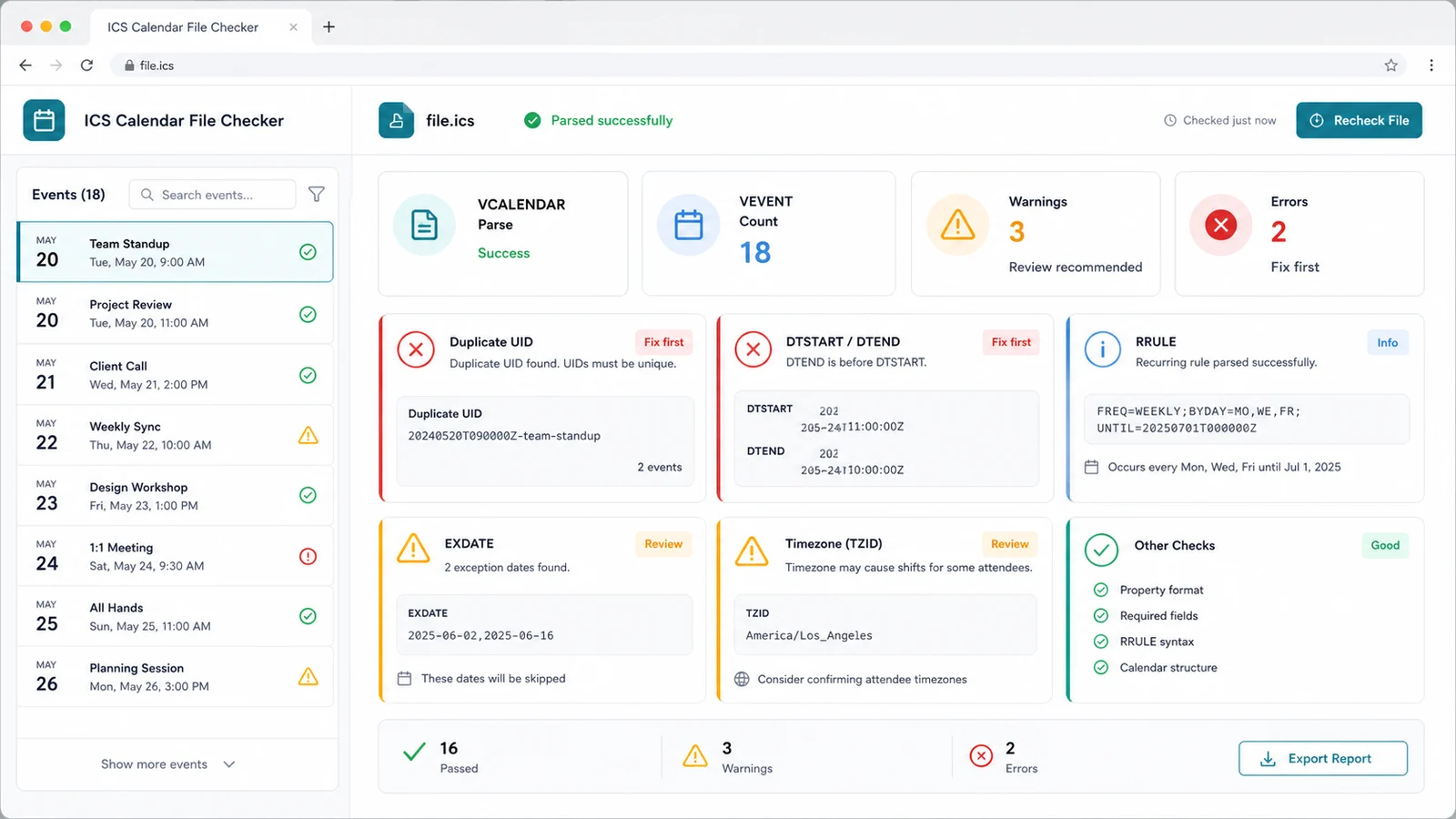
Review duplicate UID, missing SUMMARY, DTSTART and DTEND problems, all-day format, TZID warnings and abnormal VEVENT items.
Explain RRULE, check EXDATE values and get repair suggestions before you try the file in a target calendar app.
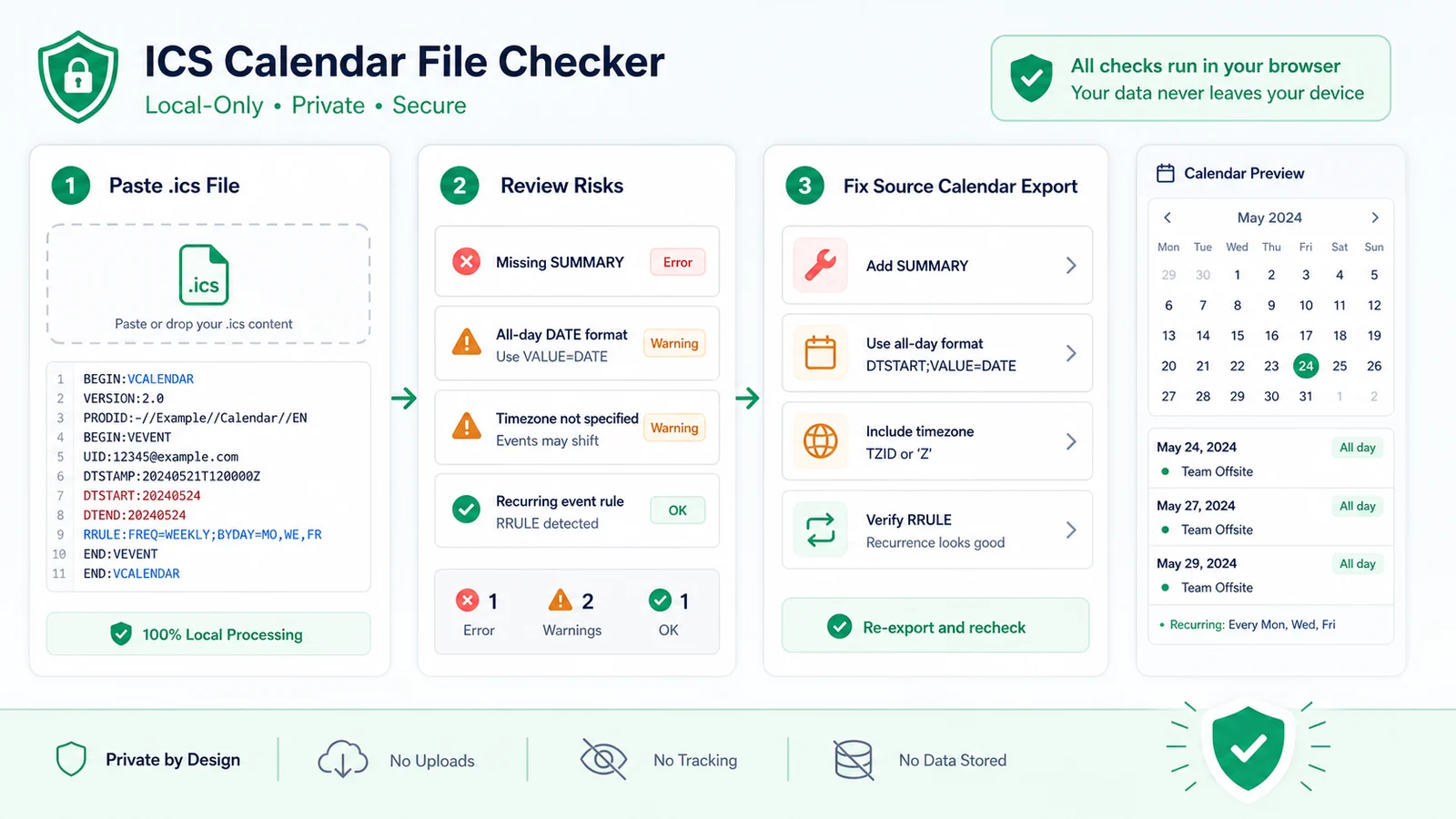
Use one combined ICS File Checker, Calendar Import Checker, VEVENT Checker and RRULE Checker instead of splitting the job across small pages.
Unfold content lines, check BEGIN and END structure and count VEVENT components.
Find duplicate UID values and missing UID, SUMMARY or DTSTART values that can make imported events merge, disappear or look blank.
Review DTSTART, DTEND and DURATION values, including events where the end time is earlier than the start time.
Check DATE-based all-day events and warn when DTEND does not look like an exclusive date.
Spot TZID values without VTIMEZONE definitions and DATE-TIME values that may import as floating local times.
Explain recurrence frequency, interval, count, until and BYDAY values while flagging common RRULE and EXDATE mistakes.
This is a local preflight for iCalendar structure and import risk. The final behavior still depends on the target calendar app.
Export the calendar item or feed as an .ics file, then upload it or paste the raw text. The file stays in your browser while the local parser reads it.
Check whether the file is parseable, how many VEVENT items it contains, which calendar name is present, and whether duplicate UID or missing-field issues appear.
A file can contain valid-looking text but still import badly if UID, DTSTART, DTEND, TZID or all-day values are inconsistent.
Review eventsRepair blocking issues first: duplicated UID, missing DTSTART, bad DTEND, invalid DURATION, unknown TZID and broken RRULE or EXDATE values. Then export or paste the updated .ics file again.
Common questions about local .ics parsing, calendar import risk, recurrence rules, privacy and limits.
It checks local iCalendar structure including VCALENDAR, VEVENT, UID, SUMMARY, DTSTART, DTEND, DURATION, LOCATION, DESCRIPTION, RRULE, EXDATE, TZID, all-day DATE formatting, duplicate UID values, time ordering and common recurrence-rule risks.
No. It reads uploaded or pasted .ics content in your browser. It does not connect to a calendar account, sync events or send file content to a calendar service.
No. It performs local structure and pre-import risk checks. Calendar apps can apply their own import rules, time-zone handling and recurrence behavior.
UID identifies an event across updates. If separate VEVENT blocks share a UID, an importer may merge, overwrite or skip events, so the ICS Calendar File Checker treats duplicate UID values as a serious import risk.
It expects all-day DTSTART and DTEND values to use VALUE=DATE or plain YYYYMMDD DATE values. It also warns when an all-day DTEND is not later than DTSTART because DTEND is normally exclusive.
Start with broken VCALENDAR or VEVENT structure, missing UID, missing DTSTART, invalid DATE or DATE-TIME values, DTEND before DTSTART and RRULE errors. Then review warnings for SUMMARY, TZID, EXDATE and all-day formatting.
Catch VCALENDAR, VEVENT, UID, time-zone and RRULE problems while the .ics file is still easy to fix.
This is a local preflight, not a connection to any calendar account or a guarantee from the target app.