Three-part structure check
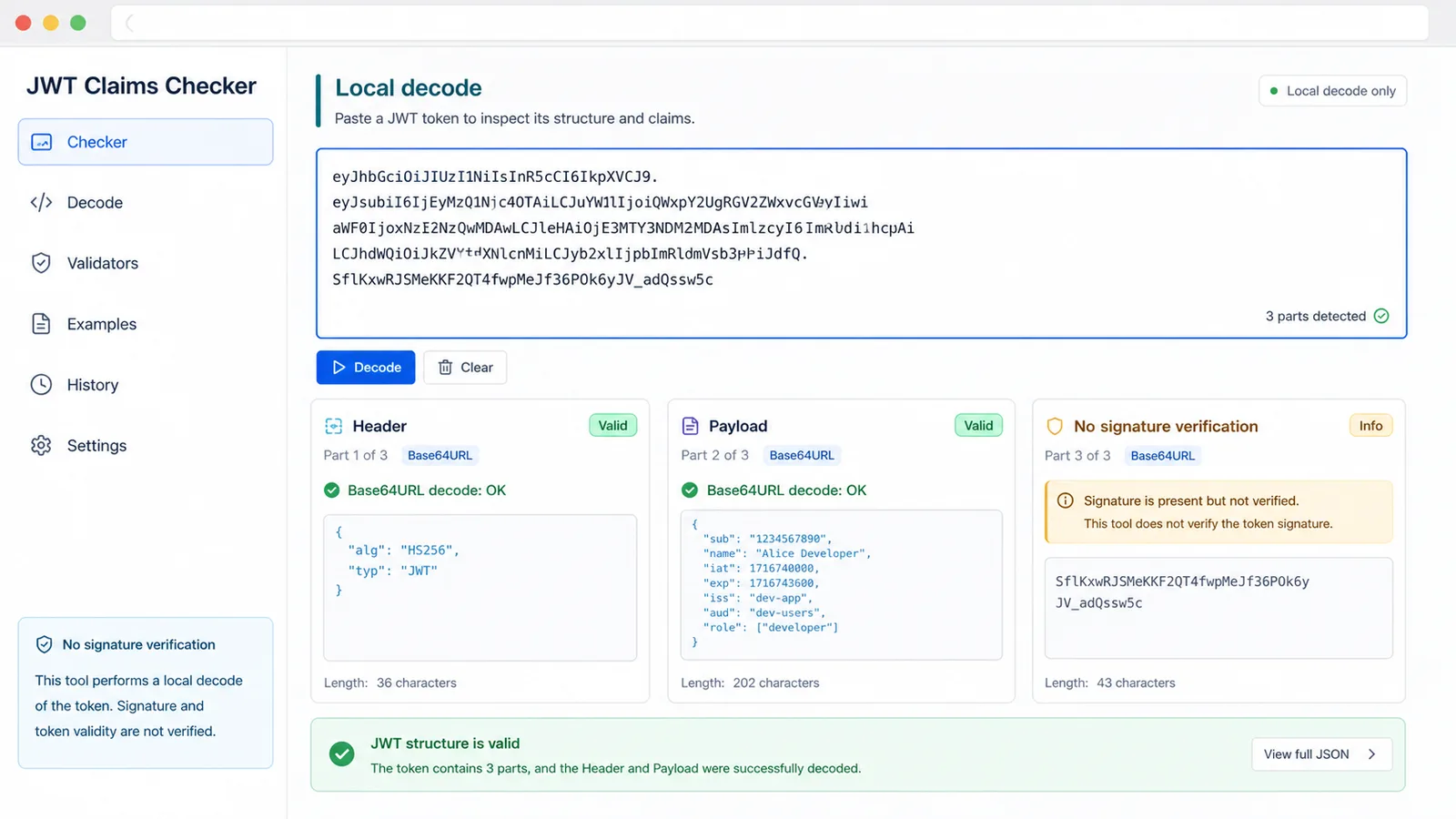
The report shows whether the pasted token has the expected three dot-separated parts for local signed-token decoding.
Browser-side JWT claims decoder
Paste a JSON Web Token into this JWT Claims Checker when login expires, an API returns 401 or a frontend and backend team need to compare claims. The browser-only report checks the three-part structure, Base64URL decoding, valid header JSON, valid payload JSON, exp, nbf, iat, issuer, audience, subject and suspicious alg none usage. It decodes locally and does not verify the token signature.
Local JWT Claims Checker
Use this checker to inspect a token before API debugging, login-expiry triage, frontend/backend handoff or sharing a token snippet. Everything runs in this browser tab, with no server request, no database and no token storage.
Important: this tool only performs local decoding and claims checks. It does not verify the JWT signature or prove that the token is trusted.
Your token stays in this browser tab. This checker does not upload, save or send it to a server.
JWT Claims Checker results will appear here
Paste a JWT token to see whether it has three parts, whether header and payload Base64URL segments decode as JSON, which claims exist, whether exp has passed, whether nbf is still in the future and whether alg looks suspicious.
The checker turns a pasted token into a local report with structure checks, decoded JSON, claims timing, required-claim presence and clear signature-not-verified guidance.
Use the checker before sharing a token, opening an auth ticket or comparing frontend and backend state.
Inspect exp, nbf and iat against local time to see whether the token is expired, not active yet or suspiciously issued.
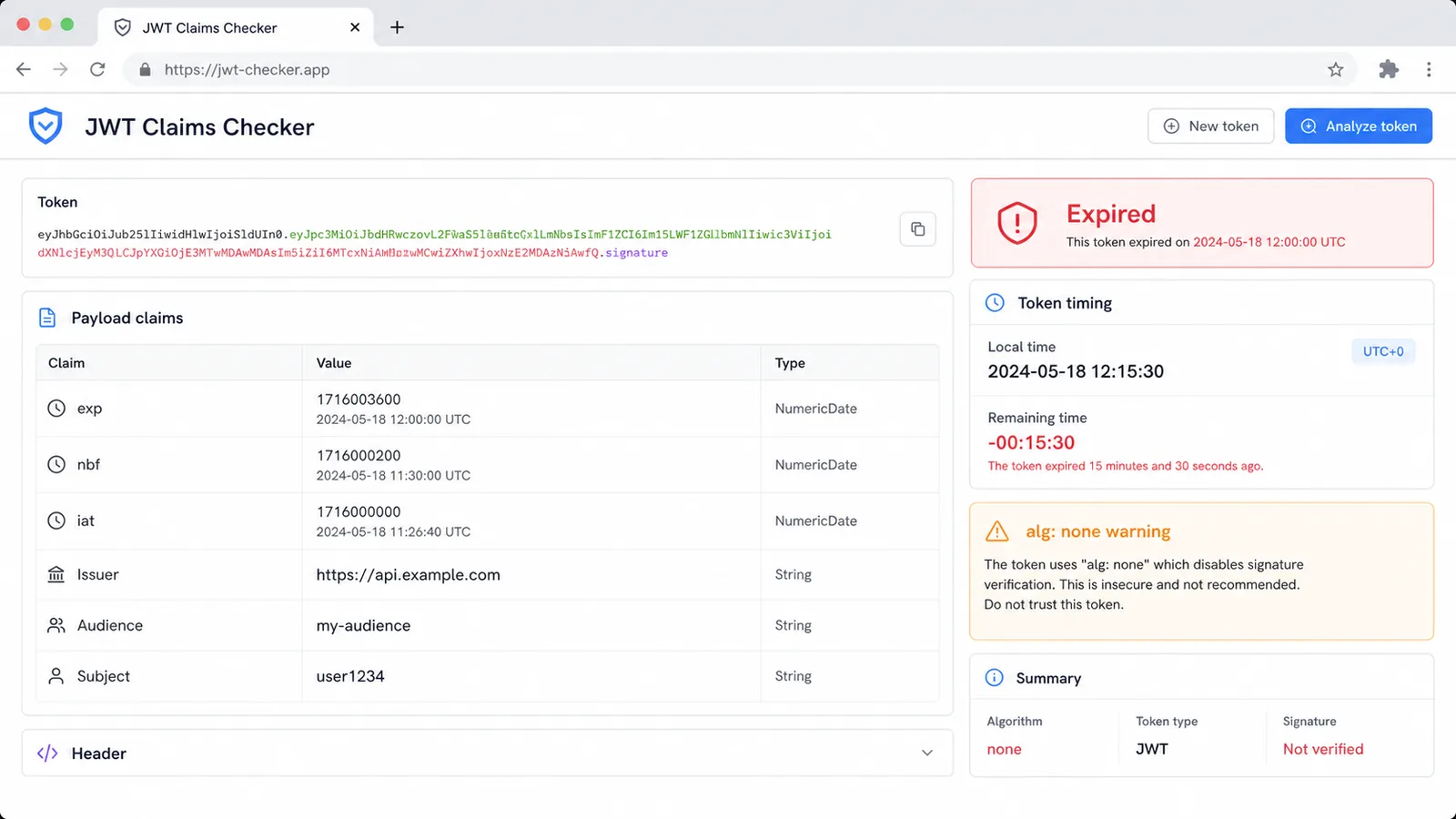
Confirm issuer, audience and subject exist, then keep the decoded report separate from real authorization because signature validation is not performed.
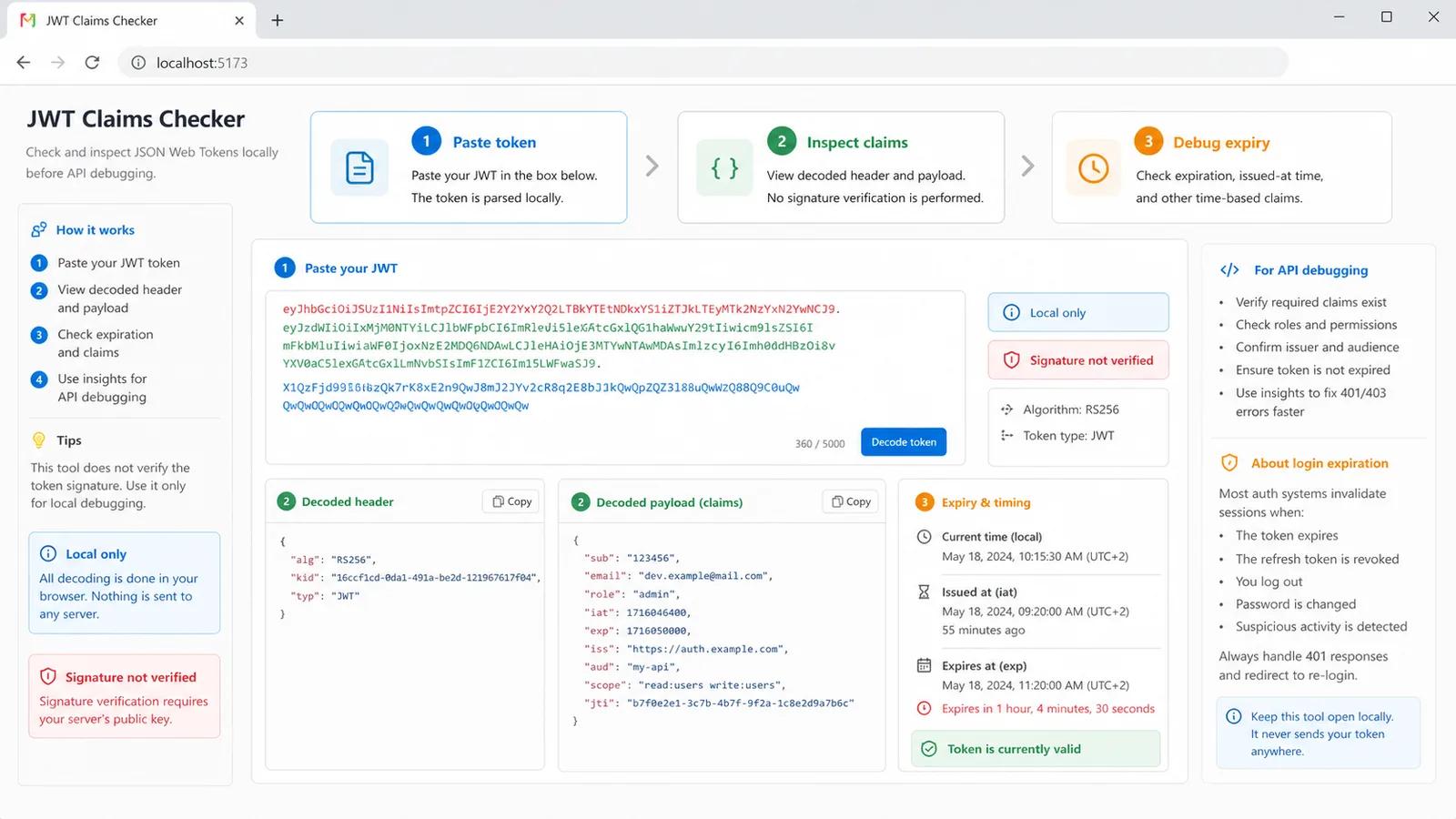
Use the checker when a token needs a quick local sanity check before it enters a support thread, curl command, browser console or bug report.
The report shows whether the pasted token has the expected three dot-separated parts for local signed-token decoding.
Header and payload segments are decoded as Base64URL UTF-8 JSON so you can inspect alg, typ, kid and payload claims.
The report compares exp, nbf and iat with local time and shows remaining time, expired status and not-before status.
The report checks whether issuer, audience and subject claims are present, which helps with API 401 and login mismatch debugging.
The report highlights alg none and missing alg cases so unsecured or malformed debugging tokens stand out quickly.
The checker runs in the browser without server requests, token storage or database access, but it still reminds you not to trust an unverified signature.
This is a fast local preflight for developers, API testers, frontend/backend handoff and login-expiry investigation.
Start with the exact token from your request header, browser storage or debugging console. Avoid posting the token into chat until you know what sensitive claims it contains.
Use the output to compare alg, typ, issuer, audience and subject with the API or app you expected to call.
If issuer or audience looks wrong, the token may belong to another environment, tenant, client app or authentication flow.
Review claimsIf exp is expired, refresh or re-login. If nbf is in the future, check clock skew or token issuance. If alg is none, do not treat the token as trusted.
Answers about local decoding, JWT structure, Base64URL parsing, exp/nbf/iat interpretation, privacy and signature verification limits.
No. It only decodes the header and payload and checks visible claims. Signature verification requires the correct key, allowed algorithm rules and server-side validation logic.
This tool targets compact signed JWT/JWS tokens that usually look like header.payload.signature. A five-part compact value is likely encrypted JWE, so this local decoder will not treat it as a normal three-part token.
No. The token is decoded in your browser tab. CheckToolkit does not send it to a server, store it in a database or require an account for this check.
The checker treats these values as NumericDate timestamps in seconds and compares them with this browser's local clock. Clock skew can affect the result, so compare with server time when diagnosing edge cases.
Missing iss, aud or sub may be acceptable for some internal tokens, but it is a useful debugging signal. Confirm the expected claims with the API, auth provider and environment you are testing.
No. A token can decode cleanly and still be forged, revoked, signed with the wrong key or rejected by server policy. Use the results as local debugging context only.
Paste a token when you need to confirm structure, decoded claims, expiration, not-before timing and suspicious algorithm hints without sending the token away.
Keep the report as debugging context, then verify trust and authorization on the server.
Local JWT decoding and claims checks only. Signature verification is not performed.