Log Line Checker common sensitive patterns
The tool looks for JWTs, Bearer tokens, API keys, password fields, secret fields, Authorization headers and private key fragments.
Browser-side sensitive log pattern check
Paste log lines, stack traces, terminal output, API debug text or copied error messages into this Log Line Checker before sending them to a ticket, forum, ChatGPT, GitHub issue or coworker chat. It checks common sensitive patterns such as JWTs, Bearer tokens, API keys, password fields, secret fields, Authorization headers, emails, IP addresses, phone-like values, private key fragments, database URLs, SQL errors and stack traces in your browser.
Local Log Line Checker
The Log Line Checker uses browser-only pattern heuristics to flag common sensitive-looking content and suspicious diagnostic lines. Review the hits, filter by risk type, then copy the redacted version before sharing the log.
This is a common sensitive pattern check, not a complete security scanner. Always review important logs manually before sharing.
Your pasted log text stays in this browser tab. This checker does not upload logs or call a remote database.
Log Line Checker results will appear here
Paste logs or debug output to see line numbers, risk type, severity, original snippets, redaction advice and a copy-ready redacted version. The report is a local common-pattern review, not a guarantee that every secret is found.
This workflow turns pasted diagnostic text into a local checklist of common sensitive patterns, practical redaction advice and a copy-ready version.
Start with the exact logs, terminal output, API response text or error block you plan to send. The sensitive context stays in the browser.
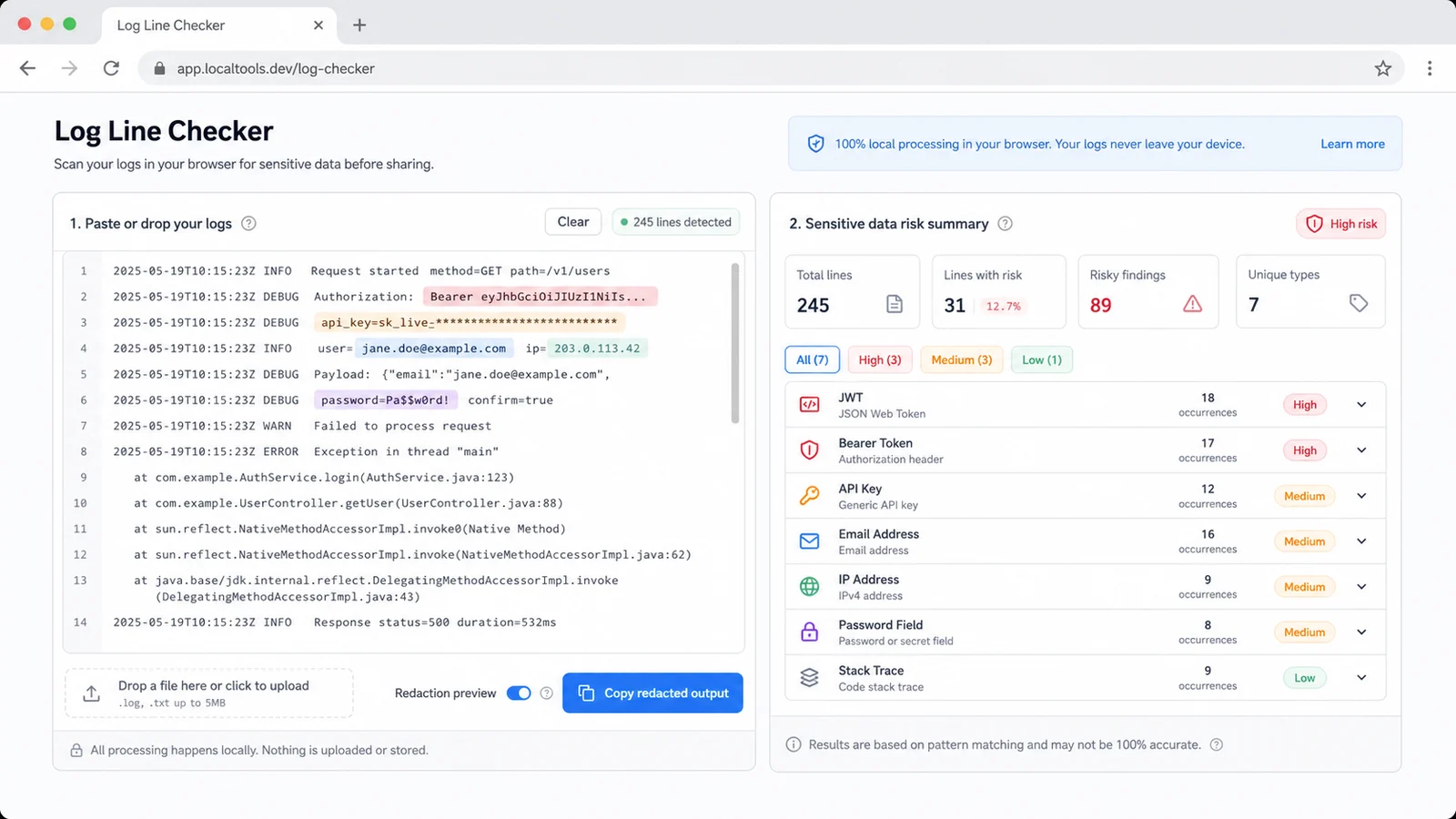
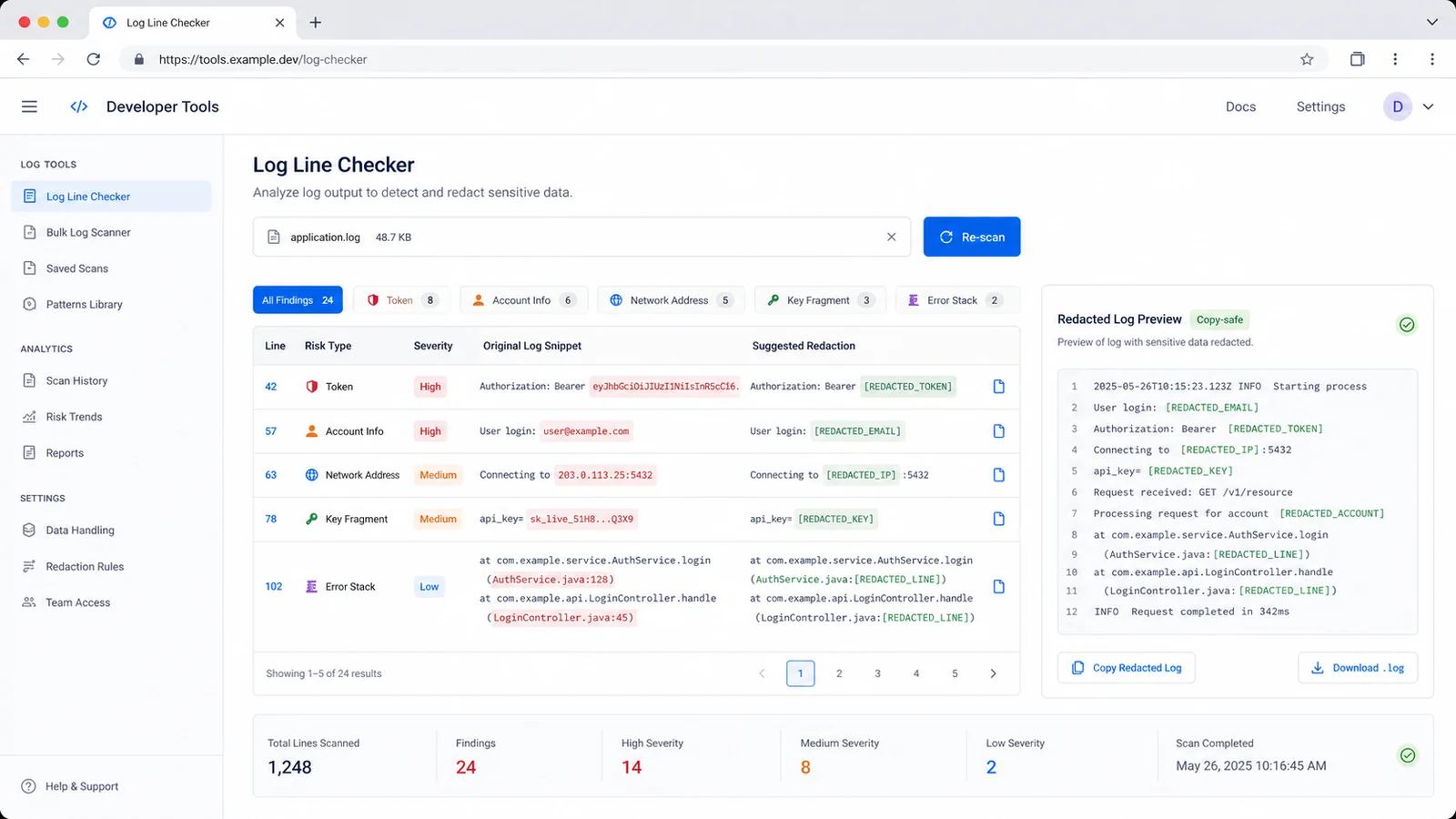
Review line numbers, severity, original snippets and redaction suggestions for tokens, account info, network addresses, key fragments and error stacks.
Use the generated redacted text as a safer draft before posting to a ticket, forum, ChatGPT, GitHub issue or coworker chat.
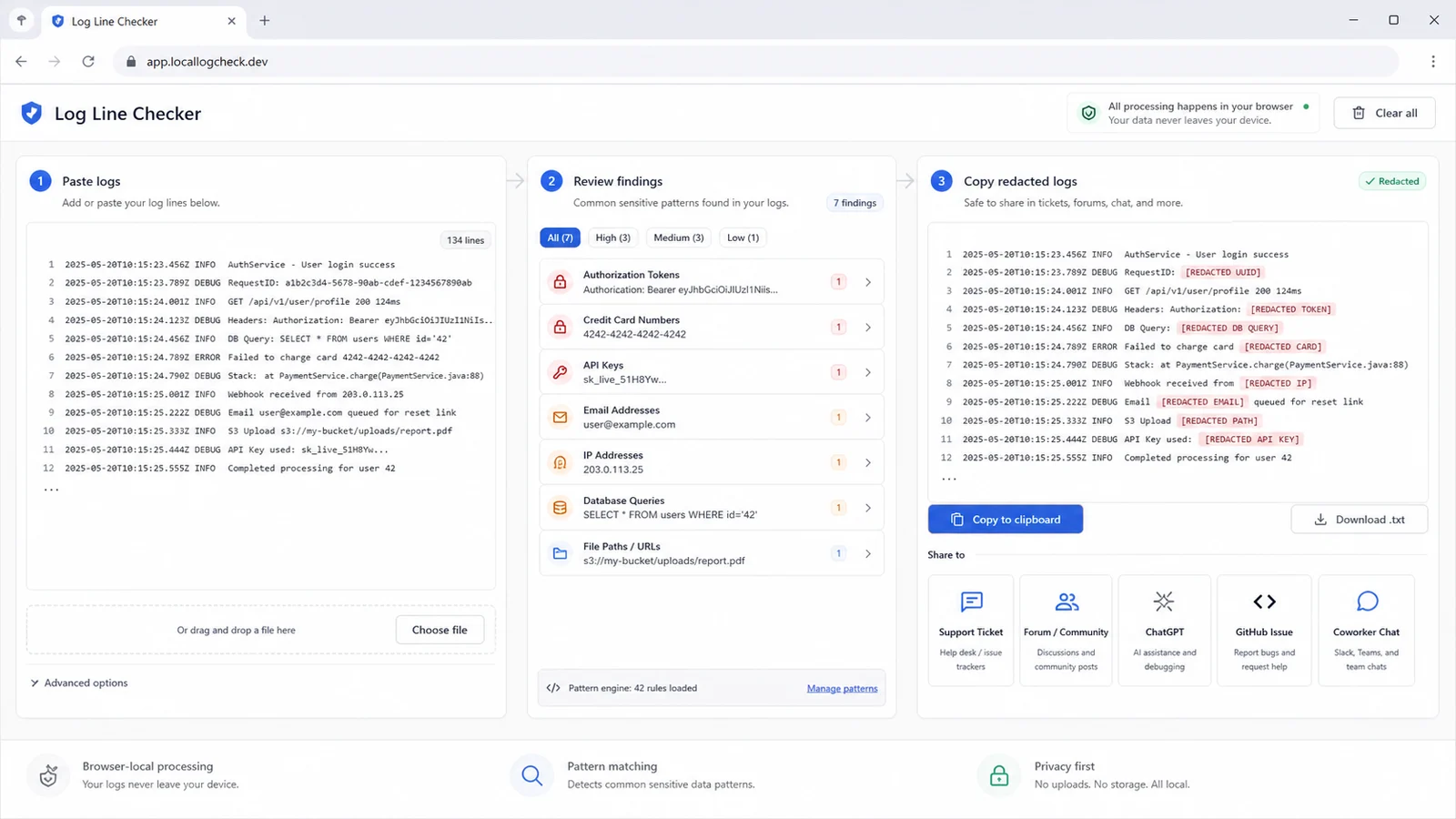
Use this checker when a log needs to move from a private machine into a shared troubleshooting channel.
The tool looks for JWTs, Bearer tokens, API keys, password fields, secret fields, Authorization headers and private key fragments.
The report flags emails and phone-like values so support teams can mask user context before a public issue or AI prompt.
IP addresses and database connection strings are grouped separately, helping you decide what to keep, generalize or remove.
SQL errors and stack traces are useful for debugging, but they may reveal file paths, table names or internal service structure.
Filter the report by token, account info, network address, key fragment or error stack when you need a focused cleanup pass.
The tool creates a redacted version with placeholders, so you can copy a safer draft and still preserve useful context.
Use this pre-share review step for support tickets, GitHub issues, coworker chats and AI debugging prompts.
Use the original log block, terminal output, API response or copied error message. Include surrounding lines because nearby context can explain a token, stack trace or SQL error.
Line numbers and risk categories help you jump to the relevant places. Treat critical and high findings as content to remove, mask or rotate before sharing.
Medium and low findings can still matter when they identify customers, internal network layout, database tables or proprietary file paths.
Review hitsUse the copy button as a safer draft, then read the result once more. The tool checks common patterns, but it cannot understand every product-specific secret or private business detail.
Answers about accuracy, privacy, accepted text, redaction limits and interpreting the findings.
No. It is a common sensitive pattern check. It can flag many obvious tokens, fields and diagnostic clues, but it cannot guarantee that every secret, business identifier or proprietary value is detected.
No. The check runs in your browser tab and does not rely on a database or network request. That makes it useful before sending logs to a support ticket, forum, GitHub issue, AI chat or coworker channel.
You can paste plain text logs, copied terminal output, API debug text, stack traces, SQL errors, server logs and issue drafts. Binary logs and compressed files are not parsed by this version.
Some findings are not secrets by themselves, but they can reveal internal infrastructure, customer context, file paths, table names or package structure. Use the severity and suggestion to decide whether to keep or generalize them.
Remove it from the shared log. If it was already posted outside a trusted space, rotate or revoke the credential in the source system and audit recent usage.
No. Always read the redacted output before sharing. Product-specific customer IDs, internal names or proprietary values may not match a generic pattern.
Paste logs, error messages, terminal output or API debug text when you are about to ask someone else for help.
Let the tool flag common sensitive patterns locally, then copy a redacted version that is easier to share responsibly.
Local common-pattern checks in your browser.