Heading structure
This checker builds an H1-H6 outline, flags duplicate H1 headings, empty headings and heading jumps that make documentation harder to scan.
Local Markdown publishing QA
Use this Markdown and Front Matter Checker before publishing Astro, Next.js, Hugo, Jekyll or documentation content. Markdown content is checked locally in your browser. External links are not crawled.
Browser-only Markdown publishing check
Paste Markdown, MDX, a blog post, README, docs page or static-site article. This checker reviews heading structure, YAML front matter, code fences, tables, lists, images, links and a publish checklist without uploading the content.
Markdown content is checked locally in your browser. External links are not crawled.
This this checker does not test external link accessibility, SEO ranking score, originality, AI content, cloud grammar, search data or third-party API results.
Checker results will appear here
Paste Markdown, MDX, a blog post, README, docs page or static-site article and let this checker show the Markdown outline, H1-H6 heading structure, front matter fields, missing fields, code block issues, table issues, list indentation issues, image alt issues, link format issues, publishing checklist and repair suggestions.
This checker combines Markdown Checker, MDX Checker, Front Matter Checker, Blog Post Checker, README Structure Checker and Docs Page Checker tasks in one page.
Paste Markdown, MDX, README, docs or static-site article source. This checker keeps the text in your browser.
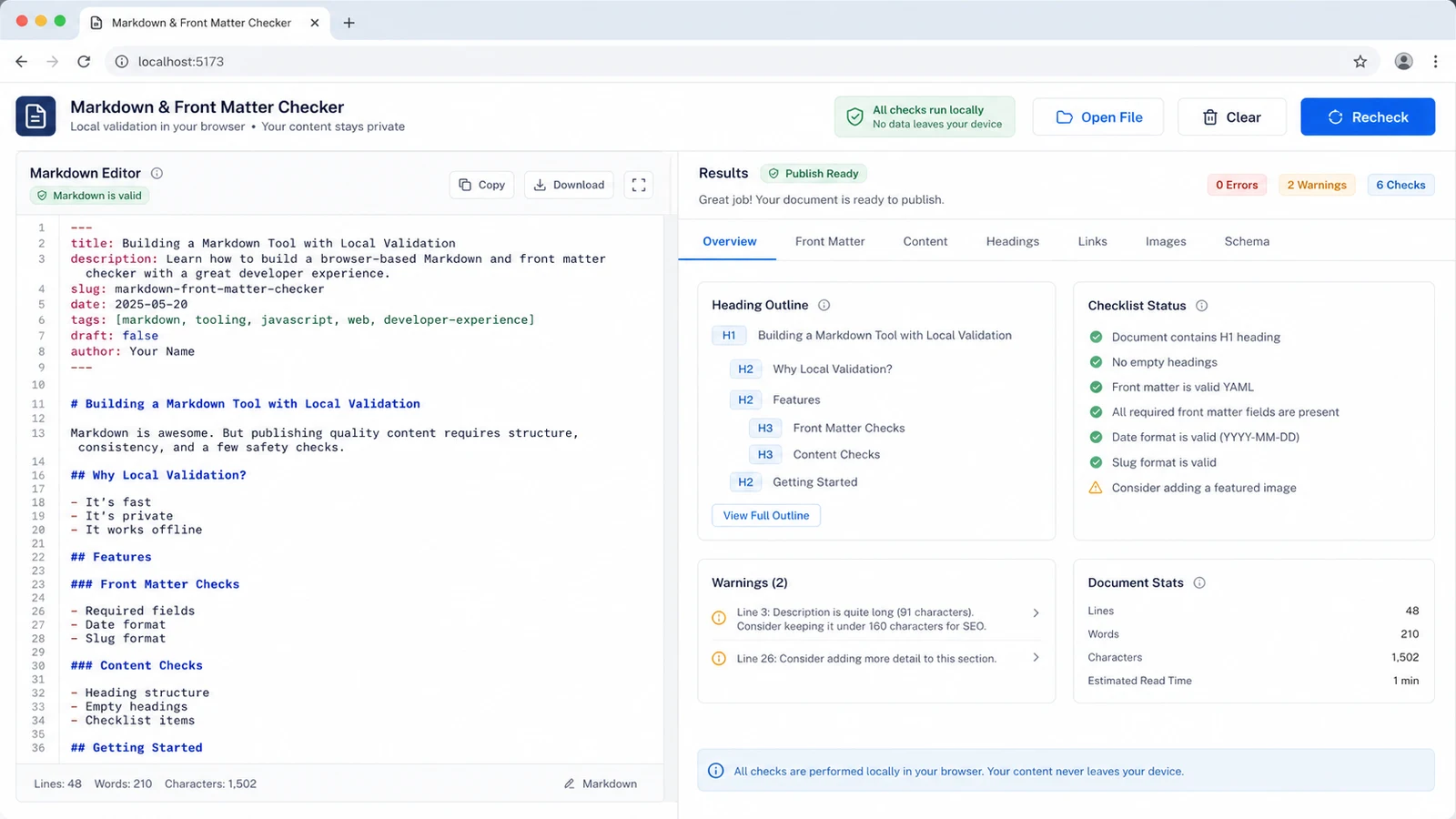
Use this checker to inspect H1-H6 headings, YAML fields, code fences, Markdown tables, list indentation, image alt text and link syntax together.
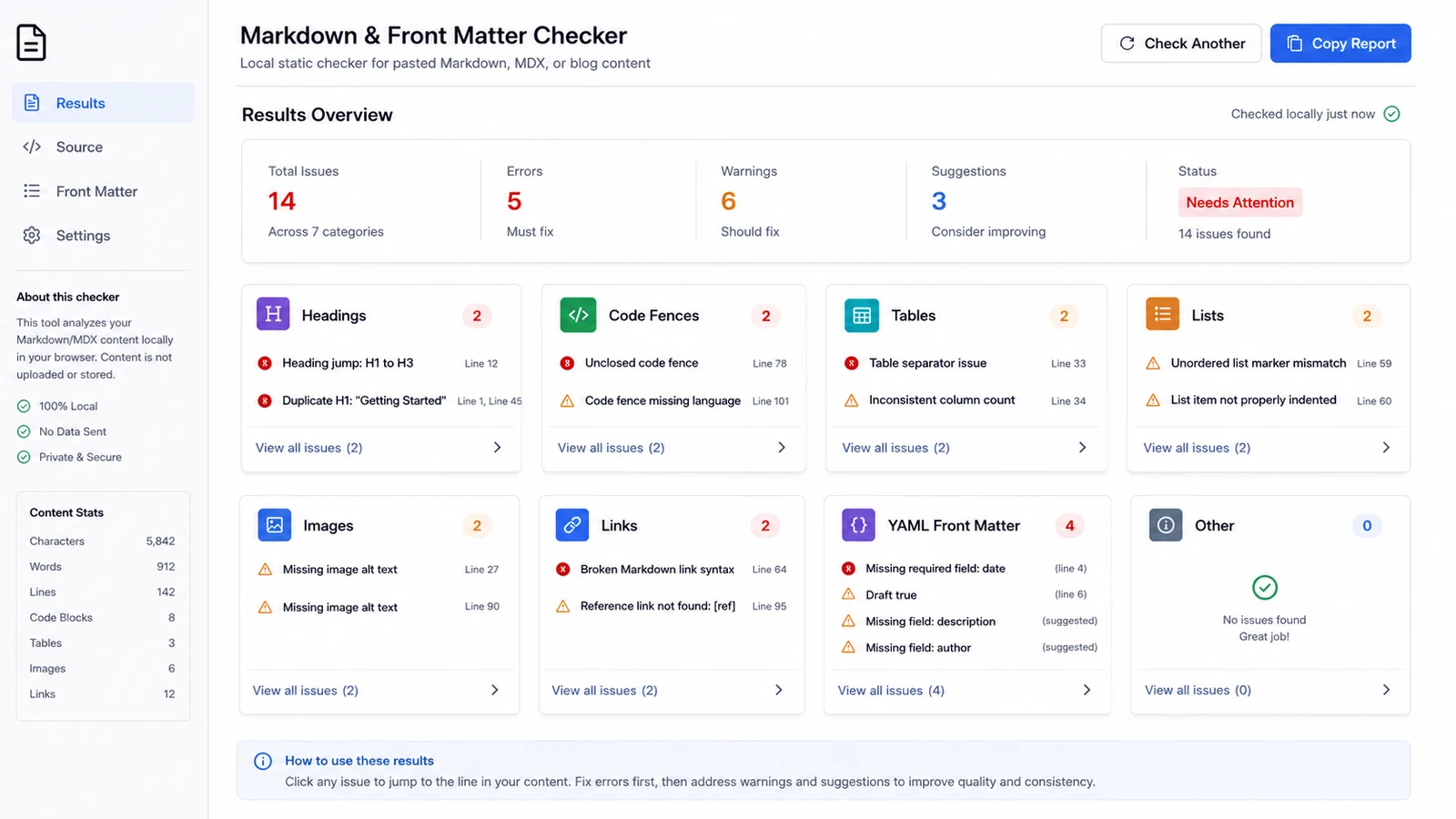
This checker turns static findings into a publish checklist and practical repair suggestions before you run your real site build.
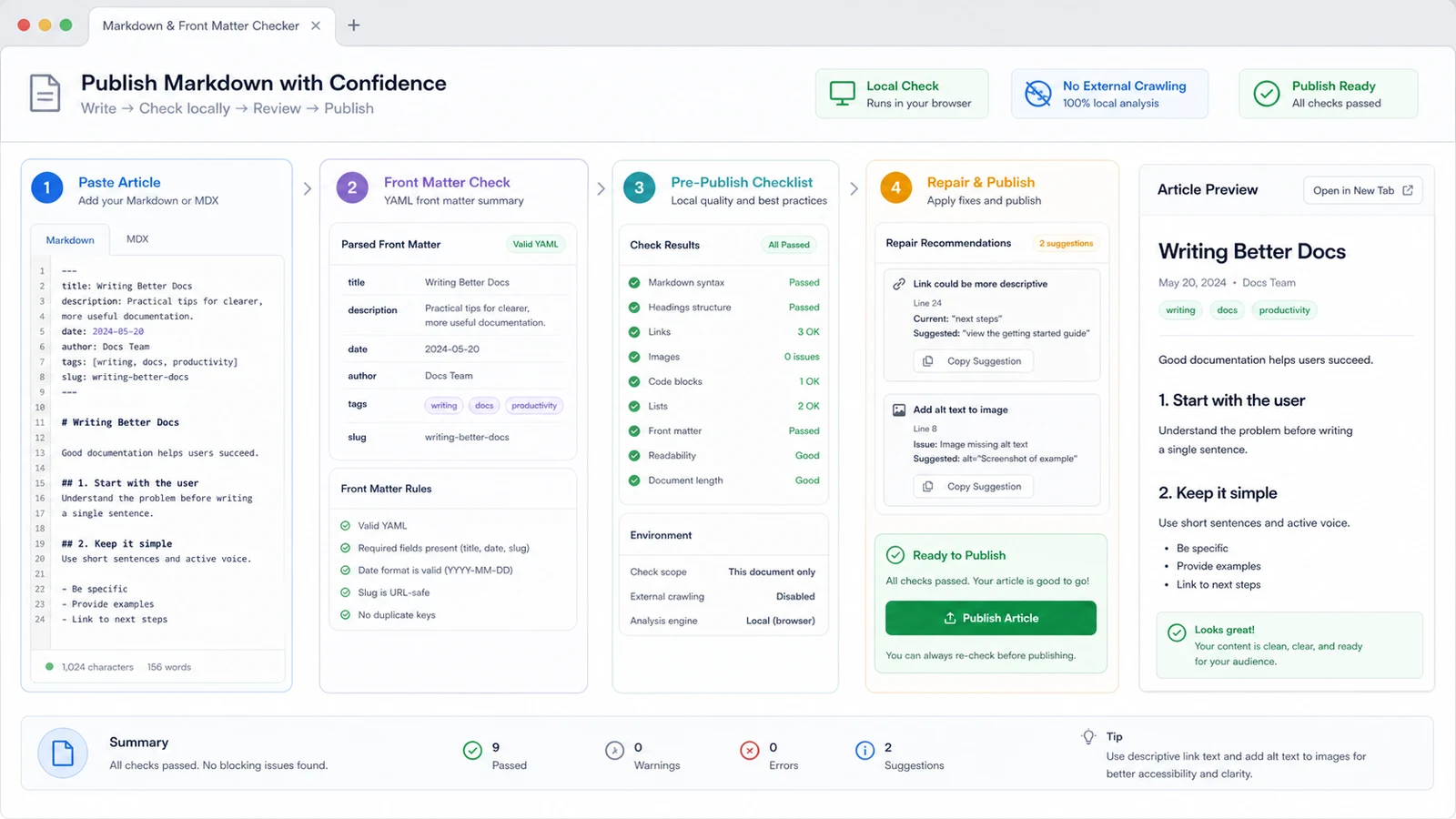
This checker is intentionally a combined checker rather than separate thin pages for Markdown, MDX, front matter, blog posts, README files and docs pages.
This checker builds an H1-H6 outline, flags duplicate H1 headings, empty headings and heading jumps that make documentation harder to scan.
Use this checker to summarize title, description, slug, date, tags and draft so publishing metadata is easier to review.
This checker finds unclosed fenced code blocks and reminds you when a language label is missing for syntax highlighting.
This checker checks Markdown table separator rows, column counts, tab indentation, odd indentation and marker changes in lists.
This checker flags Markdown images with empty alt text so screenshots, diagrams and article visuals have useful fallbacks.
This checker checks local Markdown link syntax, empty targets and unresolved reference definitions without crawling external URLs.
Use this checker as a local preflight before previewing, building or publishing your content.
Use the actual Markdown, MDX, README, docs page or blog post source instead of a rendered page. This checker only parses the text you paste.
Start with duplicate H1, empty heading, unclosed code fence and broken link syntax failures. Then review front matter fields, tables, lists, images and reference links.
The local report helps catch source-level issues, but it does not replace your Astro, Next.js, Hugo, Jekyll, docs engine or CMS preview.
Common questions about what this checker can decide locally and what needs external systems.
No. This checker runs in your browser against the pasted Markdown or MDX text. Markdown content is checked locally in your browser, and external links are not crawled.
This checker can review common Markdown and YAML front matter patterns used by Astro, Next.js, Hugo, Jekyll and docs sites. It does not execute framework plugins, MDX components or build-time code.
No. This checker only checks local Markdown link syntax, empty targets and missing reference definitions. Live URL status and external accessibility checks require network crawling.
No. This checker does not predict ranking, originality, AI content, grammar quality or search performance because those require search data, models, external crawlers or third-party APIs.
Many static-site and content workflows depend on those front matter fields for routes, cards, feeds, drafts and templates. This checker flags missing or unusual values so you can confirm what your project expects.
Warnings mean the source deserves review, not that every build will fail. Fix clear Markdown syntax issues locally, then preview the page in the real publishing stack before release.
Paste the final Markdown or MDX source, clean structural issues, then preview the page in your real build with fewer surprises.
Local static checks only. External links are not crawled, and no ranking, originality, AI content or cloud grammar score is generated.