Heading structure
Count H1-H6 tags, find missing or repeated H1 tags, detect empty headings and spot skipped heading levels.
Free On Page SEO Checker
Paste rendered body HTML, article content or a CMS export into the On Page SEO Checker to review headings, image alt text and links in one browser-side report. It checks the page body, while the HTML Head Checker stays focused on metadata inside head.
Browser-side body audit
This browser-side audit parses pasted body HTML locally, builds a heading outline, counts H1-H6 tags, reviews image alt attributes and flags link text or noopener risks.
Your HTML stays in this browser tab. The On Page SEO Checker does not upload pasted body content or crawl the page URL.
Body content results will appear here
Paste a body snippet to see heading structure, H1-H6 counts, image alt text issues, internal and external link counts, empty links, duplicate links and copyable fixes.
Issues
0
Fail
0
Warning
0
Pass
0
This combined audit covers heading structure, image alt text and link QA so you do not need separate body-content tools for the same pre-publish review.
Paste a full body, article snippet or CMS export. The tool reads the content locally and separates headings, images and links from the surrounding markup.
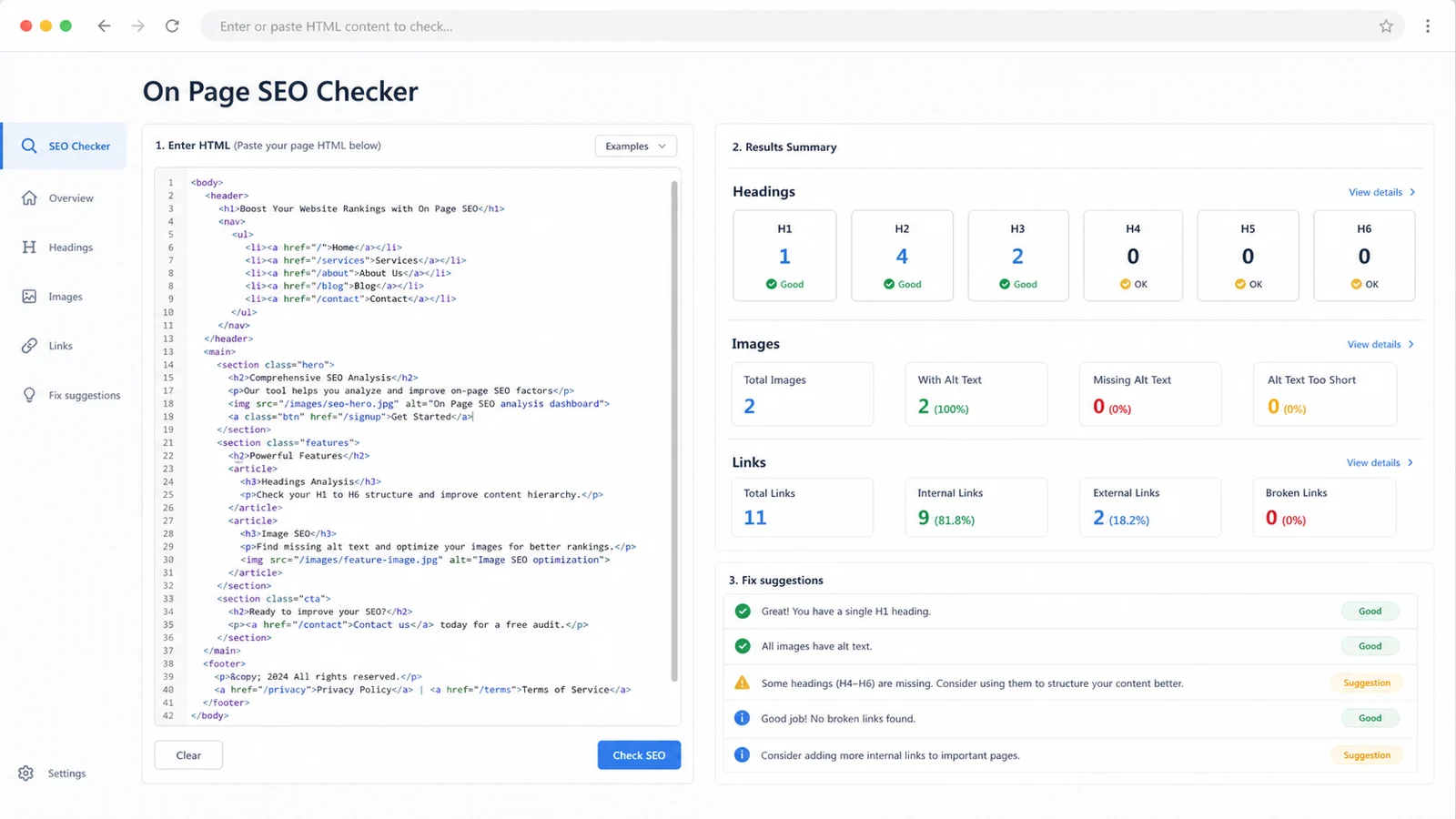
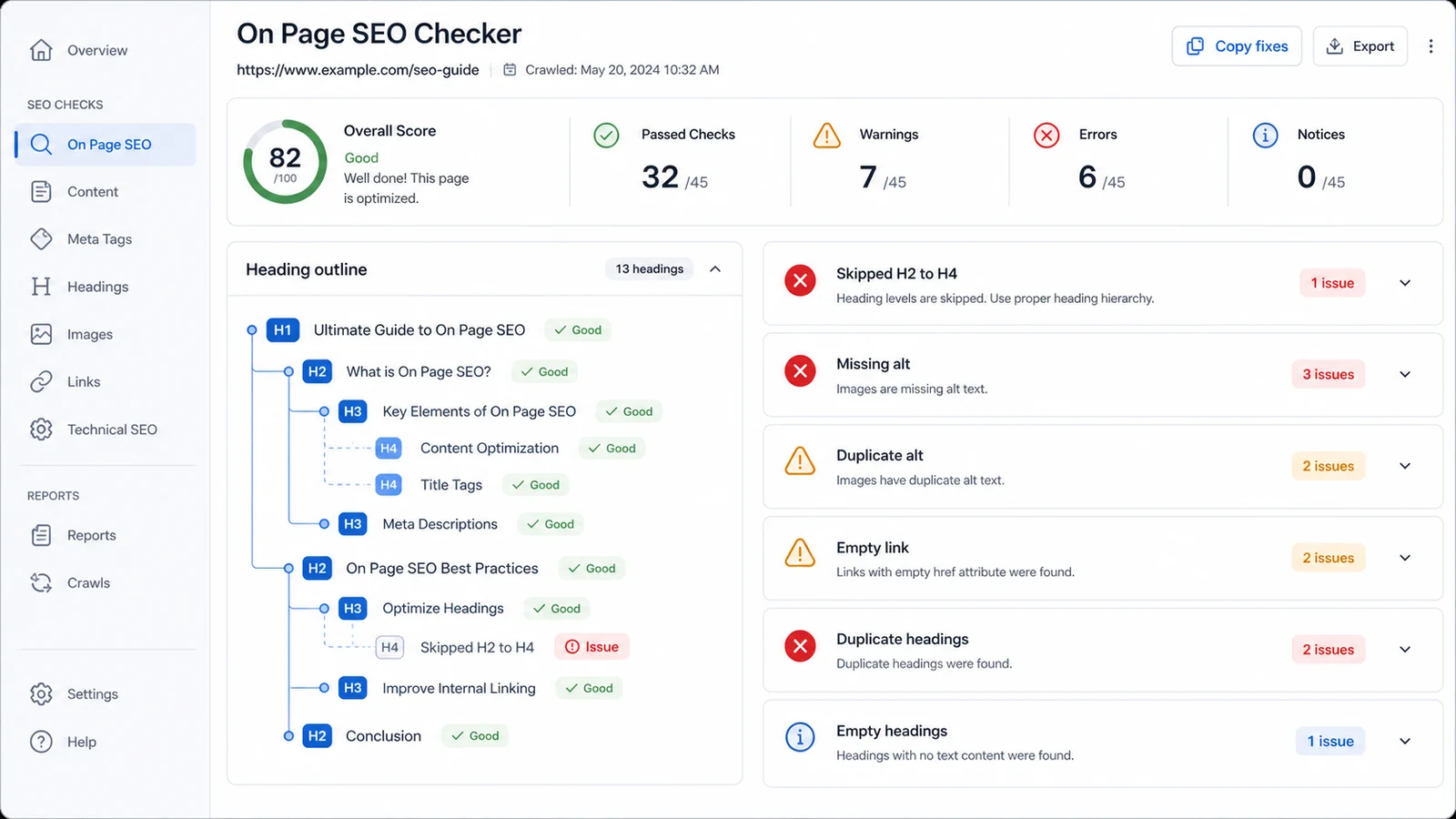
The report shows a title outline tree, H1-H6 counts, skipped heading levels, empty headings, duplicate headings, missing alt text and link warnings.
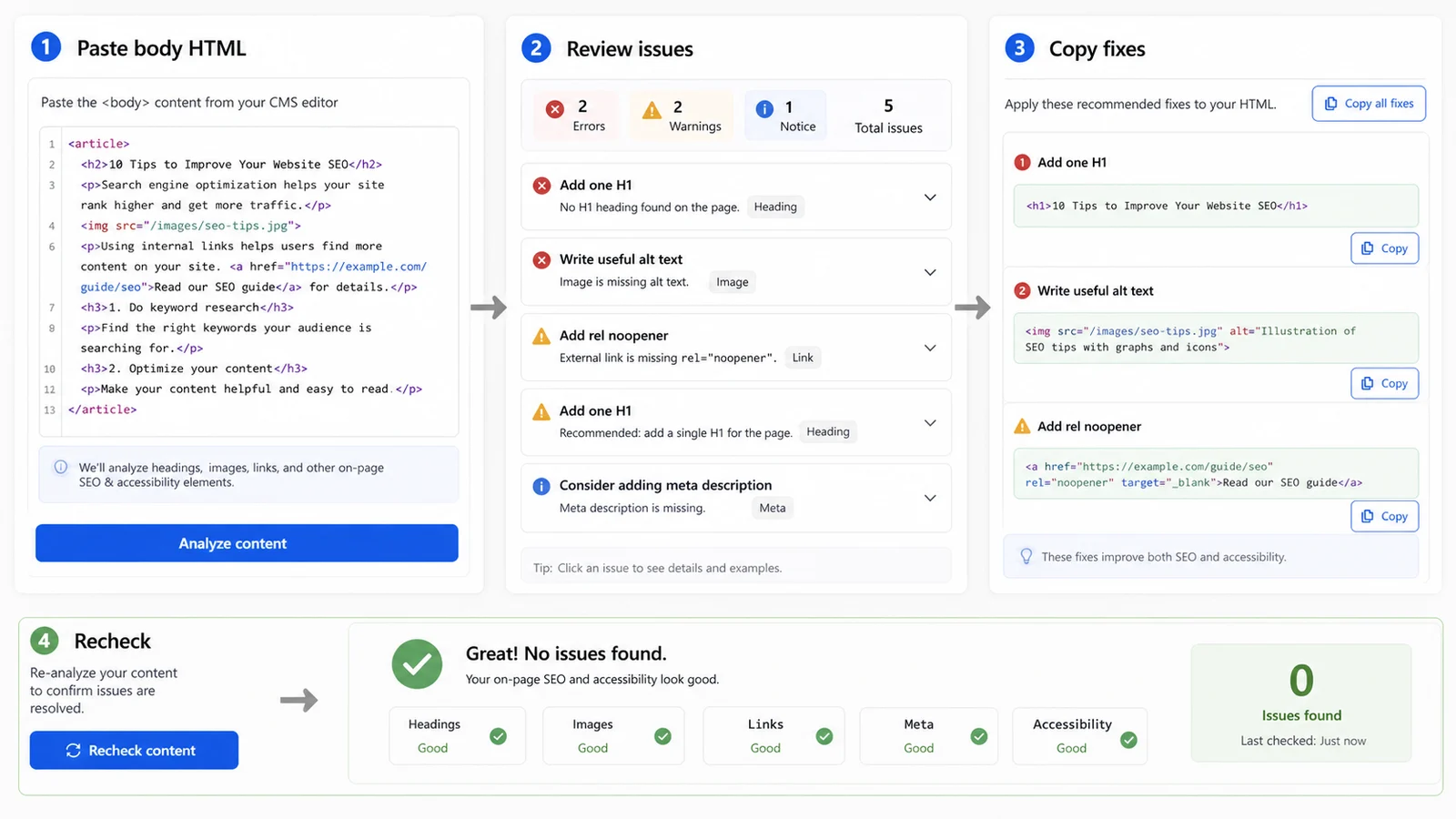
Copy recommended fixes, update the CMS or template, then paste the revised body content again to confirm the report is clean.
Use this checker when a rendered page body, article template or CMS export needs a fast review before publishing.
Count H1-H6 tags, find missing or repeated H1 tags, detect empty headings and spot skipped heading levels.
See image totals, missing alt attributes, empty alt values and repeated alt text that should be reviewed.
Count internal and external links, flag empty links, short anchors, vague anchor text and duplicate destinations.
Find target blank links that are missing rel noopener so new-tab links follow safer modern markup.
Turn every warning into a practical next step that writers, SEO editors and developers can apply quickly.
Review drafts, staging snippets and CMS exports without uploading content or crawling a private URL.
This workflow is built for body HTML and article fragments, so it complements metadata tools instead of replacing them.
Copy rendered body HTML, a CMS article fragment or the main content template. Add the page URL when you want internal and external link counts to use the right host.
Start with Fail items such as missing H1, empty headings, missing alt attributes, empty links and target blank links without noopener, then work through Warning items.
The On Page SEO Checker reports source-level issues in pasted markup. It does not render CSS, lazy-loaded content, JavaScript-injected links or search engine ranking signals.
Review reportCopy the fix suggestions, update the CMS or template, and run the check again with the revised content before handoff or launch.
Use the HTML Head Checker separately when you also need title, meta description, canonical, Open Graph or other head metadata checks.
Recheck contentAnswers about accepted input, privacy, heading structure, image alt text, link checks and how results should be interpreted.
It validates pasted body HTML for heading hierarchy, missing or multiple H1 tags, skipped heading levels, empty or duplicate headings, image alt attributes, empty or duplicate alt text, empty links, weak anchor text, duplicate links and target blank links missing rel noopener.
This tool reviews the visible page body: headings, images and links. The HTML Head Checker reviews metadata inside head, such as title, meta description, canonical, robots, favicon and social preview tags.
Paste a body tag, main content HTML, an article fragment, or a CMS export that includes the rendered headings, images and links. Full document HTML also works, but the report focuses on body content.
No. The check uses browser-side parsing, so pasted HTML remains in the current tab. It does not crawl the URL or send private CMS content to a server.
Empty alt text can be correct for decorative images, but it should be intentional. The warning helps you confirm whether each image is decorative or whether it needs useful alternative text.
No. It catches common source-level issues, but rankings and accessibility depend on content quality, rendered behavior, design, assistive technology support and broader site context.
Paste the latest body HTML, fix heading, image and link issues, then recheck until the report matches the page you intend to publish.
This is a practical browser-side preflight, not an official SEO ranking or accessibility certification tool.