Passport Photo Print and Scan Checker size conversion
Convert scanned pixels and DPI into millimetres so you can compare the printed photo with the intended physical size.
Free Passport Photo Print and Scan Checker
The Passport Photo Print and Scan Checker focuses on the step where a correct passport photo becomes wrong after printing, scanning, resizing or laying out several copies on paper. Upload a scanned sheet or single scanned photo, enter the target physical size, DPI and margins, and use the Passport Photo Print and Scan Checker to find print scaling, paper-size mismatch, scan crop, paper-edge and white-border risks before you submit.
Browser-side print and scan review
Use the Passport Photo Print and Scan Checker after you print a photo sheet, scan it back, or crop one printed photo from the sheet. The Passport Photo Print and Scan Checker converts pixels and DPI into millimetres, compares the scanned result with your target size, and shows whether scaling, paper, crop or border settings need attention.
Your image stays in this browser tab. The Passport Photo Print and Scan Checker reads pixels and metadata locally.
The Passport Photo Print and Scan Checker checks print and scan geometry only. It does not re-check country-specific face, background or official passport photo rules.
Enter the target photo size and the measured pixel values from the scan. The Passport Photo Print and Scan Checker uses DPI to convert those pixels back to physical millimetres.
Passport Photo Print and Scan Checker results will appear here
Upload a scan or try a sample. The Passport Photo Print and Scan Checker will show physical photo size, scaling drift, paper-size fit, DPI, scan crop, margin and white-border risks.
The Passport Photo Print and Scan Checker is built for the practical gap between a correct digital photo and a printed or scanned sheet that may no longer match the required physical size.
Use the Passport Photo Print and Scan Checker to enter target millimetres, paper type, row and column layout, scan DPI and measured photo pixels after printing.
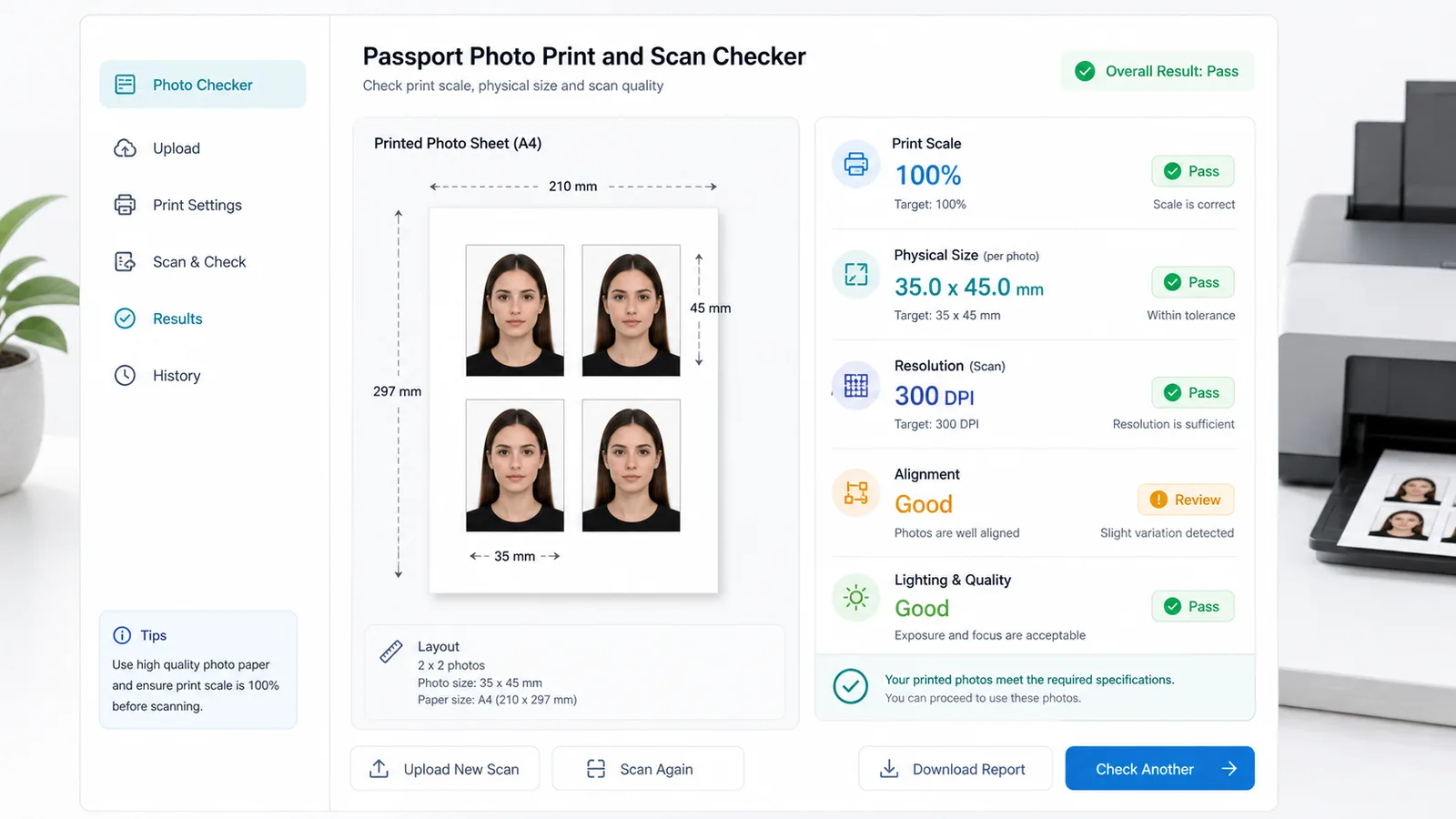
The Passport Photo Print and Scan Checker highlights full-sheet risks such as wrong paper size, scanner auto-crop, missing edges and narrow paper margins.
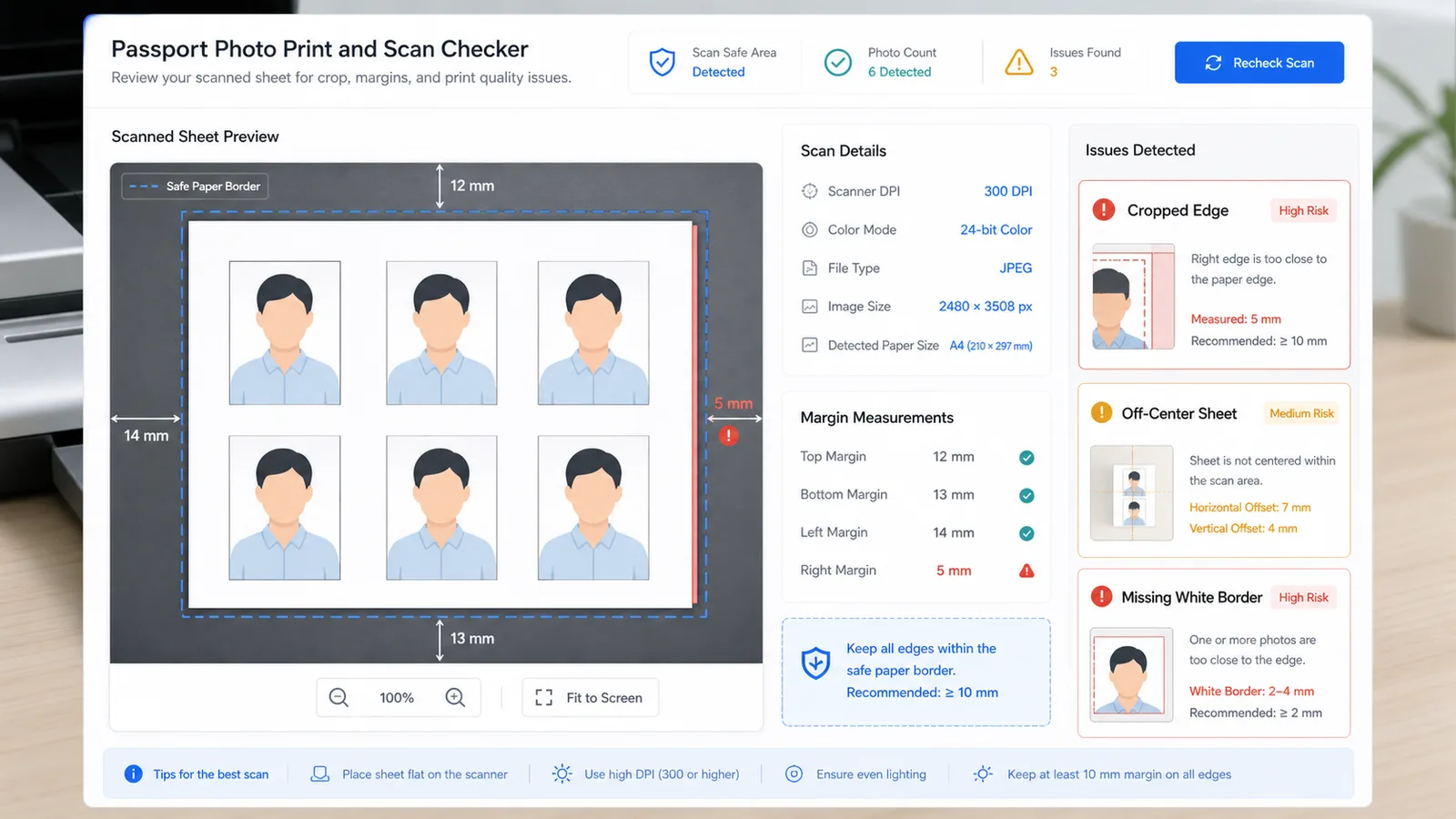
Copy a Passport Photo Print and Scan Checker report with physical size, scale drift, DPI, paper margins, white border and next-step fixes for reprinting or rescanning.
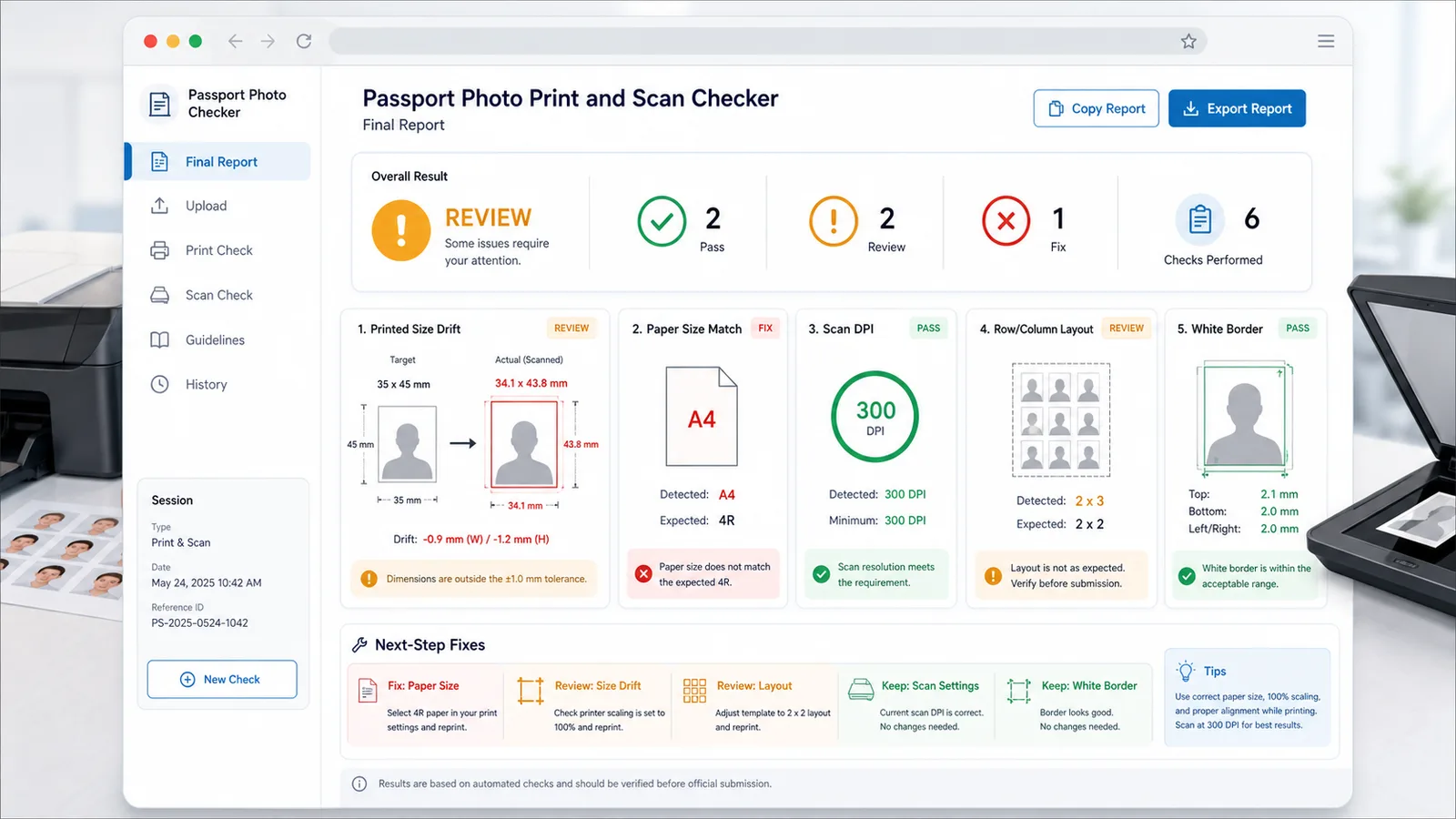
The Passport Photo Print and Scan Checker is for the moment after editing is finished and the physical workflow starts. Use the Passport Photo Print and Scan Checker when print scaling, paper choice, DPI metadata or scanner cropping can change the final result.
Convert scanned pixels and DPI into millimetres so you can compare the printed photo with the intended physical size.
Find the width and height print scale after fit-to-page, borderless printing or printer driver resizing changes the sheet.
Compare a full-sheet scan with A4, Letter, 4 x 6 or 5 x 7 paper and flag likely cropped edges.
Measure paper margins and the thinnest white border around a printed photo before cutting or uploading.
Check whether your row and column count can physically fit on the chosen paper with the target photo size.
Copy a concise report that separates DPI, paper, margin, white-border and scale problems.
The Passport Photo Print and Scan Checker works best when you measure the printed result, not the original image file.
Start with the actual printed sheet or scanned photo crop. The Passport Photo Print and Scan Checker is meant to catch problems introduced by printer scaling, scanner DPI and paper handling.
In an image editor or scanner preview, read the pixel width and height of one printed photo box. Enter those values so the Passport Photo Print and Scan Checker can convert them back to millimetres.
If the Passport Photo Print and Scan Checker reports a scale, paper or border issue, reprint or rescan before relying on the physical photo sheet.
These answers explain what the Passport Photo Print and Scan Checker can and cannot decide after printing or scanning.
No. The Passport Photo Print and Scan Checker assumes you already know the required photo size and composition. It checks whether printing, scanning, paper choice, DPI or cropping changed the physical result.
DPI is needed to convert scanned pixels into millimetres. If the uploaded scan includes reliable DPI metadata, the Passport Photo Print and Scan Checker uses it; otherwise it uses the manual DPI value you enter.
No. Automatic detection can be unreliable across home printers, glossy paper and scanner backgrounds. The Passport Photo Print and Scan Checker uses the pixel measurements you provide so the result is transparent and easy to verify.
Upload JPG, PNG or WebP scans that your browser can decode. The Passport Photo Print and Scan Checker runs locally in the browser and does not need the image to leave your device.
Confirm the paper preset, scan the whole sheet without auto-crop, and check that DPI is correct. A paper-size failure often means the scan was cropped, the paper was not the selected size, or metadata DPI is misleading.
No. The Passport Photo Print and Scan Checker only checks print and scan geometry. Final acceptance still depends on the passport office, embassy, visa center, photo studio or application platform.
Use the Passport Photo Print and Scan Checker whenever a printed or scanned passport photo might have changed size after layout, printing, scanning or trimming.
Precheck only: always compare the final printed photo with the official instructions for your application.