Passport Photo Size Checker dimensions
Check pixel width and height against selected passport and visa photo presets.
Free Passport Photo Size Checker
Upload a passport or visa photo and use the Passport Photo Size Checker to review pixel size, aspect ratio, file size, background cleanliness, head centering, face-size risk, top and chin spacing, and whether the image can be cropped into common passport photo presets. The Passport Photo Size Checker is built for early technical review before official upload, and the Passport Photo Size Checker report is easy to compare with official rules.
Browser-side passport photo precheck
Choose a preset, upload a JPG, PNG or WebP photo, and let the Passport Photo Size Checker estimate the issues that often cause passport and visa photo rejection: wrong ratio, oversized file, busy background, off-center head, face too large or too small, and risky crop spacing. The Passport Photo Size Checker turns those signals into clear pass, review and fix cards.
Your photo stays in this browser tab. The Passport Photo Size Checker reads pixels locally and does not upload the image.
This Passport Photo Size Checker is a precheck only. It cannot replace official government, embassy, visa-center or passport-office review.
Passport photo results will appear here
Select a preset and upload a photo. The Passport Photo Size Checker will show ratio, crop, background, head centering, face-size, whitespace and file-size risks.
The Passport Photo Size Checker turns one uploaded photo into a practical precheck for common passport, visa and Schengen-style photo presets.
Pick a preset, upload a photo and keep the file in your browser. The Passport Photo Size Checker reads pixel dimensions, ratio, format and file size locally, then the Passport Photo Size Checker keeps the next steps practical.
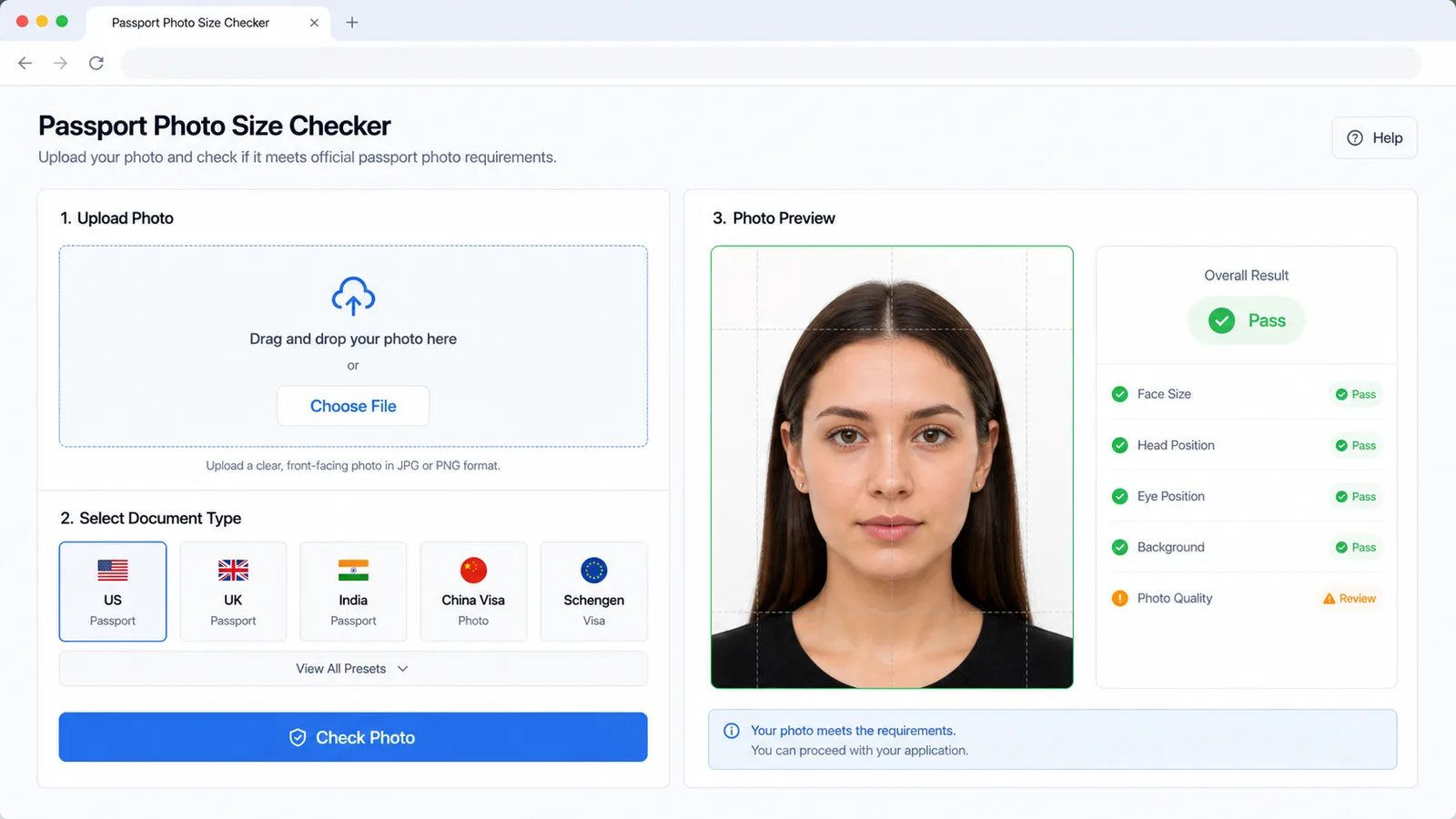
Review US, UK, India, China visa and Schengen-style preset cards for dimensions, ratio, file size, background, head centering and face-size risk in the Passport Photo Size Checker.
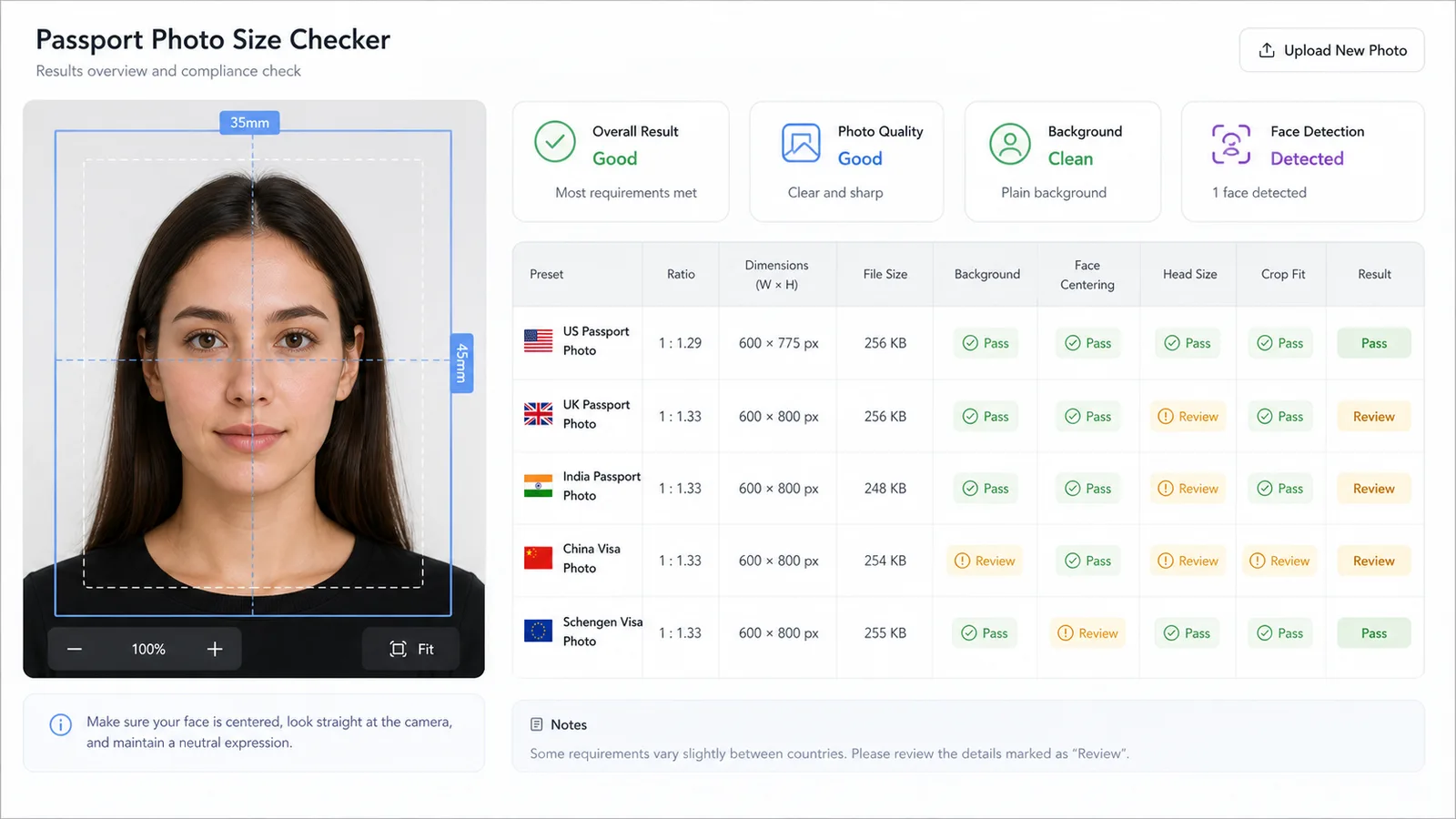
Use crop-fit and whitespace signals to catch photos where the head is too close to the edge, too far from the center or likely to fail after resizing.
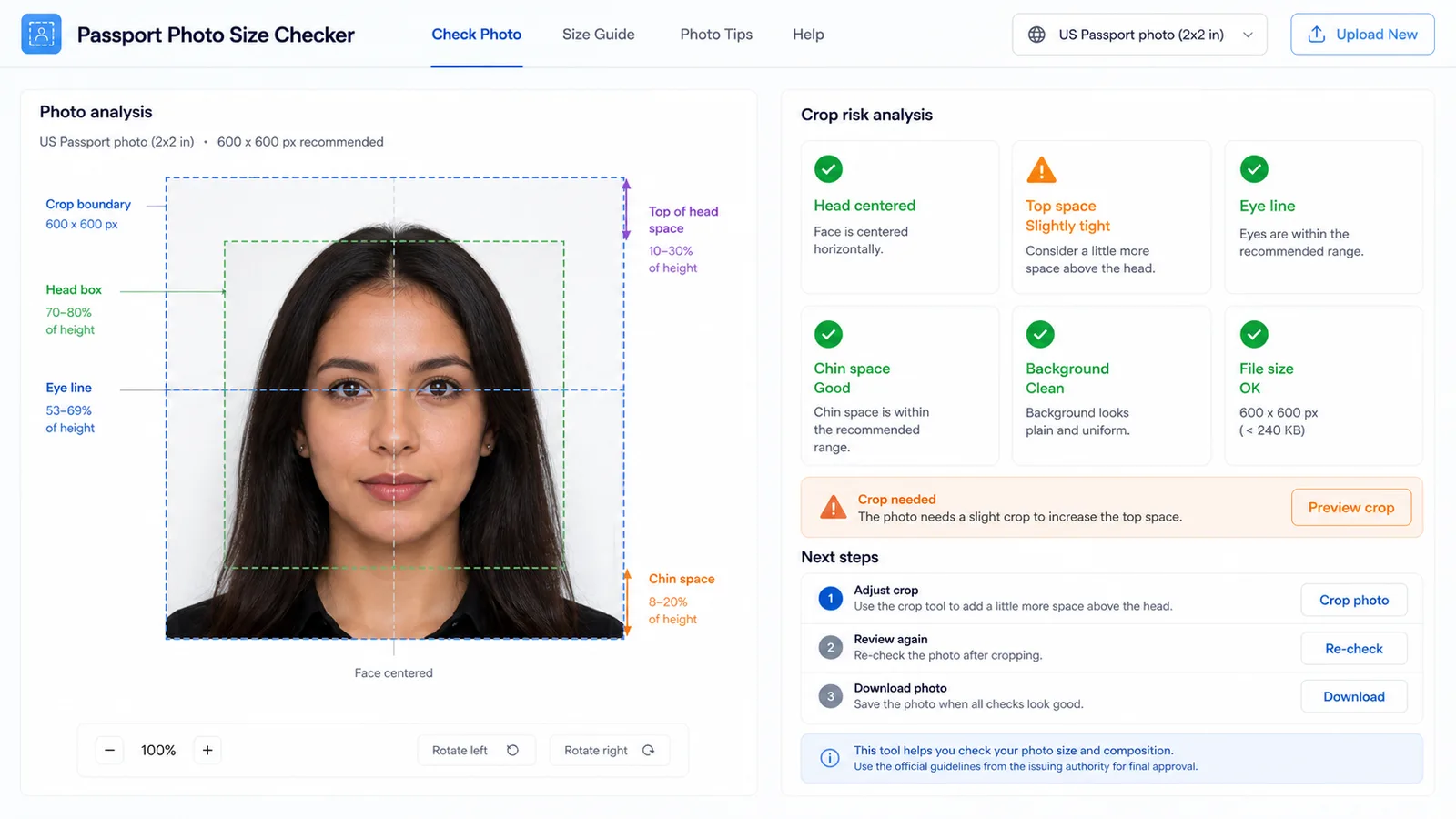
Use the Passport Photo Size Checker before you upload a passport, visa, residence permit or travel document photo and want an early warning on common technical failures. The Passport Photo Size Checker is most useful before you spend time on official forms.
Check pixel width and height against selected passport and visa photo presets.
See whether the current photo is already square, 4:5, 33:48 or 35:45, or whether it needs crop work.
Flag file-size and format risks before you try an official upload form.
Estimate whether the photo border looks plain, light and evenly coloured enough for manual review.
Estimate head centering, face-size range and top or chin spacing with browser-only canvas sampling.
Check whether the source photo can likely be cropped into the selected passport or visa photo ratio.
The Passport Photo Size Checker is a practical precheck. The Passport Photo Size Checker helps you find obvious technical risks, but it never guarantees passport or visa acceptance.
Choose the preset that matches the application you are preparing: US passport photo, UK passport photo, India passport photo, China visa photo or Schengen visa photo.
Use the original photo where possible. A clean, front-facing image with a plain light background gives the Passport Photo Size Checker better signals for crop, background and centering.
The file stays in the browser. The tool reads image pixels through a local canvas and does not perform official biometric validation.
Upload photoIf dimensions, ratio, file size, head size, background or whitespace are flagged, fix the photo before submitting it. Then verify the final file against the official application instructions.
If a crop warning appears, retake with more space around the head and shoulders instead of forcing a tight crop.
Review resultsAnswers about accuracy, privacy, official requirements, accepted files and how to interpret Passport Photo Size Checker results before you use a Passport Photo Size Checker report.
No. The Passport Photo Size Checker is only a browser precheck for common technical risks. Official passport offices, embassies, consulates and visa centers make the final decision.
The Passport Photo Size Checker checks decoded pixel dimensions, aspect ratio, file size, file format, estimated background cleanliness, head centering, face or head height, top and chin spacing, and whether the photo can likely be cropped to the selected preset.
The Passport Photo Size Checker uses estimates from browser canvas sampling, not biometric analysis. It can catch obvious risks such as a dark background or off-center head, but hair, skin tone, clothing, shadows and camera quality can affect the result.
Use JPG, PNG or WebP files that your browser can decode. Some official forms require JPEG and a strict file-size range, so export the final file in the format requested by the application.
No. The Passport Photo Size Checker reads the photo locally in the browser tab and uses a temporary object URL for preview. It does not upload the photo for checking.
Use a source photo with more room around the head and shoulders, crop to the preset ratio, then resize. Avoid stretching the image because that can distort the face and fail official review.
Use the Passport Photo Size Checker when you need an early warning on passport photo size, visa photo ratio, crop spacing, background cleanliness and file-size limits.
After the Passport Photo Size Checker report looks clean, compare the final image against the official rules for your application.
Free Passport Photo Size Checker for passport and visa photo dimensions, ratio, file size, background, head centering and crop prechecks.