Circular crop preview
See whether hair, shoulders, text, logo edges or transparent strokes get clipped by a circular avatar mask.
Free avatar safe-zone preview
Upload a headshot, logo, creator avatar or personal photo. Preview circular avatars, square avatars, 32 x 32, 48 x 48 and 96 x 96 sizes, plus dark and light backgrounds so you can spot cropped hair, clipped logo edges, tiny text and subjects that sit outside the safe zone.
Browser-side avatar preview
Use this checker before you set a social avatar, profile photo or brand icon. It reads the image locally, estimates the visible subject area and previews the same picture in circular, square, small-size, dark-background and light-background contexts.
Your image stays in this browser tab. The checker does not upload your avatar to create previews or read dimensions.
Avatar safe-zone results will appear here
Upload a profile picture, logo or photo to see circular crop risk, safe-zone placement, tiny-size readability, platform avatar fit and dark or light background previews.
This workflow turns one uploaded avatar into a practical crop, safe-zone and small-size preview report.
Start with a headshot, personal photo, logo or creator avatar. The tool reads dimensions and builds local previews without sending the image away from the browser.
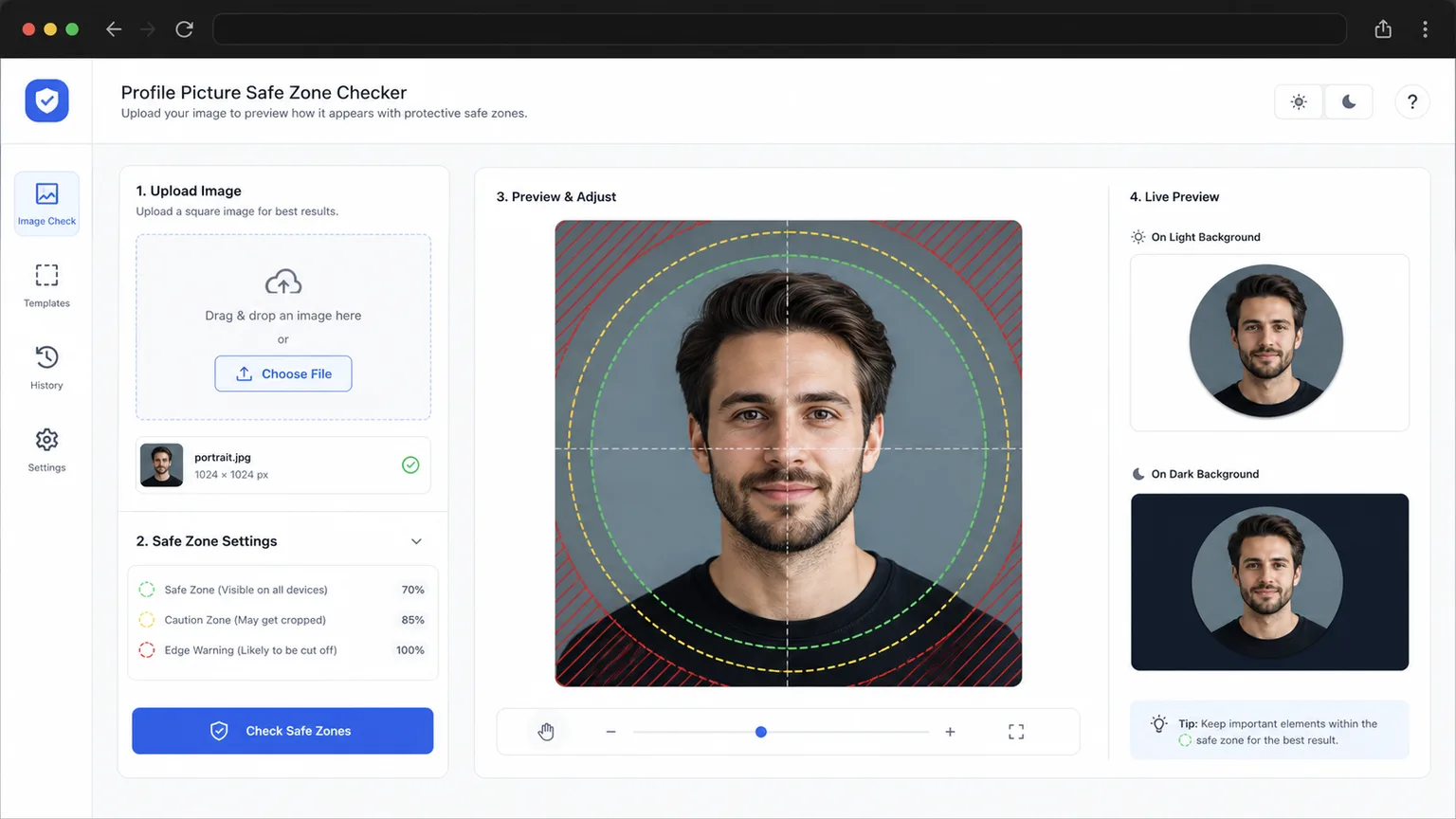
The results flag circular crop risk, edge-heavy subjects, off-center faces, logo strokes near the boundary and text that may disappear.
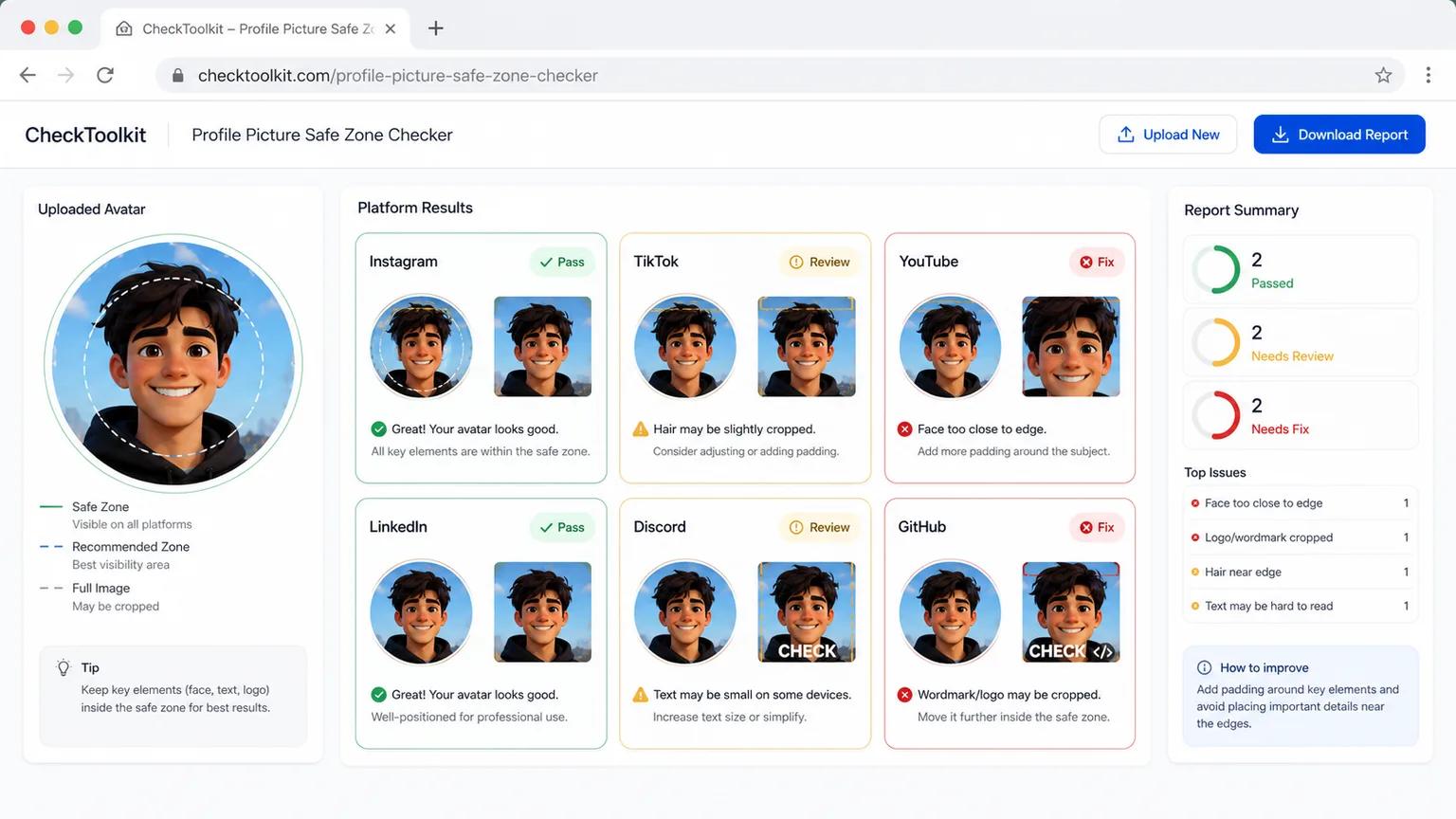
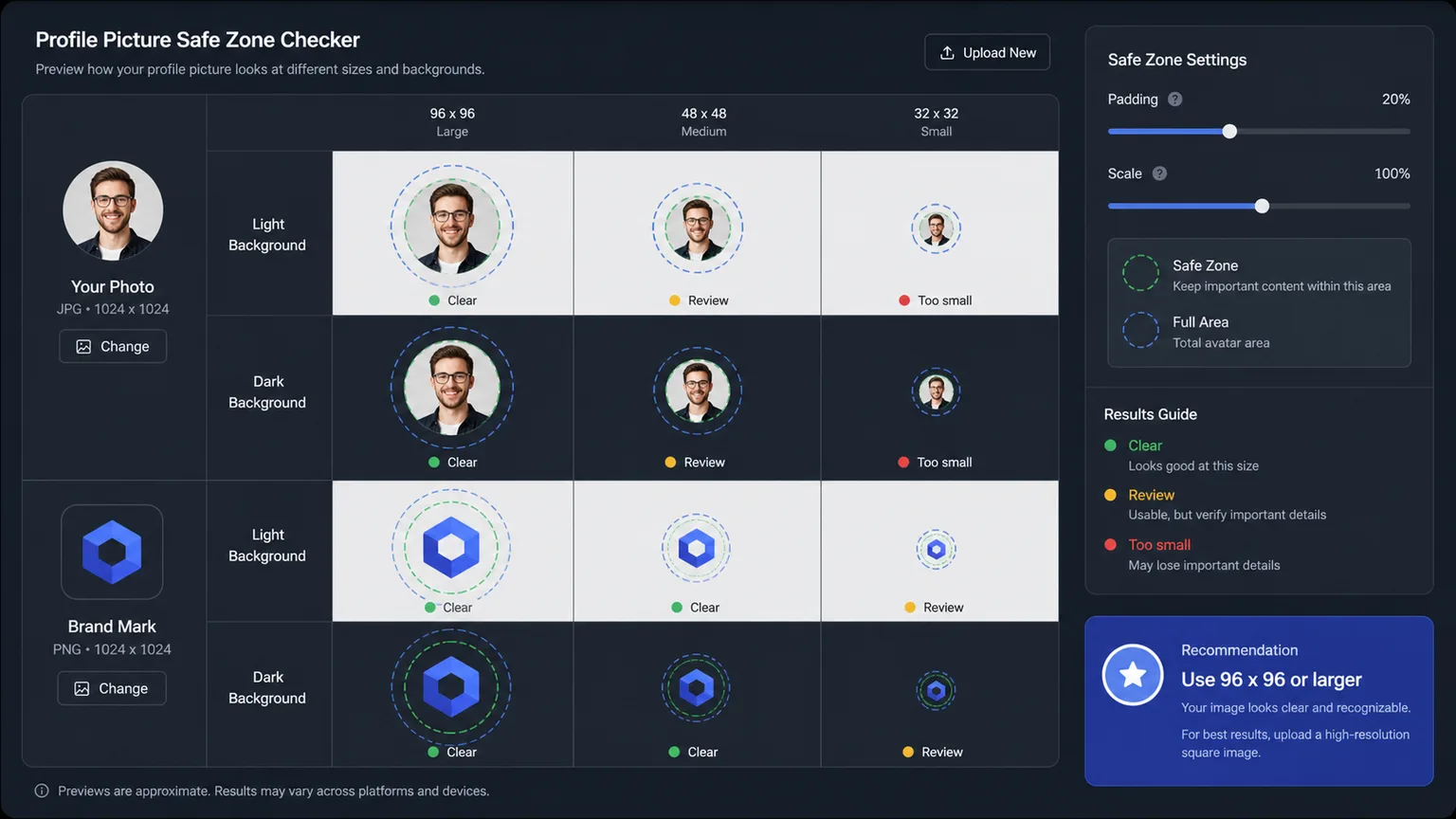
Compare 96 x 96, 48 x 48 and 32 x 32 previews on dark and light backgrounds before your avatar becomes hard to recognize.
Use this avatar QA tool when a photo or logo looks good full size but may fail as a cropped, tiny or low-contrast avatar.
See whether hair, shoulders, text, logo edges or transparent strokes get clipped by a circular avatar mask.
Estimate whether the face, logo or main subject sits comfortably inside the inner avatar safe zone.
Preview 96 x 96, 48 x 48 and 32 x 32 so small text and detailed marks do not vanish.
Compare the same profile picture on dark and light surfaces to catch weak contrast or transparent edges.
Review practical suitability for Instagram, TikTok, YouTube, LinkedIn, Discord and GitHub avatar contexts.
Copy a concise report with dimensions, crop risk, safe-zone status, tiny-size readability and platform notes.
This is a visual preflight tool, not an official platform approval guarantee.
Start with a high-resolution square crop when possible. The checker can read rectangular images, but square sources make circular and square avatar previews more predictable.
Look at the circle crop and safe-zone results first. If the checker flags edge risk, add padding, recenter the face or move logo strokes away from the boundary.
Pixel analysis can estimate subject placement, but you should still visually inspect faces, hair, text and logo edges.
Review cropCompare the 96 x 96, 48 x 48 and 32 x 32 views. If a wordmark, facial expression or logo detail disappears, simplify the avatar or make the subject larger inside the safe zone.
For text-heavy logos, create a dedicated avatar mark instead of shrinking a full wordmark.
Preview sizesAnswers about accuracy, privacy, file types, platform interpretation and what to do when the checker flags a problem.
It checks browser-decoded dimensions, square shape, estimated subject bounds, circular crop risk, safe-zone placement, small-size readability and dark or light background previews. It is designed for avatar visibility, not general image publishing requirements.
No. The checker uses local pixel analysis to estimate the visible subject area and detail risk. It does not run face recognition or OCR, so you should visually confirm whether a face, logo or wordmark looks right.
You can upload PNG, JPG, WebP and SVG files when your browser can decode them. A high-resolution square PNG or JPG is usually easiest to judge for avatars.
No. The checker reads the image in your browser tab and uses a local object URL for previews. It does not upload the image for checking.
No. A pass means the profile picture looks healthy in this visual preview logic. Real platform layouts, compression and device displays can still vary, so test the final avatar where you plan to use it.
Add padding, use a square crop, move the subject toward the center, remove tiny text or make a simpler avatar mark. Then upload the revised image and check the circular and 32 x 32 previews again.
Use it before you upload a new social profile photo, creator avatar or brand icon.
Catch circular crop, edge padding, tiny text and background contrast issues while the file is still easy to edit.
Free avatar checker for circular crops, safe zones, small avatars and background previews.