Valid manifest JSON
Confirm the pasted file parses as a manifest object before the app-specific member review starts.
Free PWA Manifest Checker
Manifest file is checked locally in your browser. No website crawling is required. Use the PWA Manifest Checker to review valid JSON, installability fields, start_url and scope risks, display mode, colors, icons, screenshots, shortcuts, categories, id and a copyable repaired manifest example.
Browser-local manifest audit
This tool merges Web App Manifest Checker, PWA Installability Manifest Checker and Manifest Icon Declaration Checker workflows into one local manifest.json review.
Your manifest stays in this browser tab. The tool does not upload files, crawl a site, run Lighthouse, verify service workers or inspect real icon image dimensions.
Manifest results will appear here
Paste or upload manifest.json to check whether the manifest is valid, complete enough for PWA install prompts, and free from common start_url, scope, display, color, icon, screenshot and shortcut mistakes.
Manifest JSON valid
PWA install configuration completeness
start_url risk
scope risk
Display mode
Color fields status
Icons declaration status
Screenshots declaration status
Shortcuts status
The checker focuses on what can be verified from pasted or uploaded manifest content. It does not crawl websites, run Lighthouse, test service workers or inspect real icon image files.
Paste or upload manifest.json and the checker validates JSON, confirms the top-level object and starts a manifest-specific review without using the general JSON Checker workflow.
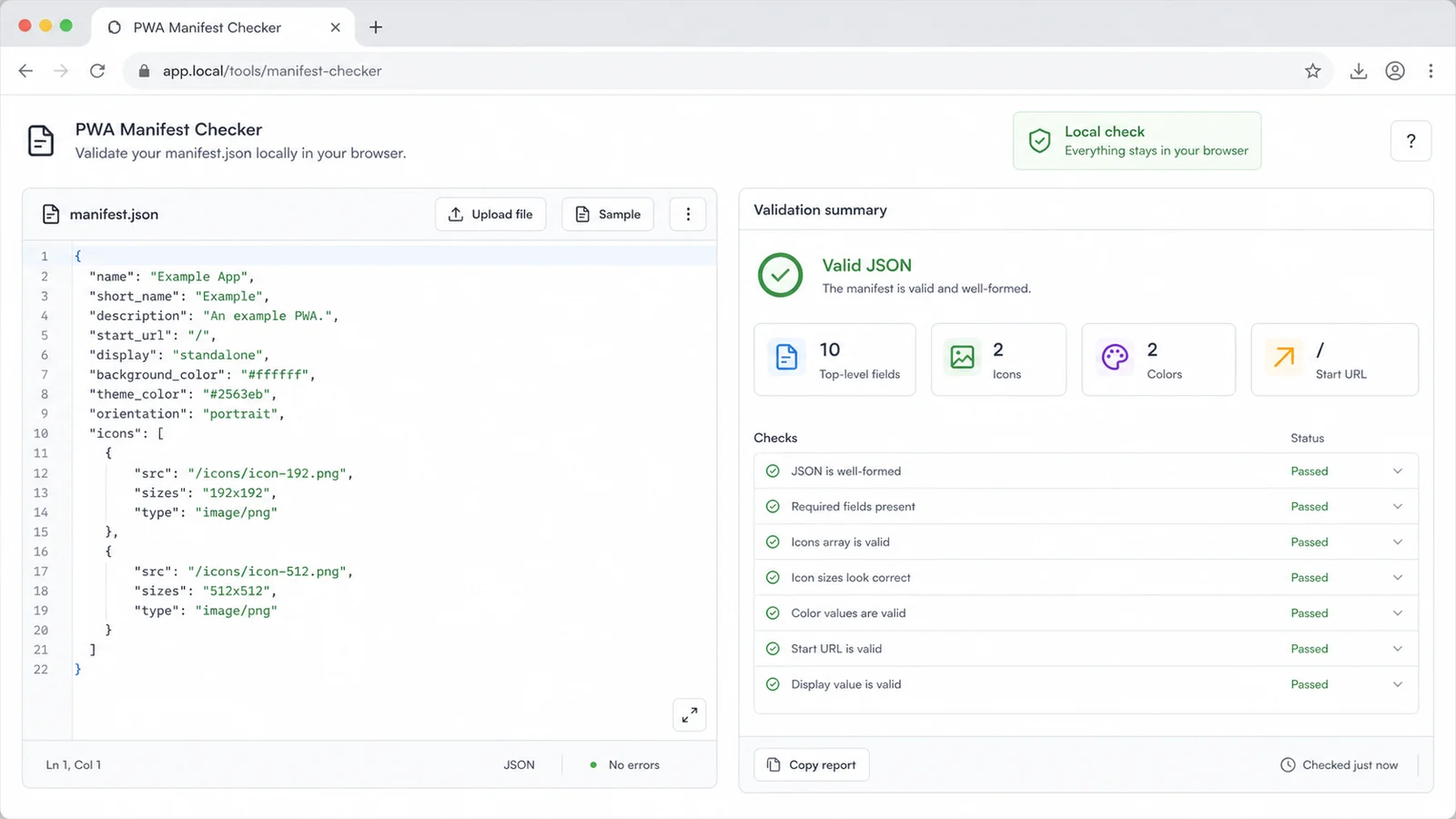
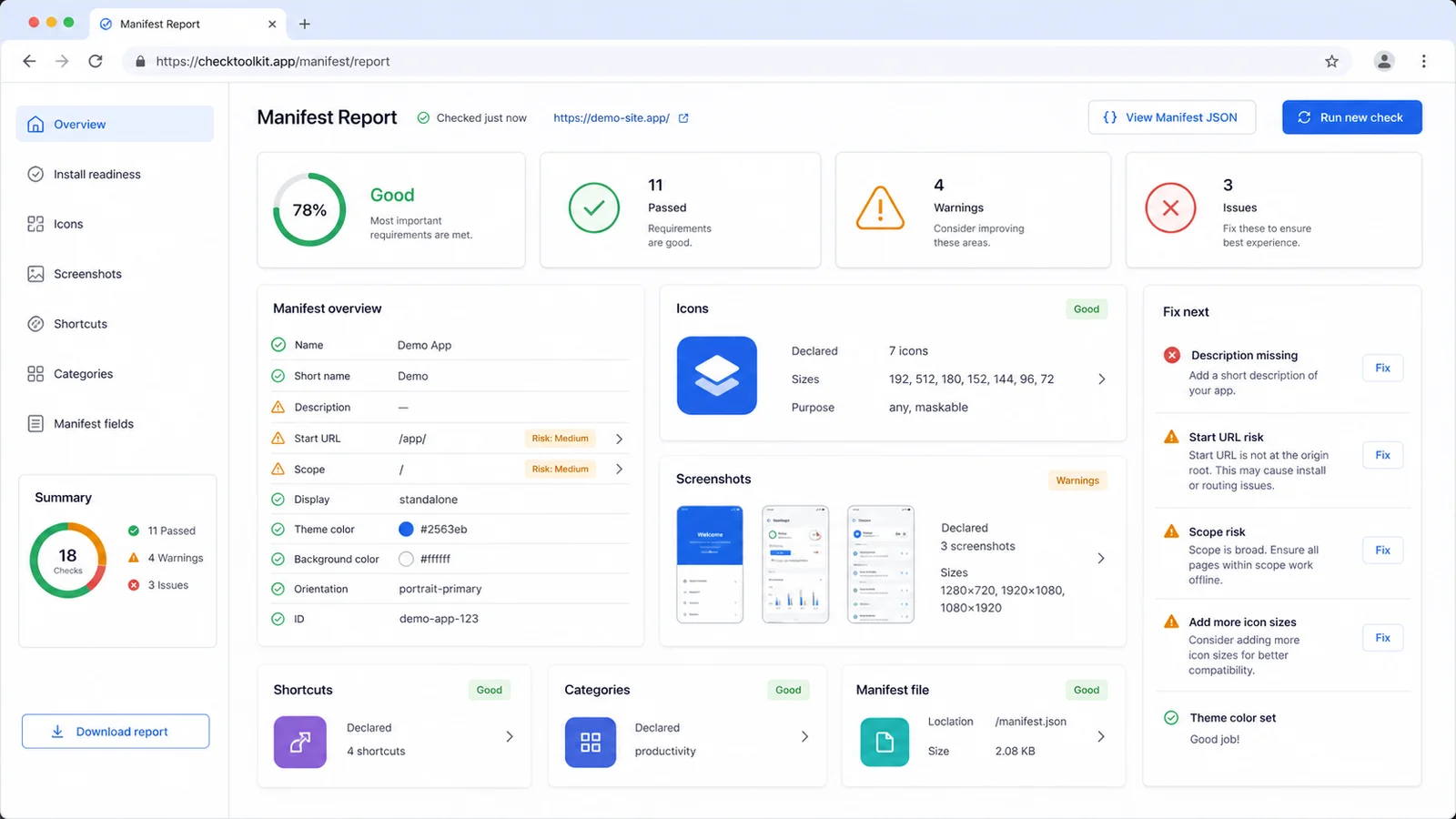
The report combines installability checks, icon declaration checks, start_url and scope risk review, display mode checks, colors, screenshots, shortcuts, categories and id in one result.
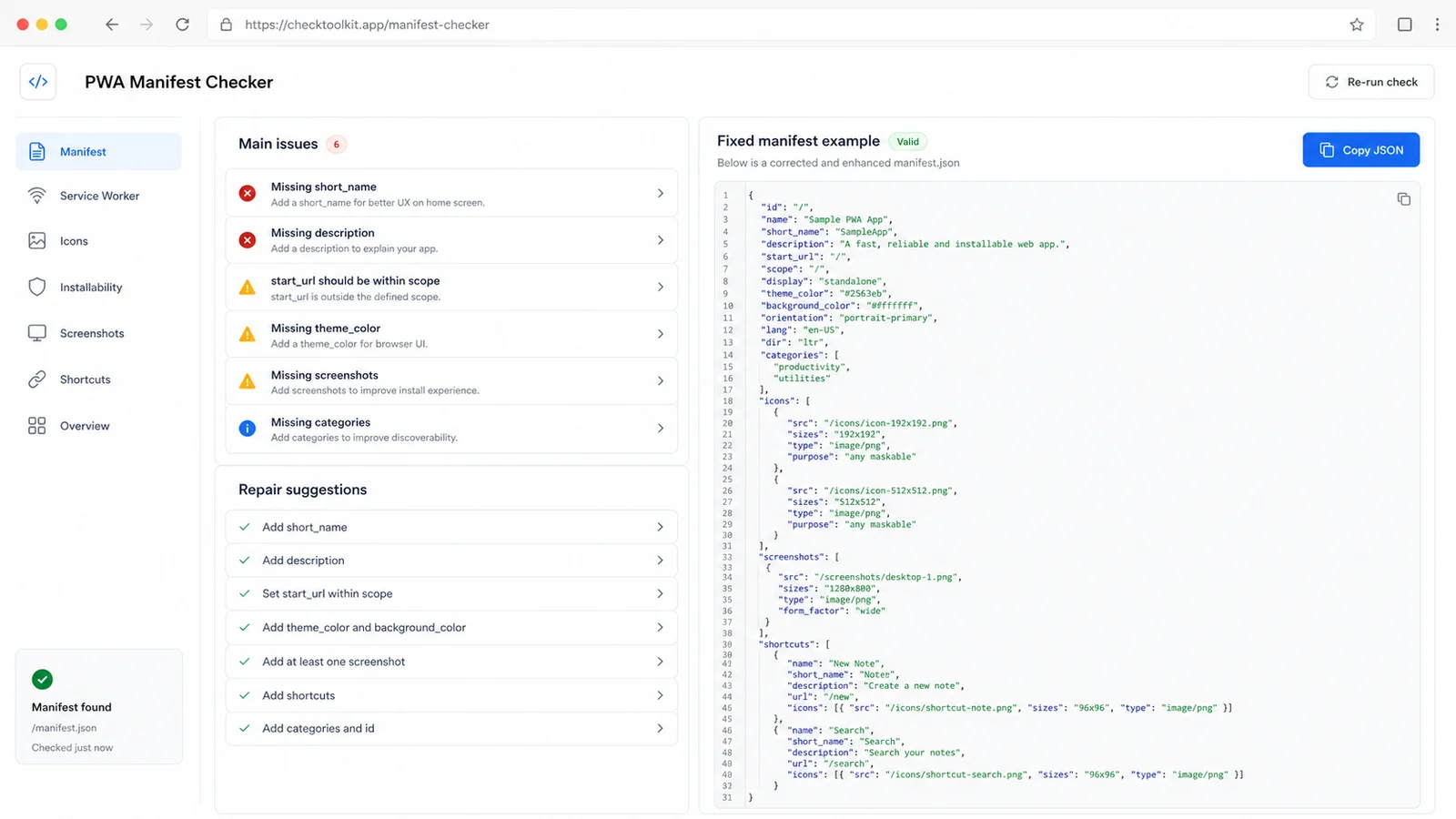
After the tool lists the main issues, copy the repaired manifest example, adjust real asset paths and run the checker again before publishing the web app.
Use this tool when a single manifest needs practical installability, declaration and launch-risk review before release.
Confirm the pasted file parses as a manifest object before the app-specific member review starts.
Review name, short_name, start_url, display, icons and prefer_related_applications values that affect install prompts.
Spot missing URLs, absolute URL review items, scope coverage issues and privacy-sensitive launch URL patterns.
Check display, orientation, theme_color and background_color values for common launch and UI polish issues.
Review icon and screenshot declarations, including declared sizes and missing src/type values, without checking real image dimensions.
Copy a repaired manifest example that fills common gaps while leaving final real asset paths and product values under your control.
The tool is built for a pasted or uploaded manifest file only. It stays inside the browser and avoids crawler-only assumptions.
Use the manifest served by your app or the manifest file from your source tree. The checker accepts JSON and .webmanifest files, then checks the manifest content locally.
Start with valid JSON, install configuration completeness, missing fields, start_url risk, scope risk, display mode, colors, icons, screenshots, shortcuts, main issues and repair suggestions.
This is not a Lighthouse score and does not verify service worker availability, HTTPS deployment, app engagement, network responses or real image pixel dimensions.
Review reportCopy the fixed manifest example, replace placeholder icon and screenshot paths with real assets, then paste the updated manifest back into the checker.
Use the Favicon & App Icon Checker separately when you need to inspect real icon dimensions or image quality.
Recheck manifestAnswers about local privacy, accepted manifest files, installability interpretation, icon declarations, screenshots, shortcuts and the tool boundaries.
It validates pasted or uploaded manifest.json content for valid JSON, required and recommended Web App Manifest members, installability-related fields, start_url and scope risks, display mode, colors, icon declarations, screenshots, shortcuts, categories and id.
No. It only reads the manifest file you paste or upload in the browser. It does not fetch a live site, run Lighthouse, check service worker registration or test network responses.
No. It only uses JSON parsing as the first step, then performs manifest-specific checks. Use the site's JSON Checker when you need general JSON formatting, minifying, duplicate-key review or broad JSON structure checks.
No. It checks icon declarations such as src, sizes, type, purpose and whether 192x192 and 512x512 entries are declared. Use the Favicon & App Icon Checker to inspect actual image dimensions, transparency and file quality.
No. It catches common manifest issues, but real installation can also depend on browser support, HTTPS, service workers, engagement heuristics, platform rules and the live document that links to the manifest.
The Web App Manifest specification notes that start_url can become privacy-sensitive when it contains user identifiers or persistent per-user values. The checker flags common patterns so you can remove tracking or account-specific values before release.
Paste the final manifest.json, fix Fail and Review items, then run the checker again before publishing or handing the PWA to QA.
This is a browser-side manifest review, not an official browser approval, Lighthouse score or service worker test.