Local QR decoding
Decode the QR content in the browser and preview the payload without uploading the image or opening the destination.
Local QR image check
QR code image is checked locally in your browser. No image upload is required. Upload a QR code image and this local checker tests whether the code can be decoded, whether the image is large enough, whether the quiet zone is intact, and whether contrast, blur, crop or logo obstruction could make the printed code hard to scan.
Browser-only QR scan check
This page combines a QR code scanner, QR code quality checker, QR code print size checker and QR code quiet zone checker in one local browser tool. It reads image pixels through canvas and never needs a server upload.
QR code image is checked locally in your browser. No image upload is required.
QR print readability results will appear here
Upload a QR code image to see readability, decoded content preview, image dimensions, quiet zone, contrast, blur risk, crop risk, logo obstruction risk, minimum print size, main issues and repair suggestions.
QR print readability results will appear here
This workflow turns one uploaded QR image into a practical browser-local scan and print report.
Start with a QR image from a flyer, label, package or design export. The checker reads the image locally, previews the code and attempts browser-side decoding without sending the file away.
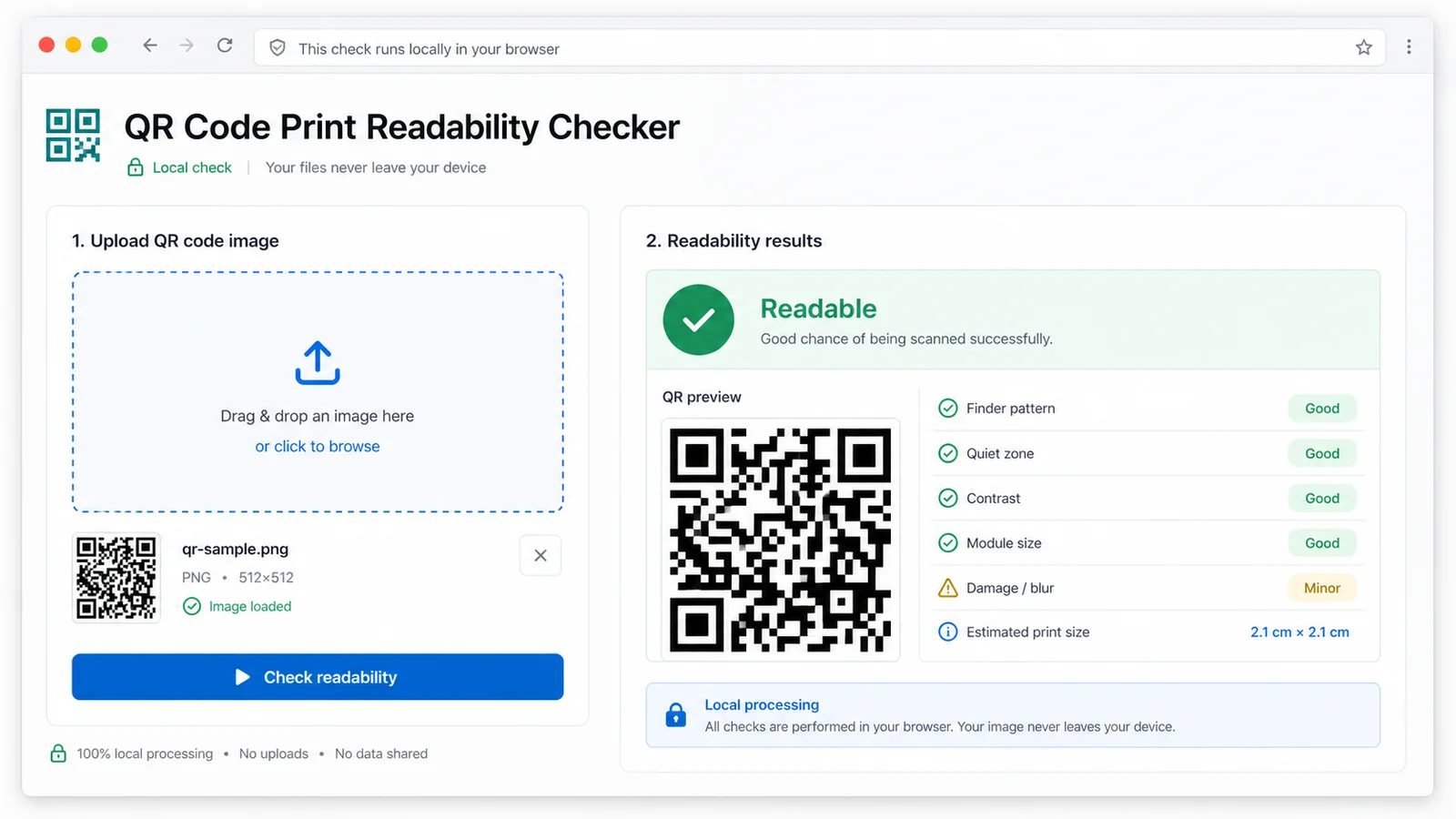
Check quiet zone, contrast, blur, crop and logo obstruction together instead of splitting the task across separate QR scanner, quality, print size and quiet zone pages.
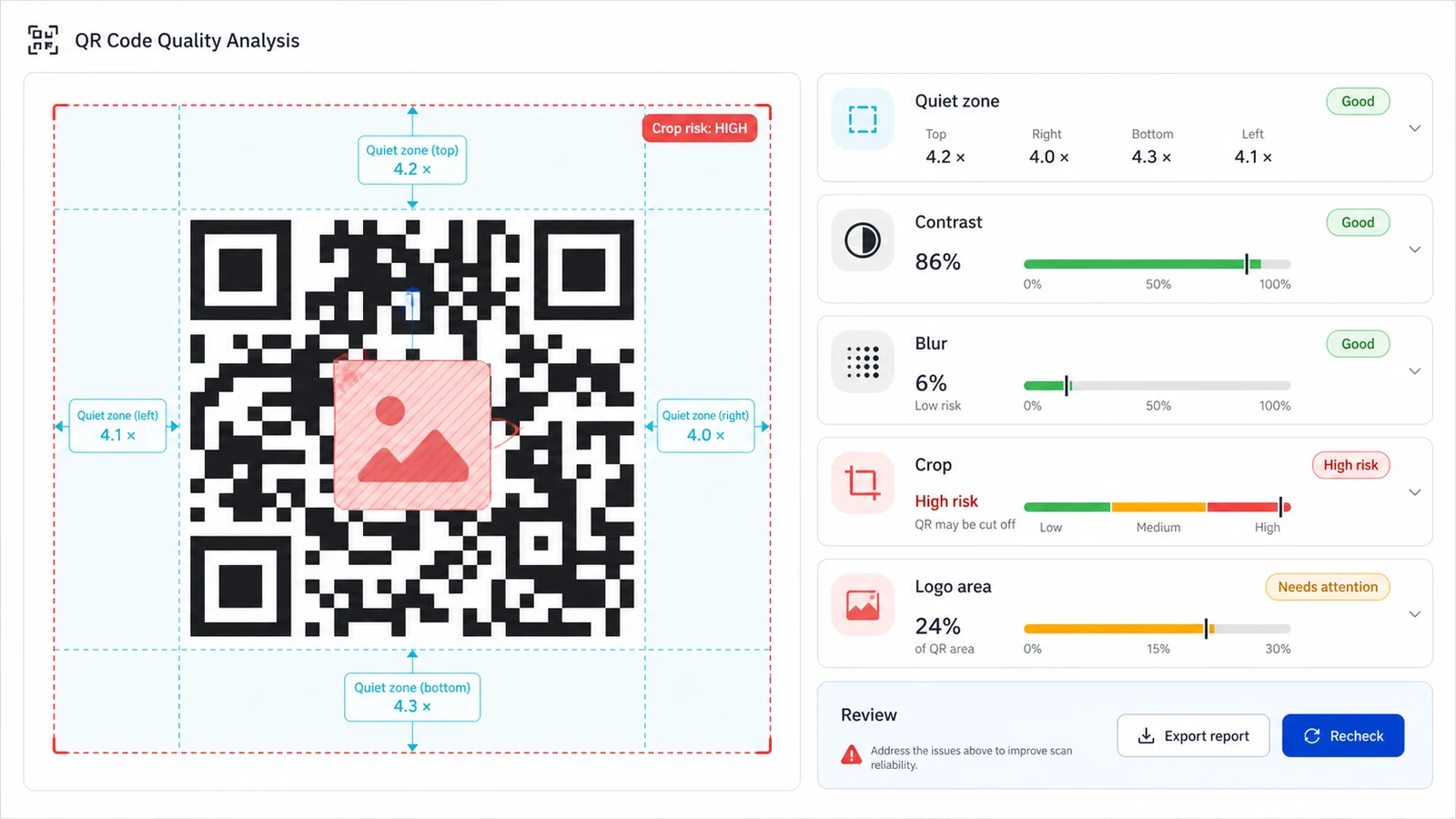
Use the suggested minimum print size and repair suggestions to adjust the artwork before the QR code goes to paper, stickers, menus or packaging.
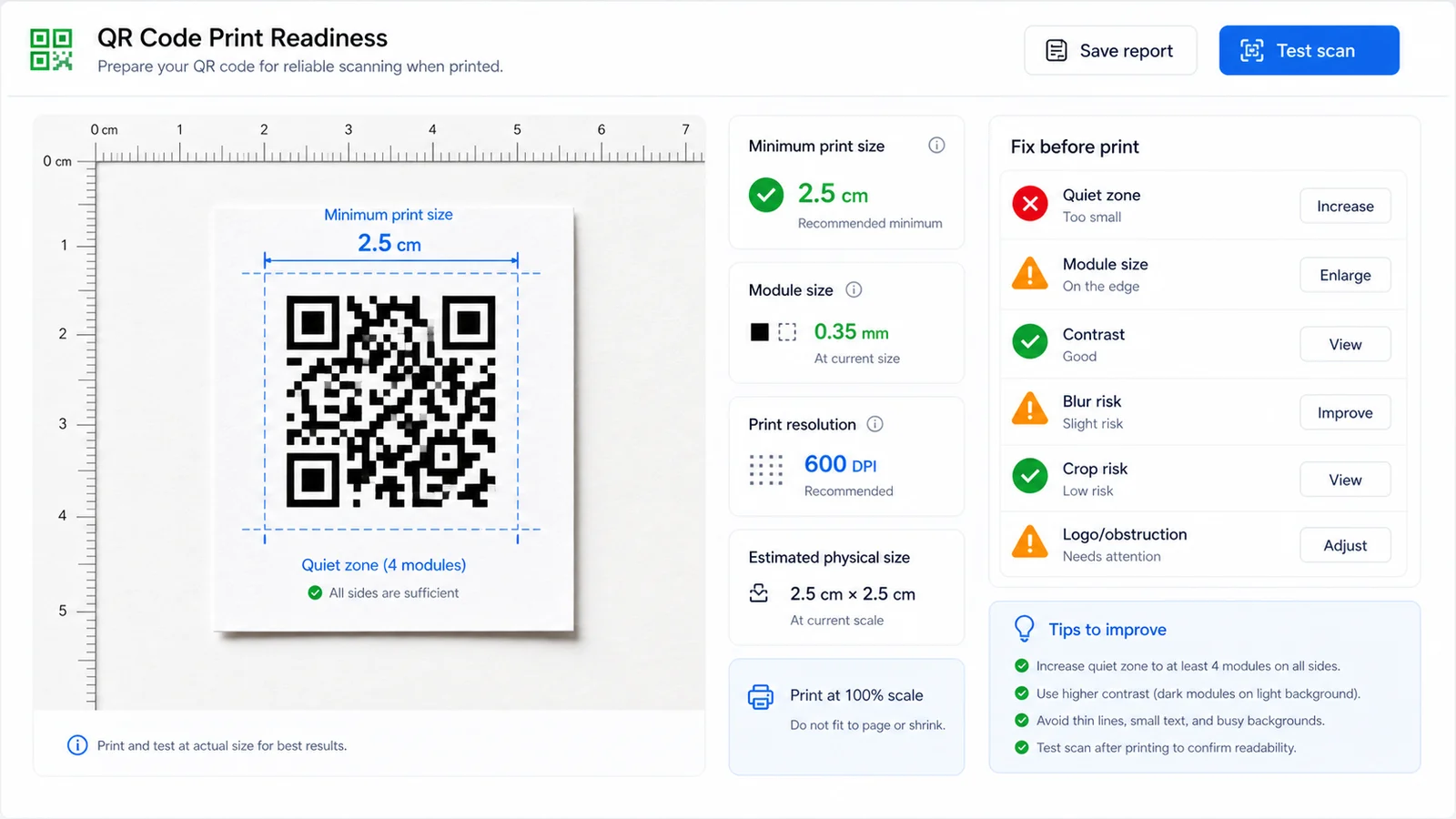
Use this local QA tool when a QR image needs to survive resizing, design decoration, trimming and real-world printing.
Decode the QR content in the browser and preview the payload without uploading the image or opening the destination.
Estimate whether the blank margin around the QR code is close to four modules and whether any side looks cropped.
Measure black-white separation and edge softness so low-contrast designs and compressed screenshots are easier to spot.
Flag center decoration that may cover too many modules, especially when the QR code will be printed small.
Suggest a practical minimum printed width based on QR version, module count and a conservative module-size target.
Keep the scope precise: this checker judges image readability, not URL safety, malware, redirects or reputation.
This local QR workflow helps catch image issues before you print, but the final proof should still be a real scan of the printed piece.
Use the QR image that will actually be placed in the print design, not a preview thumbnail. The file stays in the browser.
Start with readable or not readable, then review content preview, image dimensions, quiet zone, contrast, blur risk, crop risk and logo obstruction.
Increase size, restore quiet zone, raise contrast, sharpen the export or reduce decoration, then print at real size and scan the sample.
Answers for practical QR image checks, print limits, privacy and what this local checker intentionally does not verify.
No. It runs in your browser, reads the image through local browser APIs, attempts local QR decoding and uses canvas pixel analysis for quality checks.
No. It may show a decoded content preview, but it does not open URLs, follow redirects, check short-link reputation, query malware databases or perform any URL safety analysis.
QR scanners need blank space around the symbol to detect the code boundary. This checker estimates the quiet zone in modules and flags sides that look tighter than the common four-module target.
No. Print material, ink spread, glare, camera distance, phone model and final physical size can change results. Use the checker to catch image problems early, then scan a real printed proof.
A sharp PNG or a clean export from the original QR generator works best. Compressed screenshots, blurry photos, low-contrast designs and cropped images are more likely to fail or need review.
Treat it as a practical estimate, not an official rule. For dense QR codes, poor paper, long scan distance or decorative logos, print larger and keep the quiet zone clean.
Check readability, quiet zone, contrast, blur, crop, logo obstruction and minimum print size locally before the QR code goes into a final print layout.
QR code image is checked locally in your browser. No image upload is required.