Regex Pattern Checker JavaScript validation
The Regex Pattern Checker uses the browser's RegExp engine to validate syntax and flags for the JavaScript flavor supported by the current environment.
Browser-side JavaScript regex tester
Paste a regular expression and test text into this Regex Pattern Checker before you commit code, clean data, parse logs, audit SEO exports or publish form validation rules. The browser-only report checks syntax, bracket closure, escapes, flags, match count, capture groups, named groups, positions, case sensitivity, global matching and common regex risks.
Local Regex Pattern Checker
Use the Regex Pattern Checker for JavaScript patterns, SEO extraction rules, data cleanup, log analysis and form validation preflight. It validates with this browser's RegExp engine and keeps pasted text on your device.
First version supports JavaScript RegExp syntax only. Flags are validated by the current browser.
Your pattern and test text stay in this browser tab. This checker does not upload your input.
Regex Pattern Checker results will appear here
Enter a JavaScript regex, choose flags, and add test text to see validity, error reasons, highlighted matches, match count, capture groups, named groups, start and end positions, case sensitivity, global status and risk tips.
The Regex Pattern Checker turns a pasted JavaScript regex and sample text into a local report with validity, highlights, group details and practical risk warnings.
Enter a pattern and flags, then let the Regex Pattern Checker compile it with the browser's JavaScript RegExp engine before you use it in code.
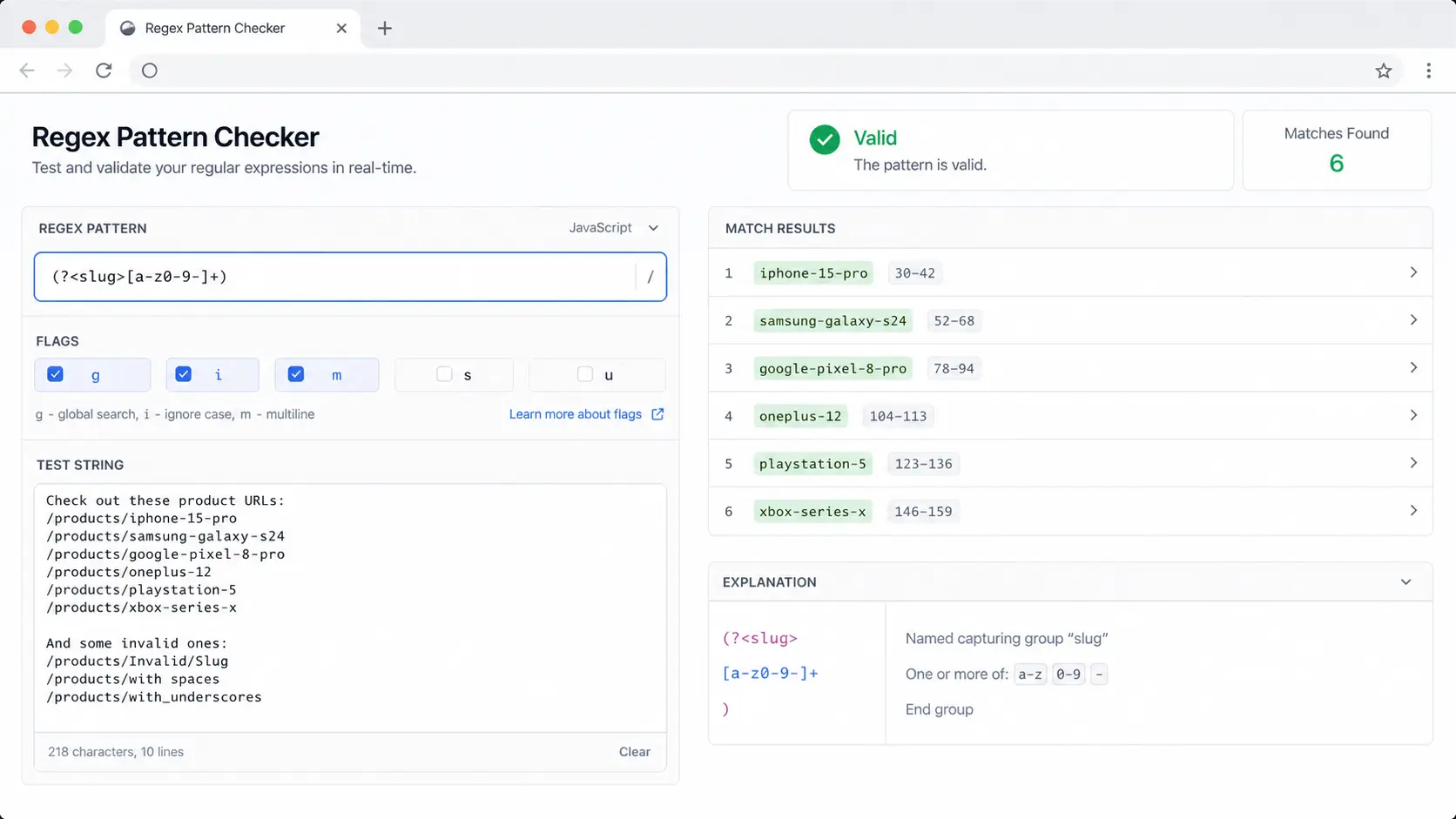
Review highlighted text, match count, start and end positions, numbered capture groups and named capture groups without leaving the Regex Pattern Checker.
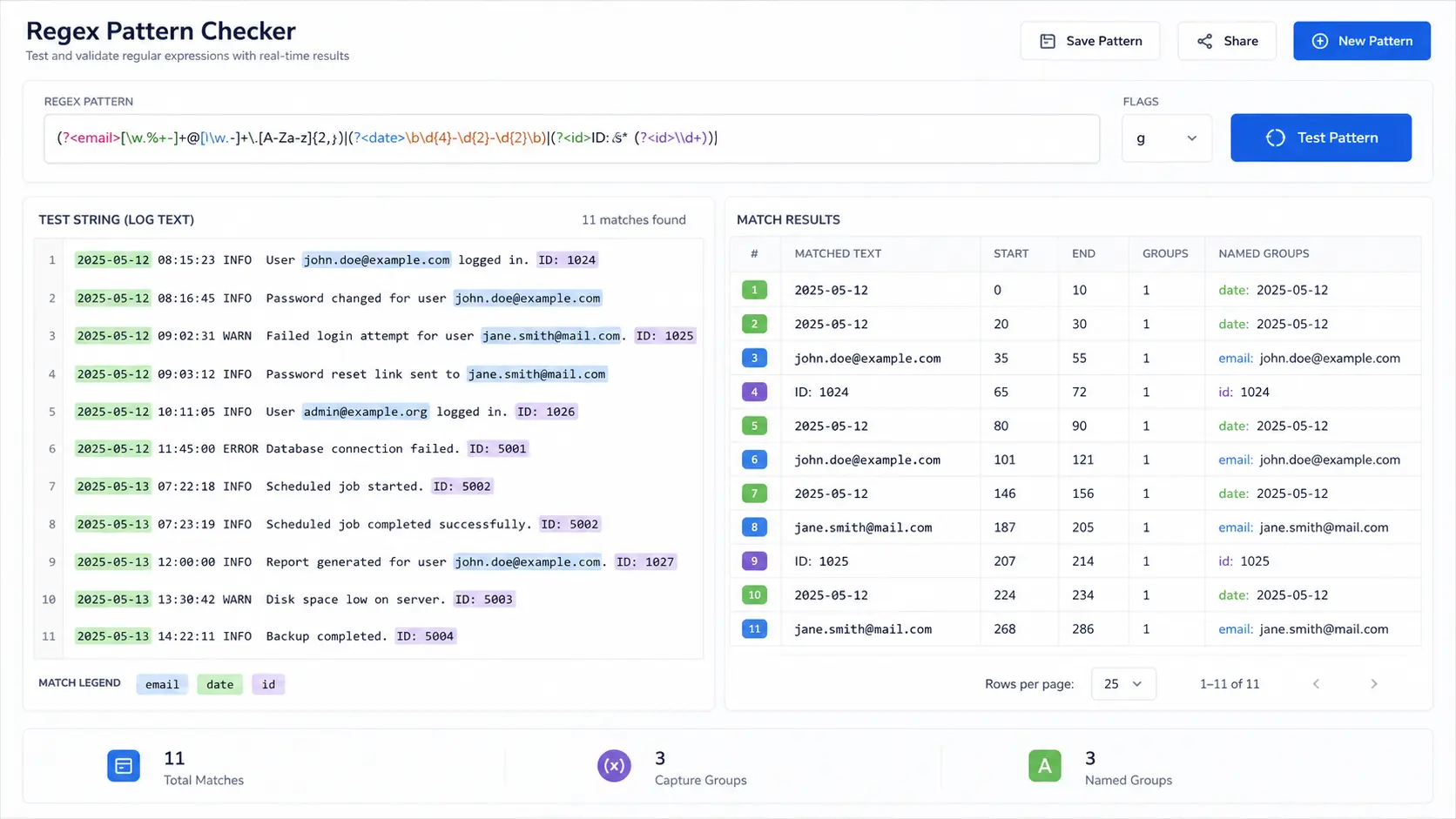
Spot empty matches, broad dot-star usage, unescaped special characters and complex nested quantifiers before they surprise users or slow down processing.
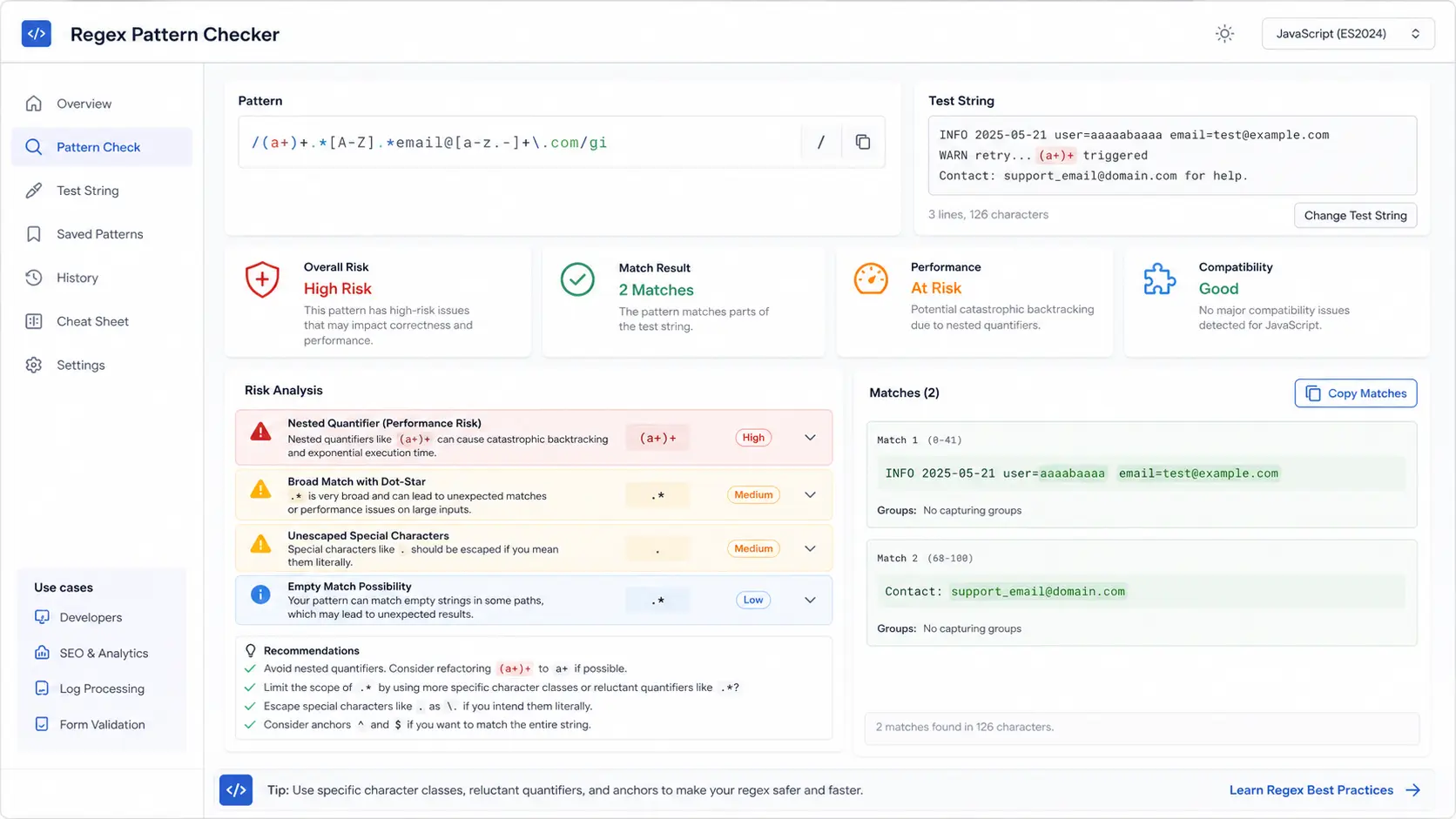
Use the Regex Pattern Checker when one pattern needs to survive production code, analytics exports, scraped text, logs or form inputs.
The Regex Pattern Checker uses the browser's RegExp engine to validate syntax and flags for the JavaScript flavor supported by the current environment.
The Regex Pattern Checker reports compile errors, bracket closure problems, trailing escapes and syntax messages that often hide in pasted patterns.
The Regex Pattern Checker highlights matched text in the test content, so you can see whether the pattern is too narrow, too broad or exactly right.
In the Regex Pattern Checker, each match includes a start and end position, plus total match count, case sensitivity and whether global matching is enabled.
The Regex Pattern Checker lists numbered and named capture groups per match, which helps when extracting IDs, slugs, dates, emails or log fields.
Regex Pattern Checker warnings cover empty matches, broad dot-star patterns, possible unescaped special characters and nested quantifier performance risks.
This Regex Pattern Checker is a practical JavaScript regex preflight. It helps you debug intent before the pattern reaches production code, spreadsheet cleanup, crawling exports or form validation.
Start the Regex Pattern Checker with the exact JavaScript regex and representative text you plan to parse, validate or clean. Include tricky lines, empty values and edge cases.
Use the Regex Pattern Checker to confirm whether matches appear in the right places, whether capture groups contain the expected values, and whether flags such as g, i, m or s change the result.
When a pattern is used for validation, confirm whether it should be case sensitive and whether it should match the whole value with anchors.
Review outputTreat Regex Pattern Checker warnings as prompts to tighten the regex. Replace broad wildcards, escape literal special characters, avoid nested quantifiers and copy the final matches for review.
Answers about JavaScript regex support, privacy, flags, match interpretation and risk warnings.
This first version supports JavaScript RegExp syntax only. The pattern and flags are compiled by the browser you are using, so support follows that browser's JavaScript engine.
No. The regex, flags and test text are analyzed in your browser tab. This is useful for logs, data cleanup samples and validation rules that should not be sent to a server.
A regex can compile successfully while still being risky. The Regex Pattern Checker warns about patterns that may match empty strings, overmatch with .*, hide unescaped special characters or cause performance issues with nested quantifiers.
Positions are zero-based character indexes in the test text. Start is where the match begins, and end is the first index after the matched text.
JavaScript regex returns repeated matches when the g flag is enabled. Turn on g if you want the Regex Pattern Checker to list every match in the test text.
No. It is a fast local debugging aid. Keep unit tests, input-size limits and production monitoring for regex used in critical validation, scraping, log processing or user-submitted input.
Paste a JavaScript regex and realistic test text when you need confidence before coding, data cleanup, SEO extraction, log analysis or form validation.
Check validity, flags, highlights, capture groups, positions and risk warnings locally, then copy the matches for your next review.
Local JavaScript regex checks in your browser.