Missing header detection
Check whether CSP, HSTS, X-Content-Type-Options, Referrer-Policy, Permissions-Policy and X-Frame-Options are present.
Local HTTP security header review
Paste HTTP response headers, curl -I output, Cloudflare headers, Vercel headers or Nginx response headers into this Security Headers and CSP Checker. The tool checks Content-Security-Policy, Strict-Transport-Security, X-Content-Type-Options, Referrer-Policy, Permissions-Policy, X-Frame-Options, frame-ancestors, unsafe-inline, unsafe-eval, wildcard sources and short HSTS max-age values without sending your headers to a server.
Browser-only Security Headers and CSP Checker
Paste raw HTTP response headers or deployment output. This checker parses the text in your browser, highlights missing security headers, dangerous configurations, CSP risk points and practical production fixes.
Headers are analyzed locally in your browser. They are not uploaded by this tool.
This tool does not scan a URL automatically. A frontend-only page cannot reliably read arbitrary website response headers because browser requests are limited by CORS.
Security header results will appear here
Paste headers to see missing security headers, dangerous configurations, CSP risk points, production recommendations and copyable fix snippets.
Use this local workflow when you need to review deployment headers without running a URL scan.
Copy response headers from curl -I, Cloudflare, Vercel, Nginx or another hosting layer and analyze the text locally.
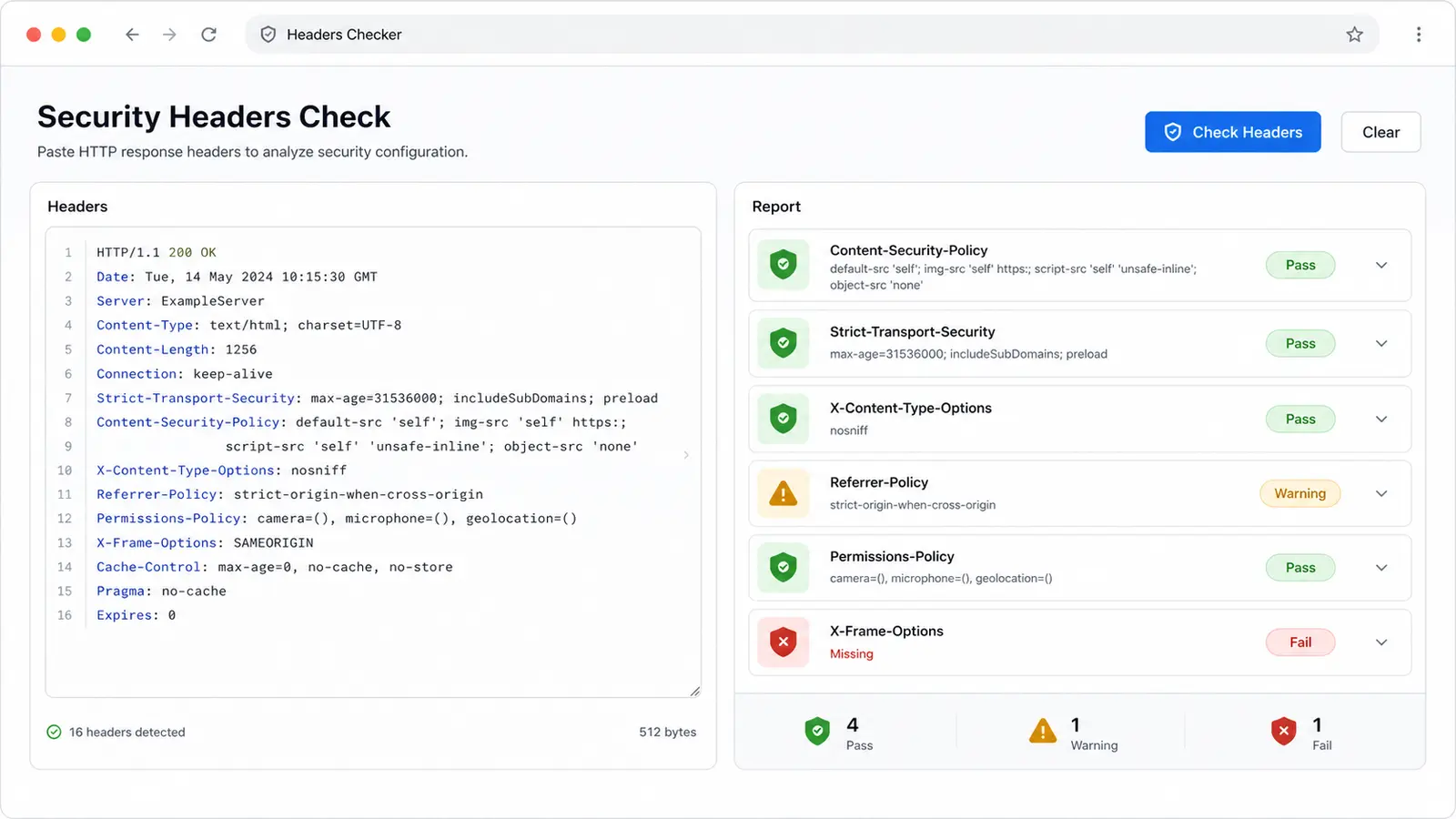
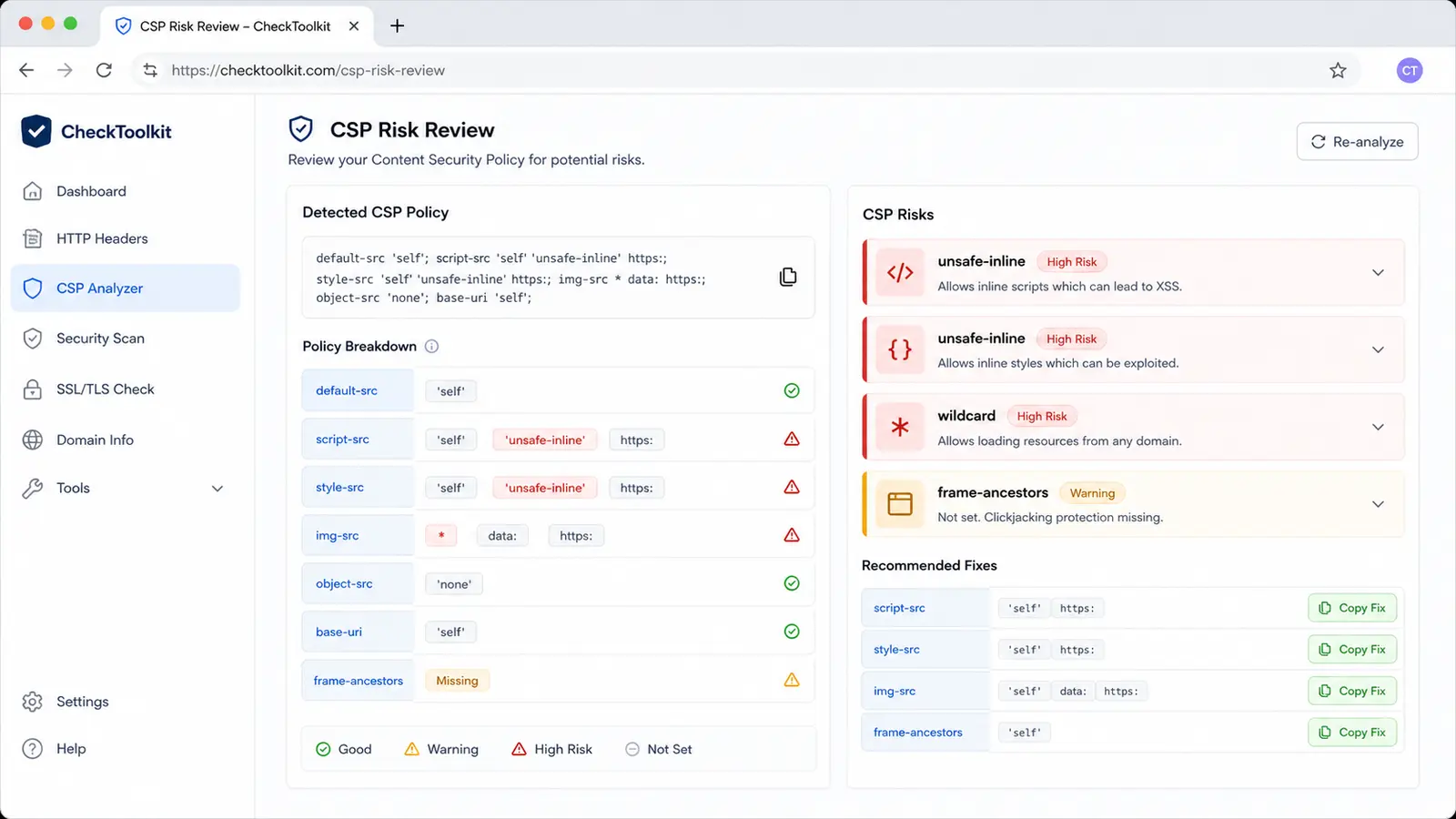
See missing headers, dangerous configurations, CSP risks such as unsafe-inline and wildcard sources, and short HSTS max-age warnings.
Use the generated Nginx, Vercel and Cloudflare snippets as a starting point, then adapt the CSP to the site before production rollout.
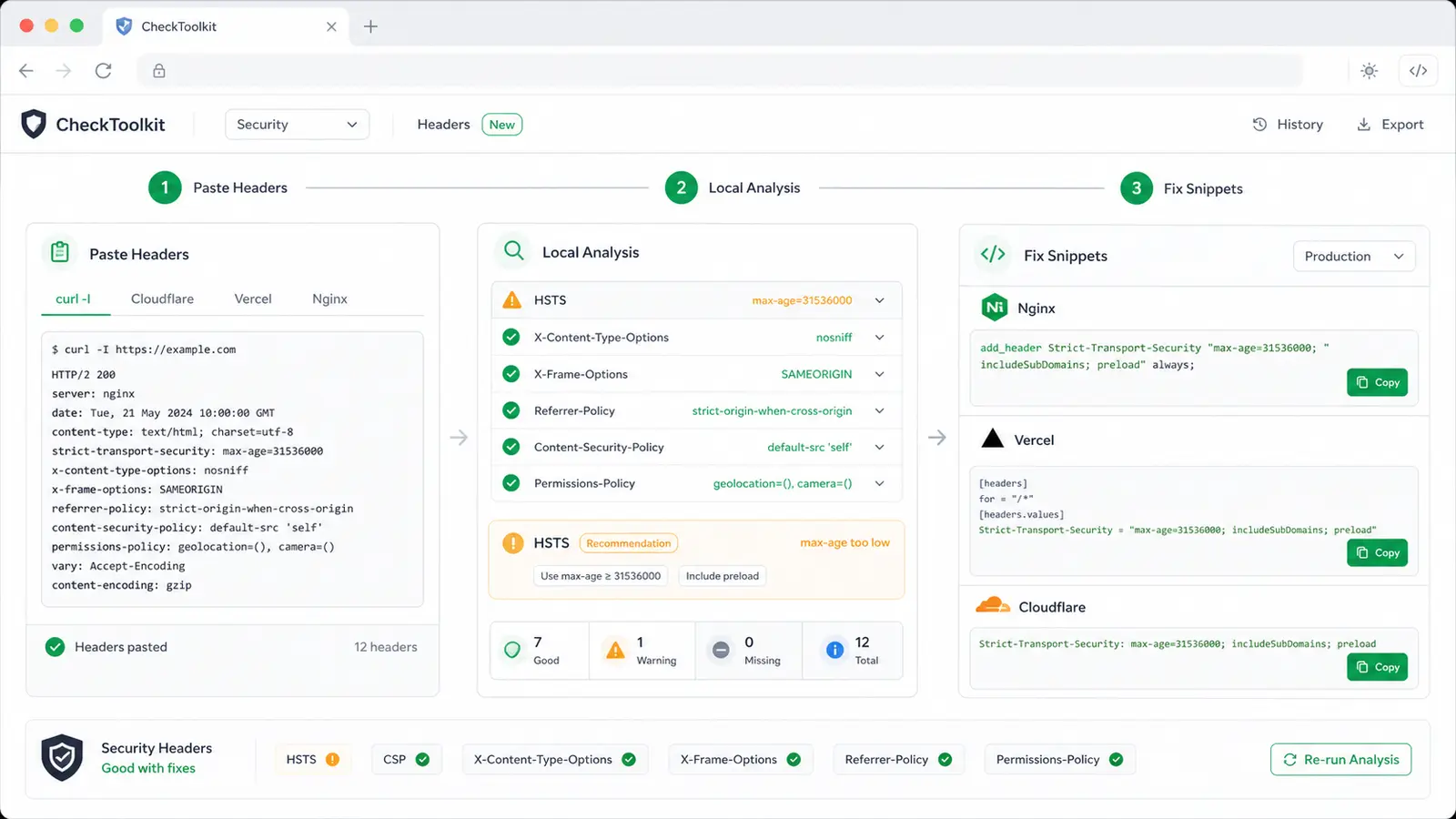
This checker combines security header presence checks, CSP risk review and deployment-friendly fix snippets.
Check whether CSP, HSTS, X-Content-Type-Options, Referrer-Policy, Permissions-Policy and X-Frame-Options are present.
Flag unsafe-inline, unsafe-eval, wildcard sources, missing frame-ancestors, loose object-src and missing base-uri.
Detect missing HSTS, missing max-age, max-age values that are too short and includeSubDomains rollout gaps.
Spot broad referrer policies and wildcard Permissions-Policy values before they ship.
Paste curl -I, Cloudflare, Vercel, Nginx or reverse proxy response headers without reformatting first.
Generate baseline snippets for Nginx, Vercel and Cloudflare Pages that you can adapt to the app.
Use it after a deployment, reverse proxy change or CDN rule update when you already have response header text.
Copy the response header block from curl -I, browser devtools, Cloudflare, Vercel, Nginx or another platform. The tool accepts raw header lines and ignores HTTP status lines.
Start with missing security headers and high-risk CSP findings. Then review HSTS duration, referrer behavior, permissions policy breadth and framing controls.
A pass means the configured checks did not find obvious problems. It does not prove the CSP matches every route, third-party script or browser behavior.
Review findingsCopy a snippet for your hosting layer, then narrow sources to your real domains and test report-only or staging before production.
Answers about local analysis, CORS limits, CSP accuracy, HSTS interpretation and what to do when a header fails.
A pure frontend page cannot reliably read arbitrary website response headers because browser fetches are limited by CORS. This tool intentionally analyzes pasted header text locally instead of pretending to scan every URL.
You can paste raw HTTP response headers, curl -I output, browser devtools response headers, Cloudflare headers, Vercel headers, Nginx output or similar reverse proxy response blocks.
No. The parsing and checks run in the browser tab. This is useful when response headers include deployment details that you do not want to send to another service.
The checker flags common static risks such as unsafe-inline, unsafe-eval, wildcard sources and missing frame-ancestors. It cannot prove a CSP is perfect because real policy quality depends on every route, script, nonce, hash and third-party dependency.
The tool flags HSTS max-age values below 15552000 seconds as short for production review. Increase the value only after confirming HTTPS works on the hostname and any subdomains you plan to include.
No. HTML Head Checker, Open Graph Tag Checker and Robots and Sitemap Checker focus on SEO and publishing metadata. This Security Headers and CSP Checker focuses on HTTP response security headers.
Paste the final response headers from your CDN, host or reverse proxy and review the security baseline before release.
The checker keeps analysis local and gives you practical CSP, HSTS and response header fixes to adapt.
Local pasted-header analysis only. No automatic URL scanning.