SVG XML parsing
Catch malformed SVG XML and non-svg root elements before the asset moves into a template, design system or CMS field.
Free local SVG preflight
Paste or upload an SVG to review whether it is suitable for web use, inline icons or a logo snippet. SVG is checked locally in your browser. Your file is not uploaded. This is a local risk preflight, not a promise of complete sanitization or perfect safety.
Local SVG preflight
This local SVG checker parses XML in this browser tab and flags script elements, event attributes, foreignObject, external resources, base64 embeds, missing viewBox data, missing dimensions, large paths, accessibility gaps and hard-coded colors.
SVG is checked locally in your browser. Your file is not uploaded.
SVG preflight results will appear here
Paste SVG XML or upload an .svg file to see web-use suitability, XML parsing status, viewBox status, size declarations, risk flags, accessibility notes, main issues and repair suggestions.
Fail
0
Review
0
Pass
0
Info
0
This combined SVG checker covers safety, icon fit, viewBox and accessibility checks in one local page instead of splitting them into separate small tools.
Paste SVG XML or upload an .svg file. The checker keeps the content in your browser and starts with XML parsing, root element checks and source statistics.
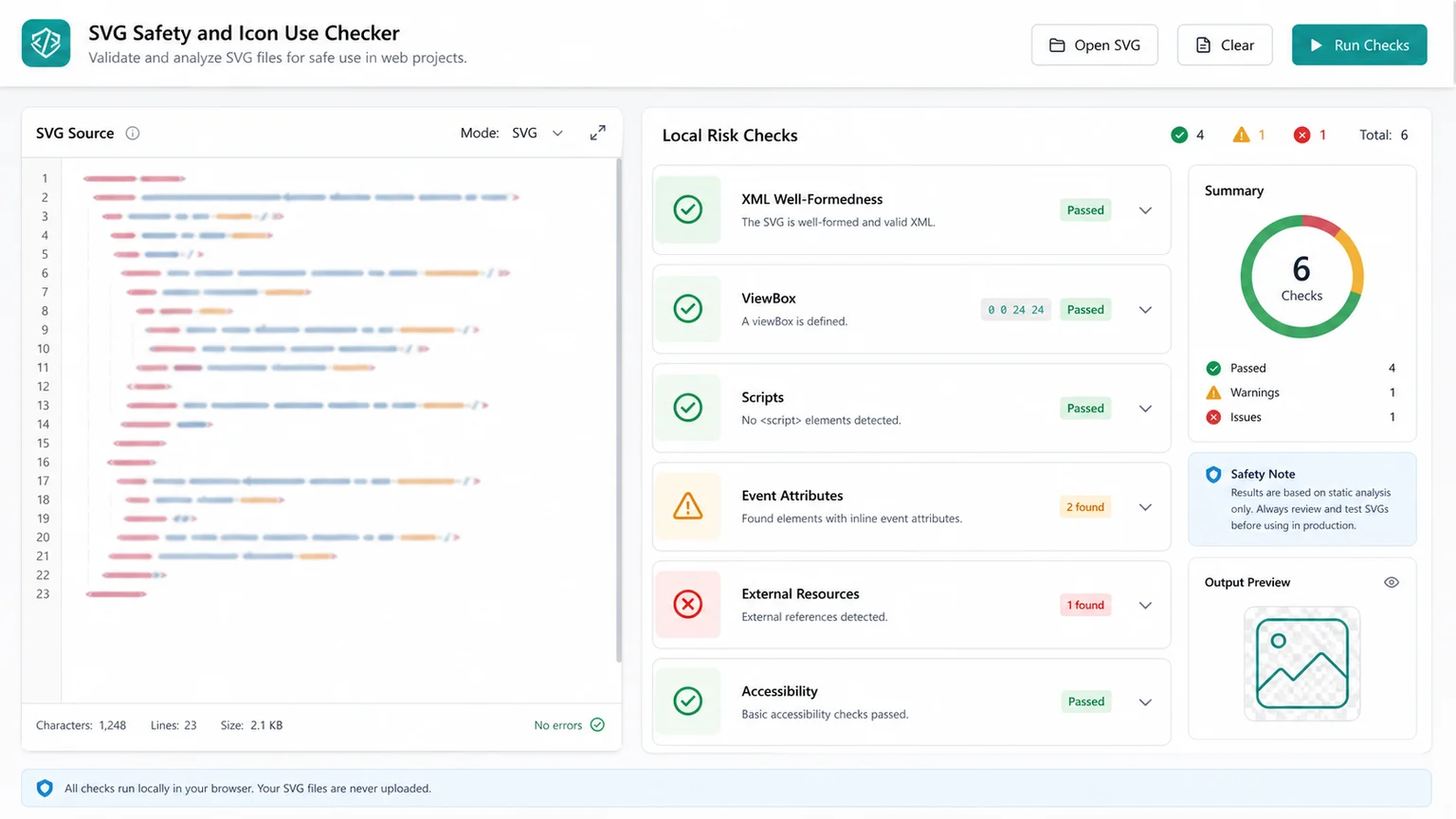
Review script elements, event attributes, foreignObject, external image or font references, base64 embeds, missing viewBox data, missing dimensions and large path warnings in one report.
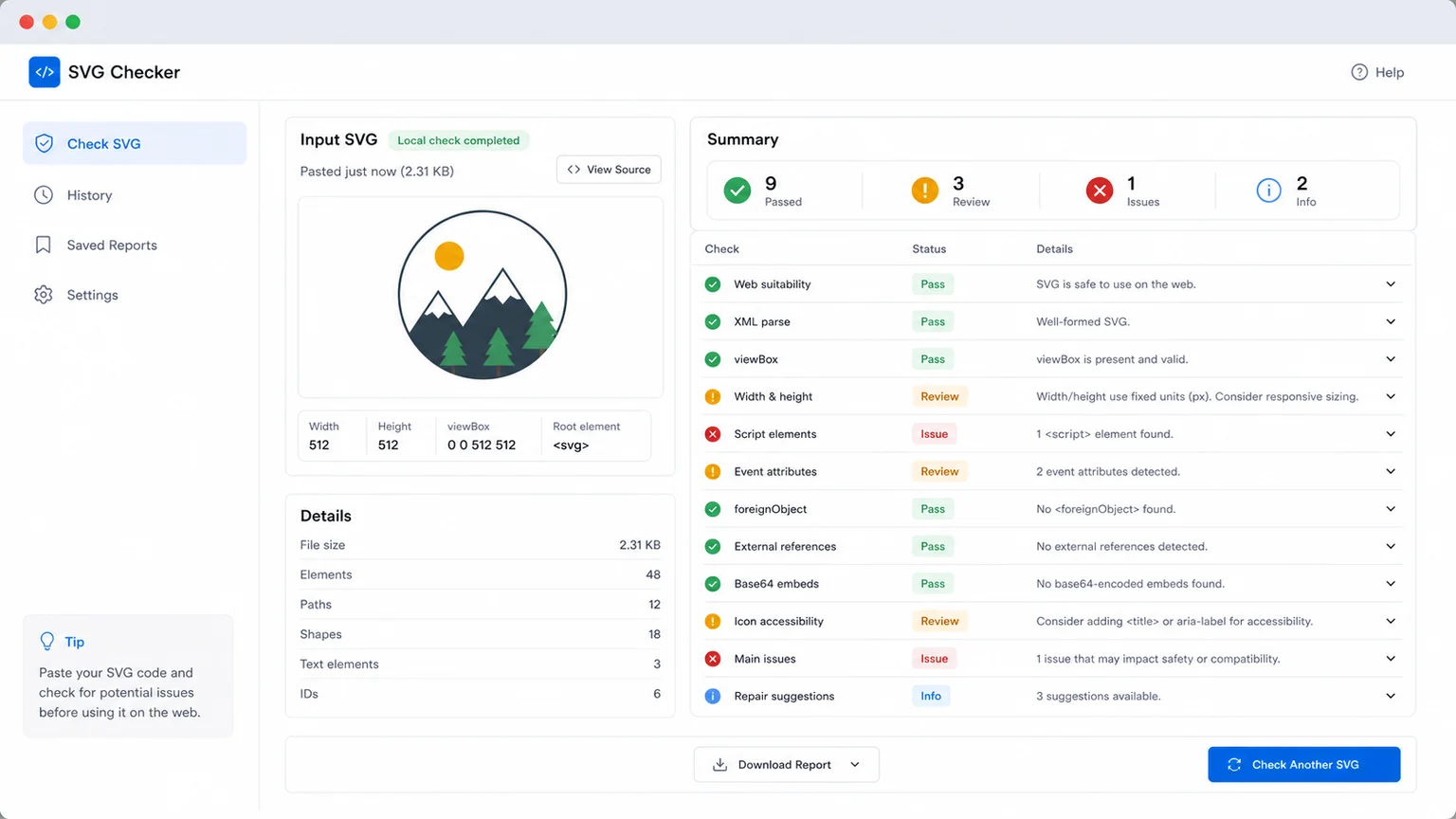
Use the report before embedding an SVG icon or logo. Fix the source, add title or desc where needed, prefer viewBox and currentColor, then check again.
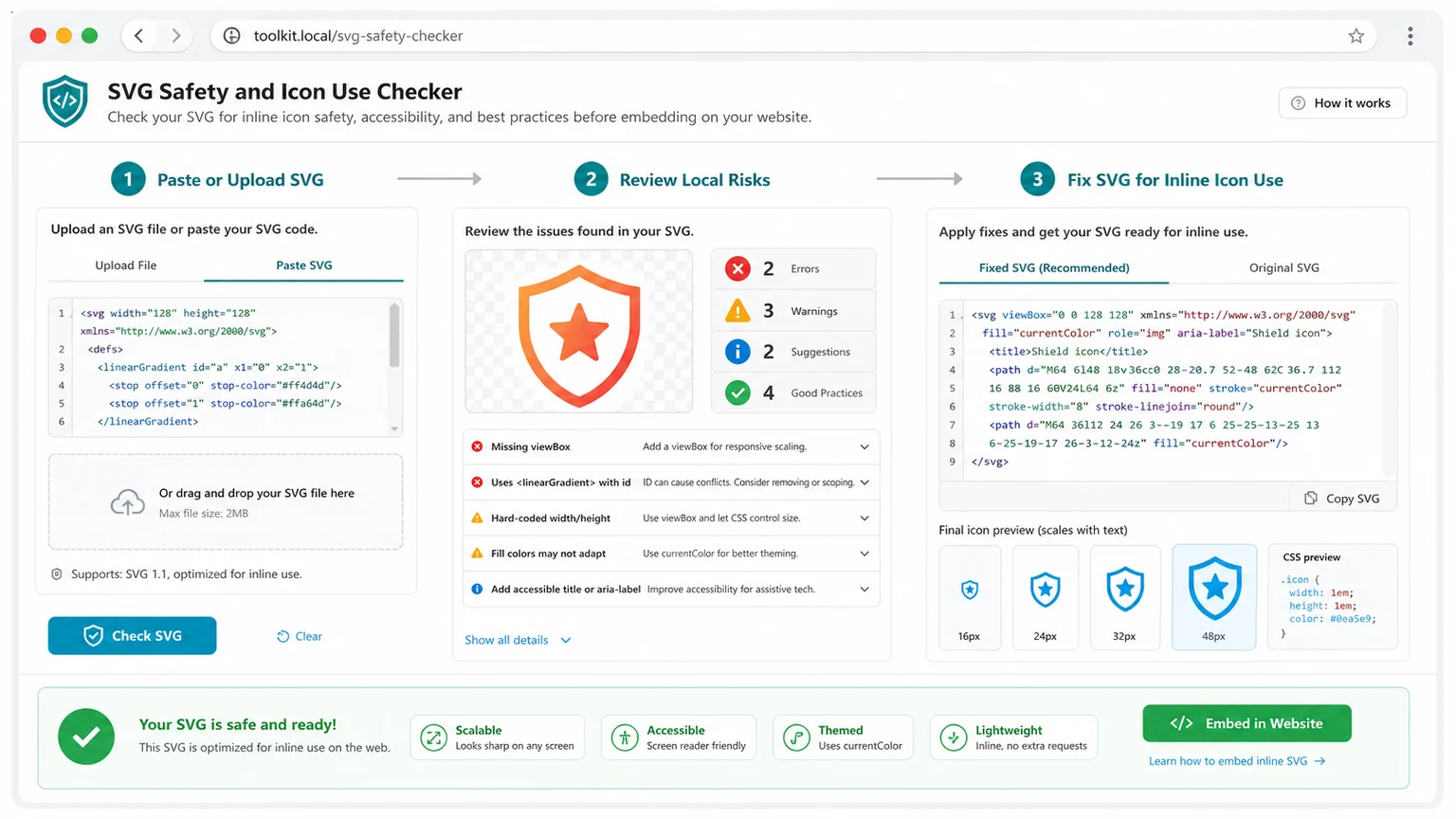
Use this page as a practical browser-side preflight for inline SVG icons and logo snippets, not as a general image checker or favicon-size checker.
Catch malformed SVG XML and non-svg root elements before the asset moves into a template, design system or CMS field.
Flag script elements and inline event attributes such as onload, onclick and onerror as risks to remove before inline use.
Spot foreignObject, external images, external fonts, CSS URL references and base64 embedded resources that make SVGs harder to review.
Review viewBox, width and height declarations so inline SVG icons and logos scale predictably in a web layout.
See whether the SVG has title, desc, aria-label, aria-labelledby or aria-hidden markers for meaningful or decorative icon use.
Find oversized path data and fixed fill or stroke colors that can make a logo or icon heavy, rigid or hard to theme.
This tool is intentionally scoped to local SVG preflight for web use. It does not replace image checks, favicon/app icon size checks, manual code review or a trusted SVG sanitizer.
Use the exact SVG that you plan to inline, place in a component, or hand off as a logo snippet. The checker reads the source in your browser without uploading it.
Start with failed items such as invalid XML, script elements and event attributes, then review foreignObject, external resources, base64 embeds, viewBox, dimensions, title, desc and color warnings.
The report is static analysis. It does not execute the SVG and it does not guarantee that a risky SVG has been fully cleaned.
Review reportRemove risky code, add or repair viewBox, confirm width and height strategy, simplify large paths, add accessibility text when needed and prefer currentColor for themeable icons.
For favicon and app icon dimensions, use the dedicated Favicon and App Icon Checker instead of this SVG preflight.
Check againPractical answers about what this SVG preflight can and cannot verify before web use.
No. The checker reads pasted or uploaded SVG content in your browser tab. It does not upload the SVG file to CheckToolkit.
No. The tool reports local risk signals such as scripts, event attributes, foreignObject, external resources and base64 embeds. It is not a sanitizer and it cannot promise 100% safety.
No. This page focuses on SVG XML, inline icon and logo readiness. Use the existing Image Checker for raster image dimensions, file size, DPI, metadata and general image checks.
No. Favicon and app icon dimensions belong in the dedicated Favicon and App Icon Checker. This page reviews SVG structure and web-use risks instead.
Fix invalid XML, non-svg roots, script elements and event attributes first. Then review foreignObject, external resources, base64 embeds, viewBox, dimensions, accessibility text, path size and hard-coded colors.
Meaningful SVG icons and logos often need an accessible name or description. Decorative icons may instead be hidden from assistive technology, so the result should be interpreted in the context of the surrounding UI.
Use this page as a quick local preflight for SVG XML, web safety signals, viewBox scaling, icon accessibility and logo snippet readiness.
Local preflight only. No 100% sanitization guarantee.