Safe-zone mask previews
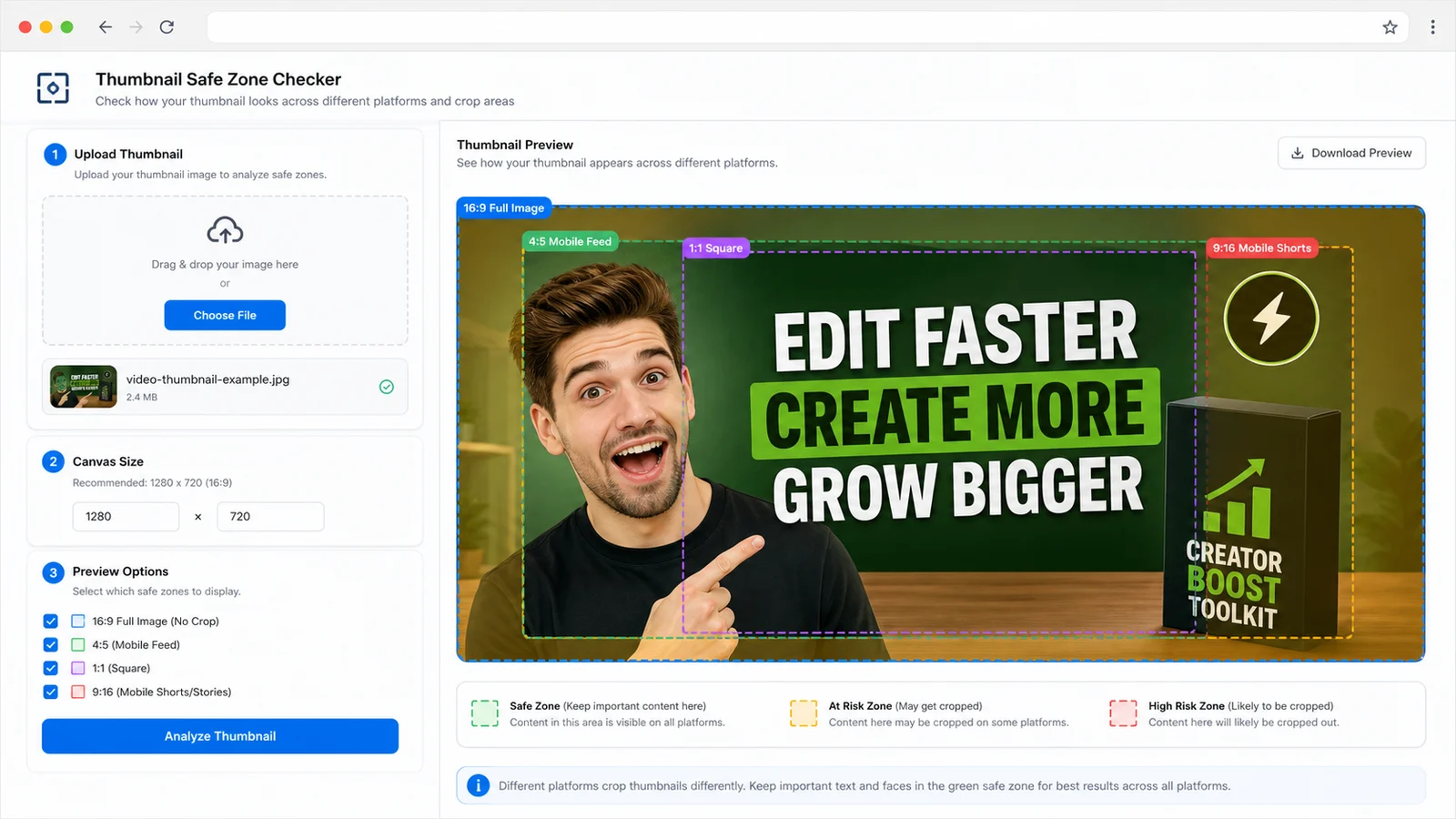
Preview 16:9, 4:5, 1:1 and 9:16 masks to see where cover text, faces, products and logos might be trimmed.
Free cover safe-zone preview
Upload a YouTube thumbnail, course cover, video cover or blog cover and preview 16:9, 4:5, 1:1 and 9:16 safe-zone masks. This checker looks beyond size by flagging edge-heavy title text, off-center subjects, lower-right duration badge risk, player control overlap, mobile crop loss and crowded layouts that may hurt readability.
Browser-side thumbnail preview
Use this checker before you publish a video thumbnail, lesson cover, blog feature image or social preview. It reads the image locally, estimates visual activity zones and shows where important content may collide with crops, playback controls and duration badges.
Your image stays in this browser tab. The checker does not upload the cover image to create previews or read dimensions.
Thumbnail safe-zone results will appear here
Upload a thumbnail or cover image to preview 16:9, 4:5, 1:1 and 9:16 safe zones, crop risk, player overlays, lower-right duration risk and mobile readability.
SAFE ZONE
16:9 / 4:5 / 1:1 / 9:16
16:9 preview shows the full landscape thumbnail plus safe padding, player controls, center play and lower-right duration areas.
This workflow turns one uploaded cover into a practical safe-zone, crop-risk and readability report.
Start with a YouTube thumbnail, course cover, blog cover or video cover. The checker reads the image locally and prepares safe-zone overlays without sending the file away from the browser.
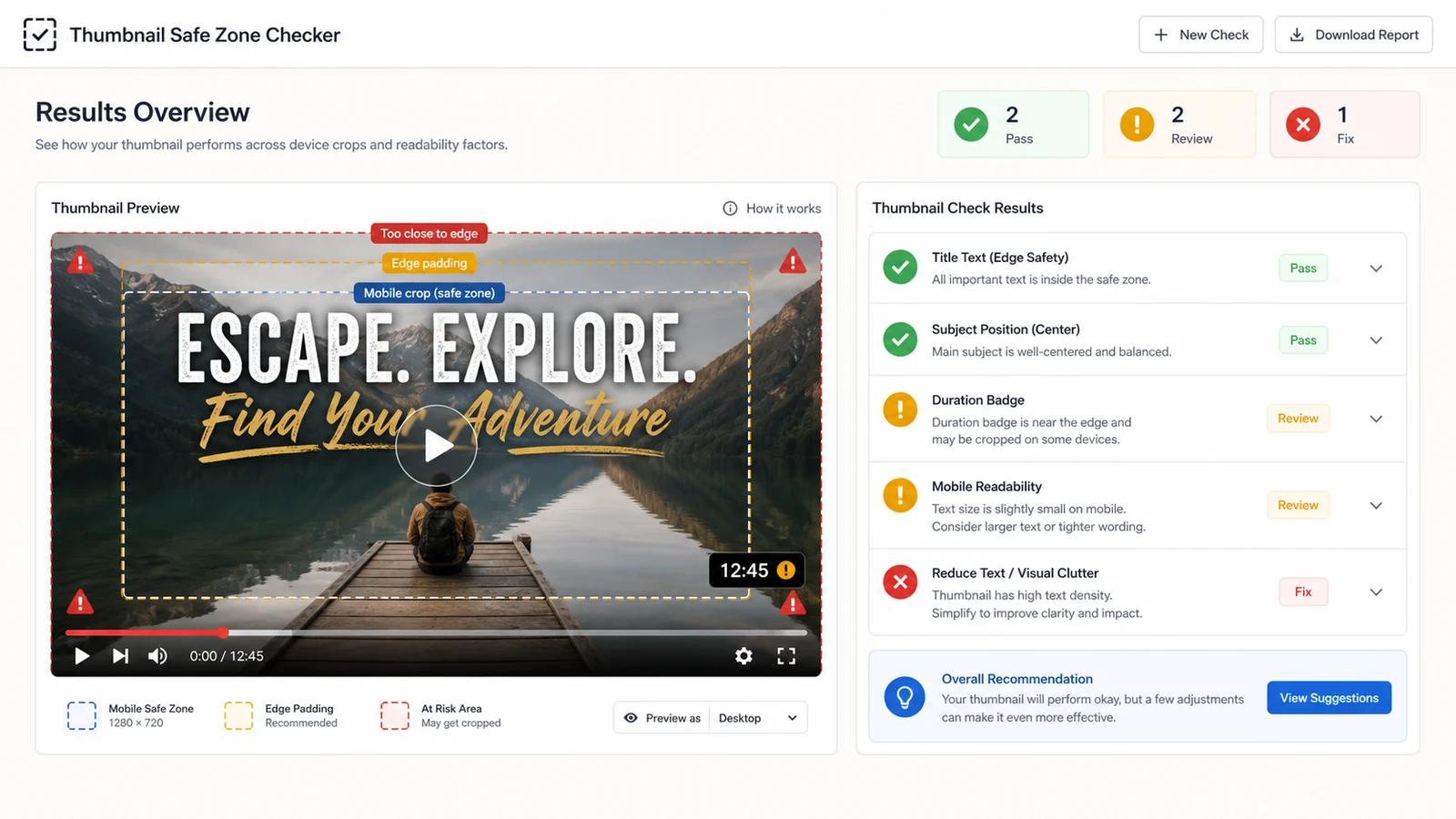
Preview the center play button, lower player controls, time bar and duration badge area so titles, faces, products and logos are not hidden by the interface.
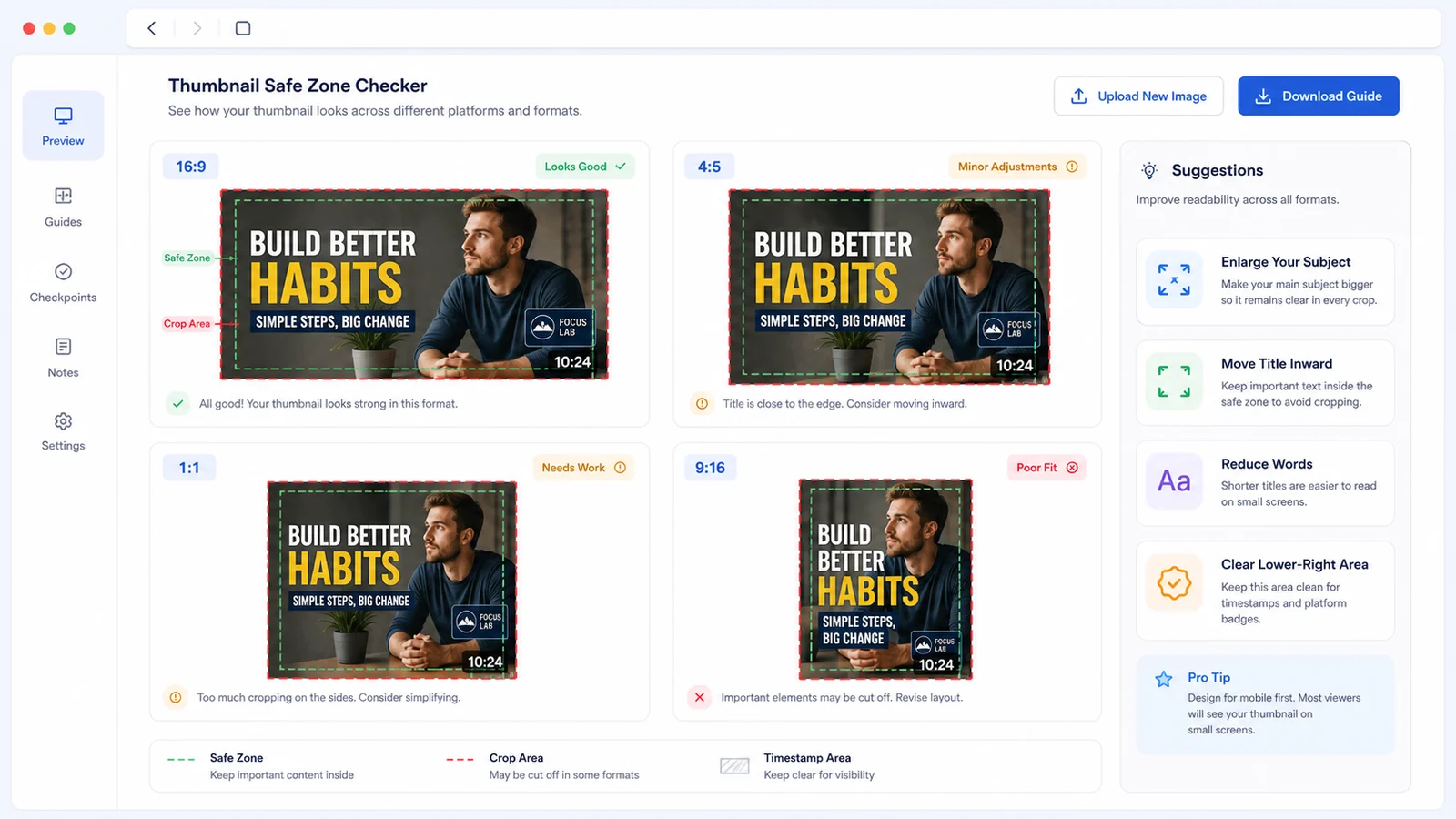
Compare 16:9, 4:5, 1:1 and 9:16 previews, then use the suggested fixes to enlarge the subject, move text inward or simplify crowded copy.
Use this cover QA tool when a thumbnail looks good full size but may fail after cropping, overlays, mobile scaling or dense text.
Preview 16:9, 4:5, 1:1 and 9:16 masks to see where cover text, faces, products and logos might be trimmed.
Check center play, bottom controls, time bar and lower-right duration areas before important details sit behind the interface.
Flag crowded text, tiny labels and high-detail layouts that may become unreadable in small thumbnail cards.
Estimate whether the face, product, logo or hero object anchors the center safe zone strongly enough.
Compare mobile-friendly crops before the cover appears in feeds, grids, shorts-style previews or compact cards.
Copy a concise report with crop risk, overlay risk, mobile readability and practical layout fixes.
This visual preflight tool helps you spot likely crop and overlay risk, but it is not an official platform approval guarantee.
Start with the final YouTube thumbnail, video cover, course cover or blog cover. A 16:9 source is common for video, but the checker can also preview square, portrait and vertical covers.
Look at title edge safety, subject centering, lower-right duration badge risk and bottom player controls first. If a result says Fix, move important text inward or clear the overlay area.
The analysis estimates visual activity from pixels. It does not run OCR or face recognition, so use the preview as a practical warning system and confirm the design visually.
Review resultsSwitch between 16:9, 4:5, 1:1 and 9:16. If the title, face, logo or product disappears in mobile crops, simplify the layout or create a dedicated mobile-friendly crop.
For busy thumbnails, one shorter title and one larger subject usually outperform many small labels.
Compare cropsAnswers about accuracy, privacy, file types, accepted formats, official requirements and how to interpret a safe-zone warning.
It checks the browser-decoded image dimensions, aspect ratio, estimated edge activity, center subject strength, lower-right duration badge risk, bottom player control risk, crop loss across 16:9, 4:5, 1:1 and 9:16, and visual density that may hurt readability.
Yes. A regular thumbnail checker often focuses on dimensions, file size or 16:9 fit. This checker focuses on safe zones, crop risk, overlay risk and readability for thumbnails and cover images.
No. The checker uses local pixel analysis to estimate visual activity, density and crop risk. It does not run OCR, face recognition or brand detection, so you should still visually inspect the title, subject, product and logo.
You can upload PNG, JPG, WebP, GIF and SVG files when your browser can decode them. For the most reliable preview, use the same exported cover image you plan to publish.
No. The tool reads the image in your browser tab and uses a local object URL for the preview. It does not upload the thumbnail or cover image for checking.
No. A Pass means the image looks healthy under this visual preview logic. Real platform layouts, player UI, compression, device size and A/B interface changes can vary, so always check the final upload where possible.
Move the title inward, make the subject larger, clear the lower-right badge area, lift content away from the bottom player controls, reduce word count and test the crop previews again.
Use it before uploading a YouTube thumbnail, video thumbnail, course cover, blog cover or social preview.
Catch crop risk, player overlays, duration badge conflicts, mobile readability and crowded text while the design is still easy to edit.
Free cover checker for safe zones, crop risk, player overlays and thumbnail readability.