Resume text extraction preview
The extracted text preview helps you spot empty PDFs, broken order, scanned pages or image-only resume content.
Free resume readability checker
Resume files are checked locally in your browser. This tool does not upload your resume or calculate a fake universal ATS score. Use the ATS-Friendly Resume Checker to inspect PDF, DOCX or pasted resume text, preview extracted text, review ATS parsing risk, and compare your resume with a target job description.
Local resume readability check
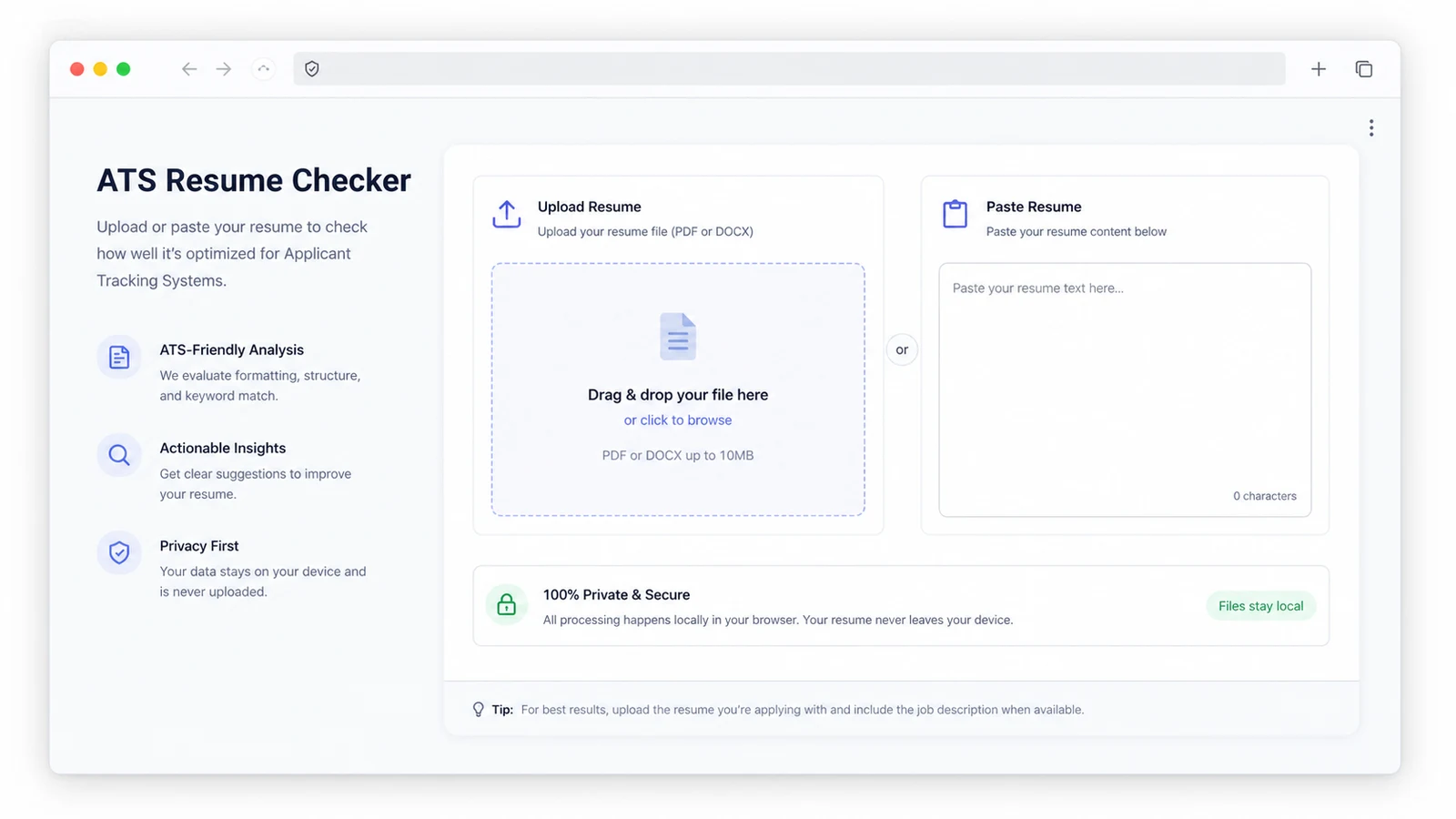
Upload a PDF or DOCX resume, or paste resume text directly. Add a target job description when you want the checker to compare skills, keywords and role terms.
Resume files are checked locally in your browser. This is not a real ATS system and it does not calculate a fake universal ATS score.
Your resume stays in this browser tab. The checker does not upload resume files or job descriptions.
Pasted text is useful when your PDF is scanned, image-based or exported from a design tool.
The JD comparison is optional. Without it, the tool still checks readability, layout, sections, contacts and bullets.
Resume checker results will appear here
Upload a PDF or DOCX resume, paste resume text, and optionally paste a job description to see text extraction preview, ATS parsing risk, sections, contact checks, keyword match, bullet quality, issues and suggestions.
The ATS-Friendly Resume Checker combines resume text extraction, parser preview, section checks, contact checks, layout risk, keyword match and bullet review in one tool page.
Start with a PDF, DOCX or pasted resume. The browser reads the resume locally and shows the text that a simple parser can see.
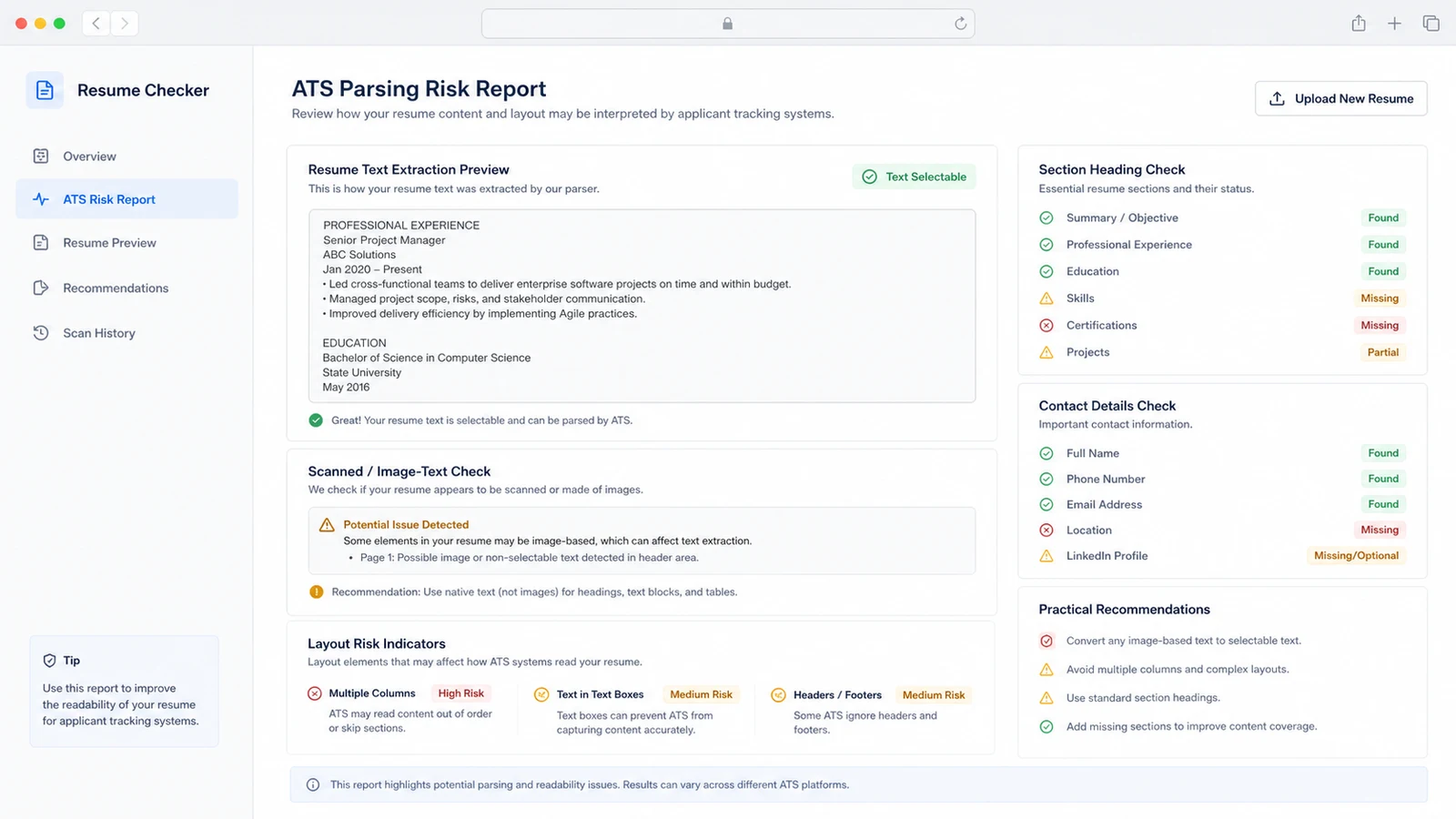
Review selectable text, scanned-text risk, section headings, contact details, LinkedIn or portfolio presence, tables, text boxes and multi-column layout warnings.
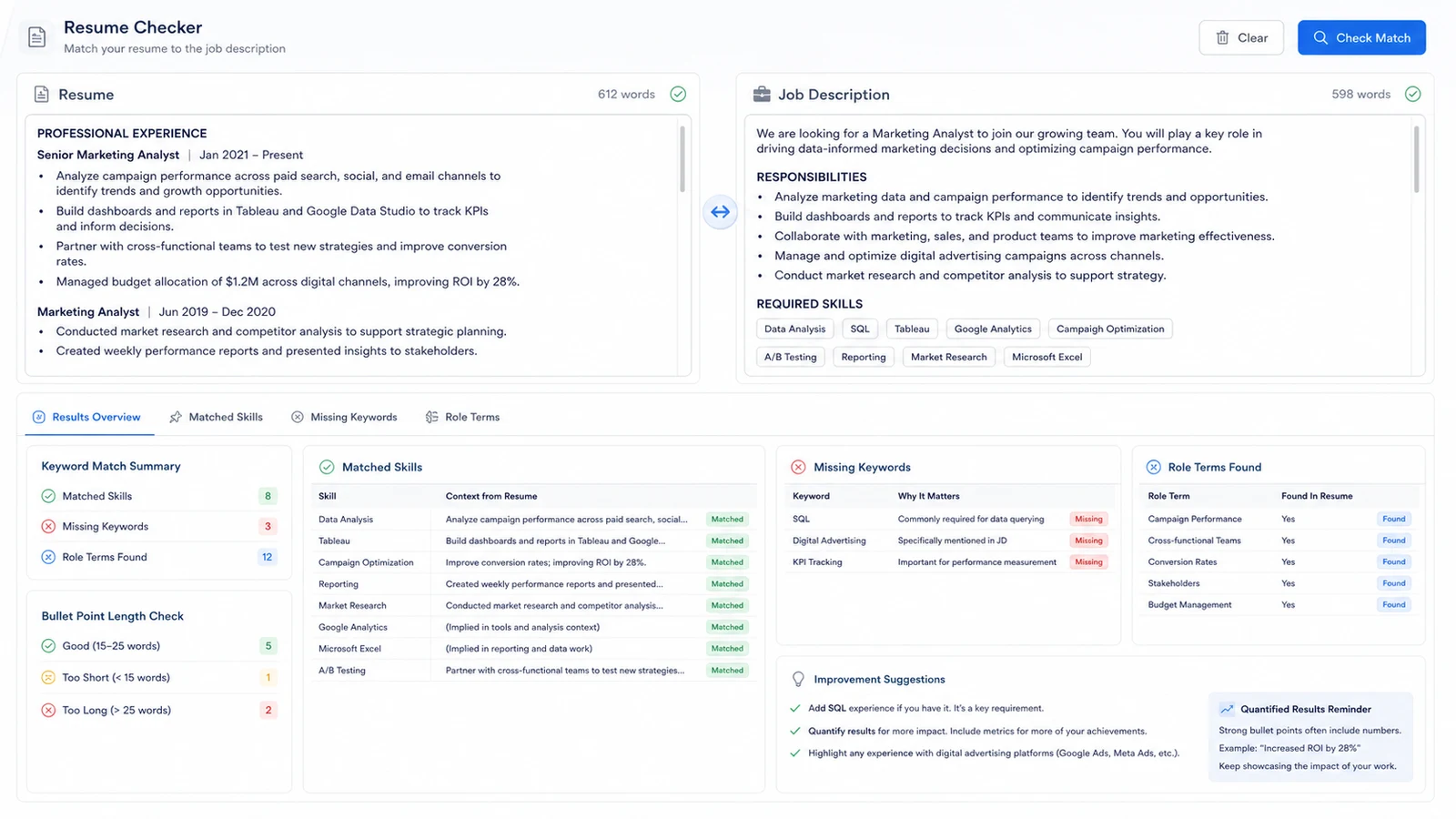
Paste a target JD so the tool can compare resume keywords, skills, role terms, missing keywords, bullet length and measurable results.
Use the ATS-Friendly Resume Checker when you want one practical page instead of separate PDF text-layer, DOCX parsing, parser preview, section, contact, keyword, layout and bullet checkers.
The extracted text preview helps you spot empty PDFs, broken order, scanned pages or image-only resume content.
Review copyable text, suspected scans, DOCX tables, text boxes and multi-column patterns without pretending to know every ATS vendor rule.
Find missing headings, email, phone, LinkedIn and portfolio signals that can make a resume harder for recruiters or parsers to use.
Paste a job description and compare skills, keywords and role-related words against the resume text.
See whether bullets are too long and whether they include numbers, percentages, money, volume or other concrete outcomes.
The report gives risk levels and suggestions, not a fake 98/100 ATS score or a promise that your resume will pass.
This browser-side resume readability helper can catch common parsing issues, but it is not a universal ATS simulator.
Upload PDF or DOCX, or paste resume text. If a PDF preview is nearly empty, export a text-based PDF or paste the content to confirm what is readable.
Look at the extracted text preview, scanned-text warning, layout risks, section headings and contact details before changing style or content.
Paste the target job description to find matched and missing terms. Add missing keywords only when they truthfully describe your experience.
Do not treat this as an ATS Score Checker, Resume File Checker, PDF size checker, metadata checker, URL privacy checker or hiring-probability predictor.
Common questions about privacy, PDF and DOCX parsing, job description matching, ATS limits and how to interpret the report.
No. PDF, DOCX, pasted resume text and pasted job descriptions are processed locally in your browser tab. The tool is designed for sensitive resume content and does not upload files to inspect them.
No. It is a browser-side parser and checklist. It can show common readability, layout, section, contact, keyword and bullet risks, but it cannot simulate every applicant tracking system or employer workflow.
A universal 98/100 ATS score would be misleading because ATS behavior depends on the employer, configuration, job description and workflow. The tool reports risk levels, missing terms and concrete suggestions instead.
The tool reads PDF text with a browser PDF parser and extracts main document text from DOCX files. For general upload type, size, filename or MIME checks, use the existing File Attachment Checker instead.
Re-export the resume from Word, Google Docs or another editor as a text-based PDF, or submit DOCX if the application accepts it. Avoid screenshots or image-only resume pages for the main text.
No. It does not use a job database, company ATS rule library, salary model or real hiring pass-rate data. It helps you make the resume easier to read and compare with the job description before you apply.
Use one page to preview resume text extraction, ATS parsing risk, JD keyword match, missing terms, bullet issues and practical resume edits.
This tool helps with resume readability, not guaranteed ATS approval.