File name safety
The File Attachment Checker finds spaces, special characters, long names and confusing dots that can cause older forms or strict validators to reject an upload.
Free File Attachment Checker
Upload PDF, DOCX, PNG, JPG, ZIP, CSV and common document files to the File Attachment Checker before sending an email, job application, school upload, visa document upload or website form. The browser-side report checks size, extension, MIME type, detected type, file name safety and whether a form may reject the attachment.
Browser-side attachment check
Choose the preset that matches the destination, then add one or more attachments. The File Attachment Checker reads file names, sizes, browser MIME values and lightweight file signatures locally.
Upload scenario preset
Your files stay in this browser tab. The File Attachment Checker does not upload attachments to inspect them.
File Attachment Checker results will appear here
Upload attachments or try a sample to see file size, file name, extension, MIME type, detected type, rename, compression and form-readiness checks.
The File Attachment Checker turns a folder of attachments into a practical pre-submission report for email, forms, school portals, job applications and visa uploads.
Start by choosing email attachment, job application, school upload, visa document upload or website form upload. The File Attachment Checker adjusts size and type checks for that destination.
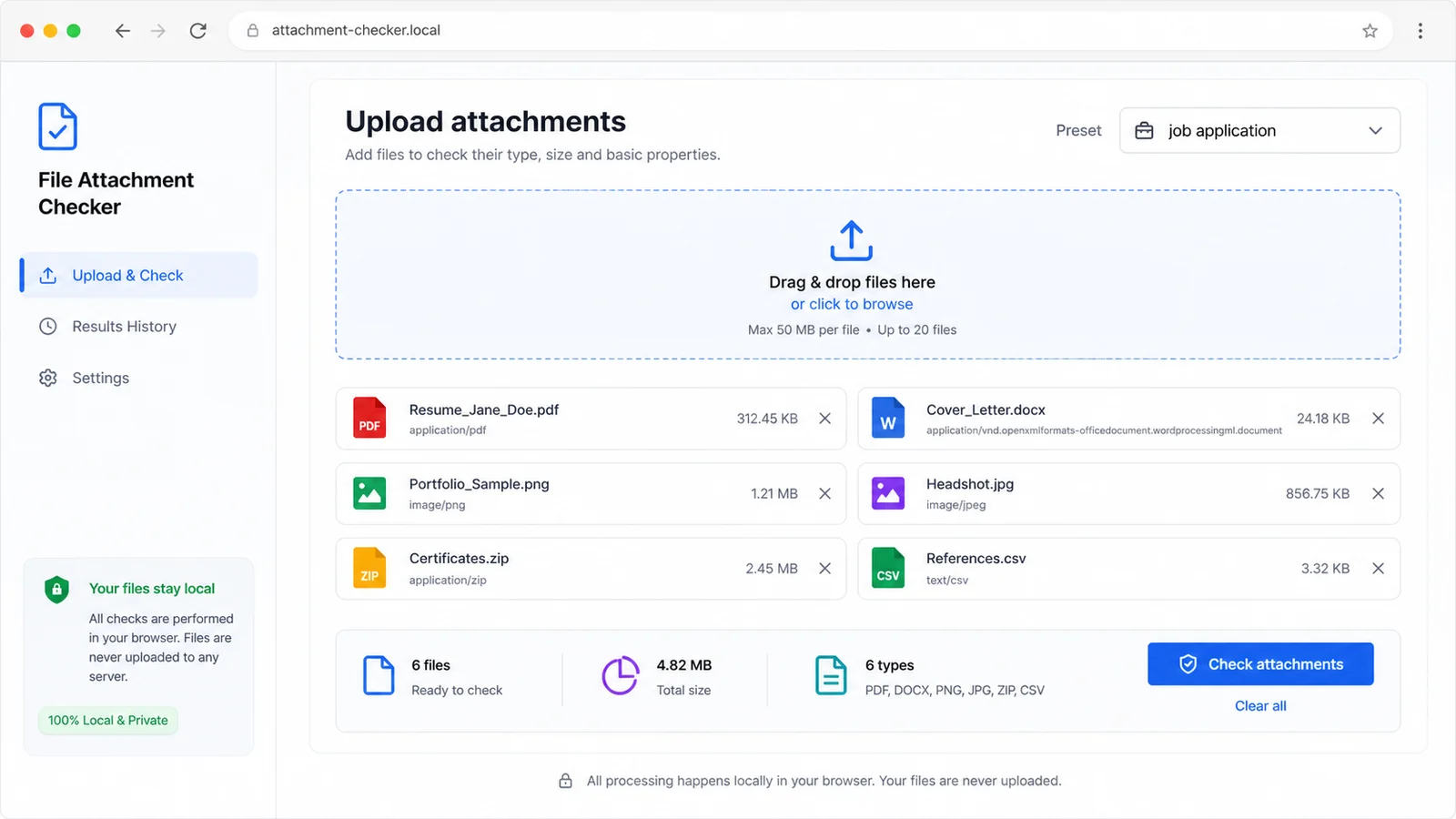
Review whether each attachment is too large, has an unsafe name, mismatches its detected type, needs renaming, needs compression or may be rejected by a strict form.
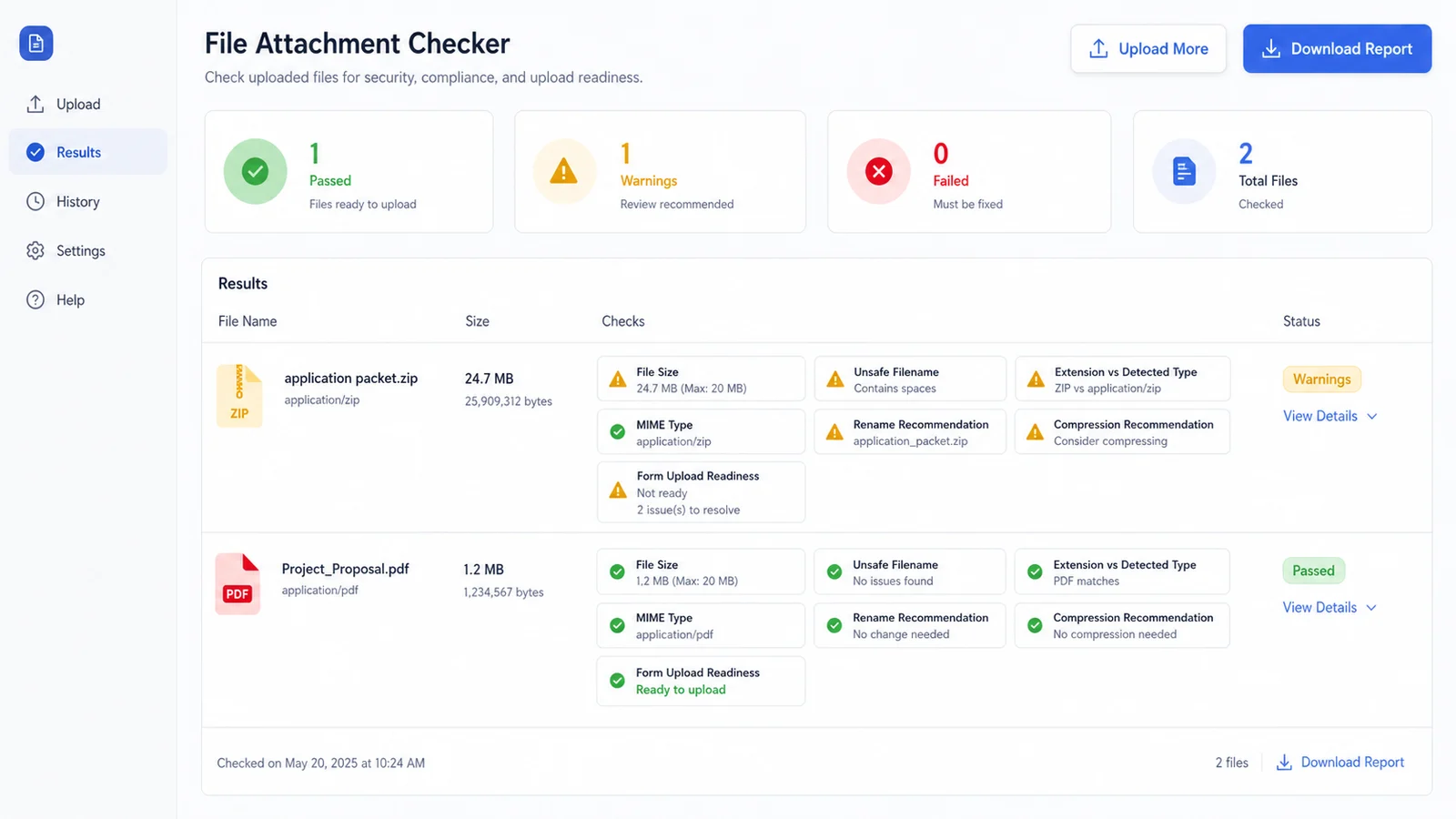
Use the File Attachment Checker before sending deliverables, uploading school files, attaching visa scans or submitting website forms, then rename or compress files before the final upload.
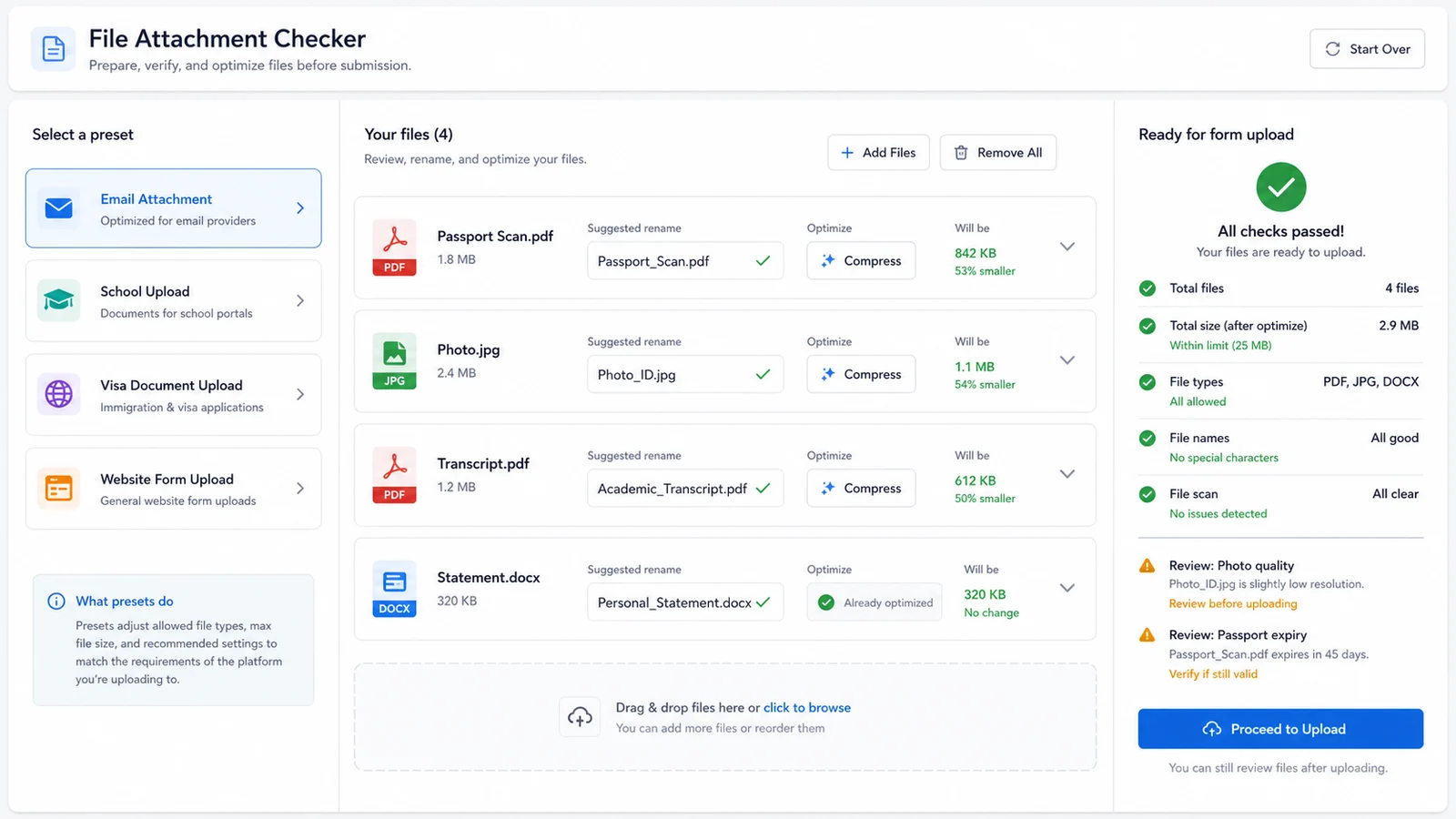
Use the File Attachment Checker when a file looks fine on your computer but may fail after a platform, form or email service applies its own upload rules.
The File Attachment Checker finds spaces, special characters, long names and confusing dots that can cause older forms or strict validators to reject an upload.
Compare the extension with browser MIME values and lightweight file signatures for PDF, DOCX, PNG, JPG, ZIP and CSV-style files.
The File Attachment Checker reviews per-file and total-size risk against practical presets for email attachments, job applications, school uploads, visa uploads and website forms.
See whether the attachment may fail because it is too large, not allowed by the preset, missing a MIME value or mismatched to its extension.
Get a safer file name that keeps letters, numbers, dots, underscores and hyphens before submitting to a strict upload form.
Find attachments that should be compressed, split or re-exported before they hit an email or portal size limit.
The File Attachment Checker is a browser-side preflight. It catches common upload blockers, but the final rule is still the exact requirement from the platform, school, employer or visa center.
Choose the destination that best matches your task: email attachment, job application, school upload, visa document upload or website form upload. The preset changes practical size and extension checks.
Add the files you plan to submit. The checker reads browser metadata and a small local byte sample to compare file name, extension, MIME type and detected type.
Browser MIME values can be blank or wrong, so the result is best treated as a practical warning system rather than a forensic file validator.
Upload filesRename unsafe files, compress large attachments, convert mismatched files again and re-run the check before you submit the final set.
When a portal lists its own maximum size or accepted extensions, use that official requirement over the preset and keep the File Attachment Checker report as an early warning.
Review reportAnswers about privacy, accuracy, accepted file types, MIME type checks, upload limits and what to do when the File Attachment Checker flags a file.
The File Attachment Checker inspects file name patterns, extension, file size, browser MIME type and a lightweight local signature for common formats such as PDF, PNG, JPG, ZIP and DOCX. It then reports rename, compression and upload-readiness advice.
No. The check runs in your browser tab. The File Attachment Checker reads only local file metadata and a small local byte sample needed for type detection.
No. It checks common rejection risks, but each employer, school, visa center, email service or website form may enforce its own limits, malware scan rules and accepted file list.
A file can be renamed without changing its contents, and browsers can provide blank or generic MIME values. A mismatch means you should re-export or rename the attachment before submission.
The File Attachment Checker is designed for common upload attachments such as PDF, DOCX, PNG, JPG, ZIP, CSV, text files and office-style documents. It can still show size and name checks for other files, but type detection may be limited.
Compress the file, export a smaller PDF or image, split the upload into separate files if the destination allows it, or follow the platform's official file-size instruction when it is available.
Use the File Attachment Checker to review attachment size, file name safety, extension, MIME type and detected type before a form or email service rejects the upload.
Fix the report, recheck the final files, then submit with fewer last-minute surprises.
Free File Attachment Checker for PDF, DOCX, PNG, JPG, ZIP, CSV and common upload files.